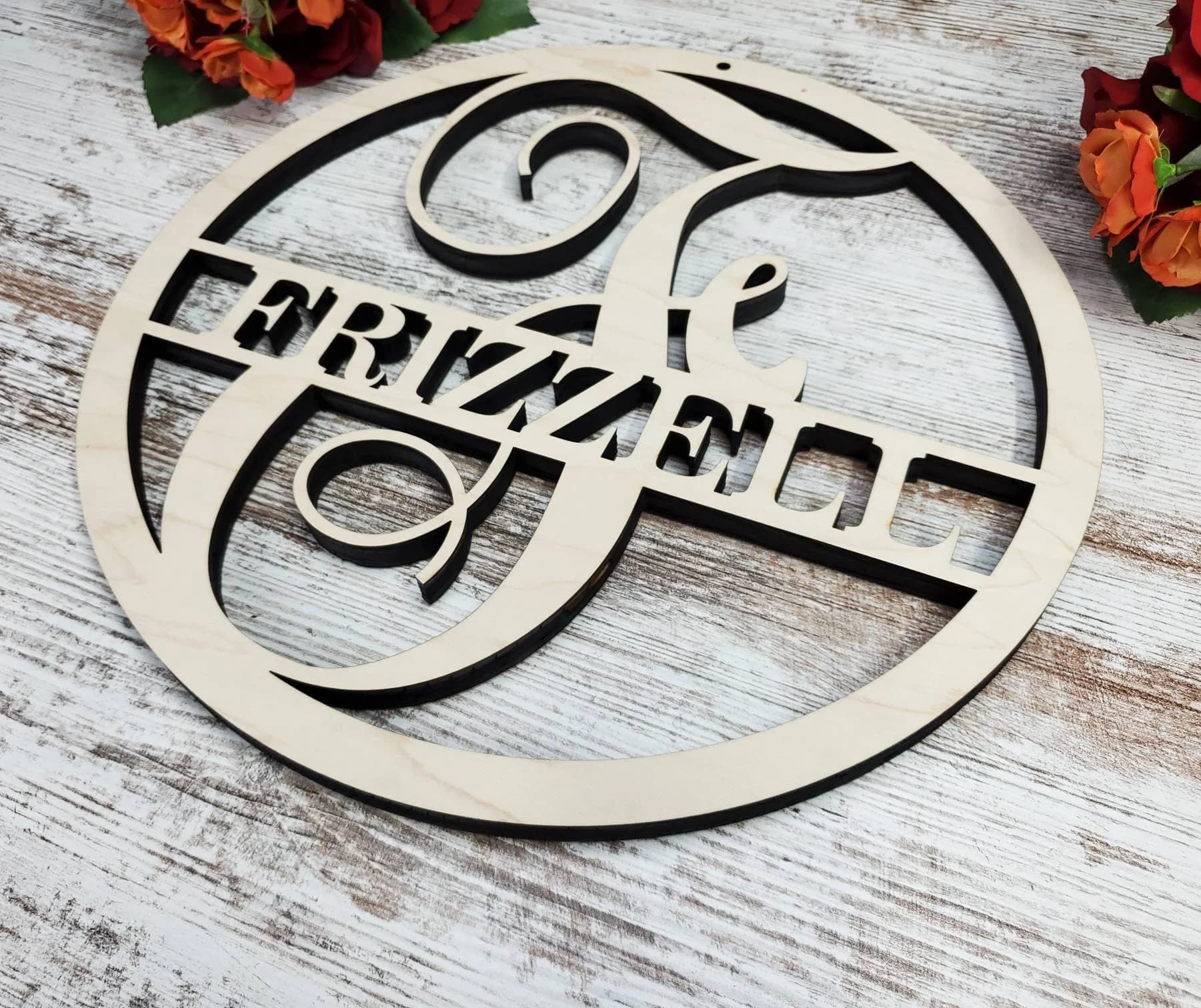
I’m moving on from the MPCNC to the Low Rider. I ordered the kit just before the Jackpot V3 came out. I just haven’t had the time to build the Low Rider until now so things just sat downstairs including the Jackpot V1. My brother is taking the MPCNC.
My experience with the MPCNC has been OK. I’ve never been able to get it dialed it, but I can get it to work. High RPMs, slower speed, 3mm DOC. It’s easy to get chatter if I don’t. But anything other than profile cuts takes hours and hours.
I’m sure it’s a combination of my impatience, the machine being big (24”x24”), and other stuff I’m not smart enough to figure out. But I wonder if a contributing factor is the 12V Einsy Rambo board. Aside from running at 24V, it looks like the stepper motor drivers can handle more current as well. 0.9A vs 1.4A.
My ultimate question is should I upgrade the MPCNC to the Jackpot V1 and then order a V3 for my LowRider? Does each machine benefit? My brother isn’t going to know any better either way. But I also want the latest and greatest for me if it matters.
You should upgrade to the Jackpot.
If you don’t need an external antenna (controller isn’t in a metal box), and you don’t intend to do development work that has you swapping the ESP-32, then you should get a Jackpot V3.
Probably not the reason, unless your 12V power supply is low-current.
If I were upgrading, I’d go to 24V power for VMOT.
That’s only really a major improvement if you run at very high travel speeds.
The Einsy Rambo is based on the ATMEGA2560 chip, which isn’t bad, but it’s definitely dated. It’s an 8 bit processor, with poor floating point performance, which leaves no real overhead for certain moves, like processing actual arc (G02/G03) commands. You can make EstlCam break down curves into short straight lines, and that works. You aren’t likely to ever see a real difference, since Marlin firmware actually does the same thing behind the curtain, but sometimes you get jerks and pauses while the machine is running the gcode. Thew V1 docs for EstlCam used to advise turning on the option to break down curves, I suspect for this reason. My initial build of the MPCNC Primo used a RAMPS compatable board also based on the ATMEGA2560.
The Rambo is stuck with the Marlin firmware. This isn’t necessarily a bad thing, but Marlin is much more oriented to a 3D printer than a CNC. We make it work, but some things (Lightburn for example) don’t like to play nice with it. I strongly suspect that MillMage (Made by the same people) will also not support Marlin as well as FluidNC/GRBL.
So what does the Jackpot get you? Well, a 32bit processor, with pretty good floating point maths. Proper support for G02/G03 moves. Better support for spindles, and PWM/TTL Laser modules, and my personal favourite: Wifi.
I disliked sneakernet to transfer files from my CAM machine to Marlin. I switched to Duet 2 Wifi boards myself, and from there, the switch to a Jackpot is less clear an advantage. Okay, I get RepRap Firmware, which isn’t much better supported than Marlin, instead of FluidNC which is GRBL compatible, but machine function wise is very nice. Changing to wifi means that I no longer have to insert/eject the SD card all of the time, with the associated physical wear and tear on the socket and card. Less chance of corrupted files, or a dead card. The convenience of transferring files from my desk. Using a web browser on my phone or a tablet to control the machine, with good realtime information about the job status.
24V motor operation means that the machine can maintain full torque/power at higher speeds. That’s about it. Maybe that lets you actually use those higher speeds, but probably only for non-cutting movement. There is no evidence for the higher voltage actually increasing cutting power, though some people seem to feel that it does. That said, I use 24V power for my Primo, my LR3 and my LR4.
Those would be my reasons.
That said, if the machine works well for you, and you aren’t looking for wifi or web browser based control, and your CAM solution and workflow aren’t an inconvenience, there’s little need to upgrade.
The workflow works well enough for me to give it to my brother. That machine just never cut well enough for me. It’s too slow and I don’t have hours to wait on cuts. Doesn’t sound like the controller will change that. Those benefits you listed are more convenience than performance so I’ll let him make that upgrade. It’s likely to see very little use.
I’ve wanted to go bigger hence the LR4 as well as hoping for better results. Now if there’s a significant reason to go to the Jackpot V3 instead of the Jackpot V1, I would do it and take the leftover Jackpot and put it into the MPCNC just because I had an extra.
I loosely followed the jackpot v2 and v3 dev thread and i believe the v3 had some pwm enhancements for laser, but I wasnt clear if that was vs version 2 or version 1. If i were you, I would pass along the mpcnc as it is and put the v1 in the LR4. But i don’t use the jackpot, so hopefully someone else who knows will chime in on this point.
I am more interested in your expectation for speed with the lr4. My lr4 cuts about the same speed as my mpcnc did, but it is more consistent, easier to work around, and doesnt bind or pile up crud on the bearings on the core because of how the core shields the bearings and includes the built-in dust shoe. It is very possible i have it running more conservative than is required.
V2 had a regression, V1 and V3 are great for laser. V2 is not.
For me the question isnt’t whether or not to buy a Jackpot V3 when you already have a Jackpot V1.
For me, the question I would ask myself is “What do I give to my brother?”
I would probably spend more time working on the thing I was going to give to my brother than on my next thing; that’s just me (and I like my brother )
As far as the question of Jackpot V3 vs V1… Jackpot V3 has
Improved thermals all throughout the board.
Integrated ESP-32.
Integrated drivers.
Improved connectors.
Built in RJ12 / FluidNC standard port with ESD protection for an M5 or CYD pendant (or Airedale IO expander)- no expansion module or DIY wiring required.
Better ESD protection overall.
Improved GPIO outputs with both VMOT and 5V outputs available.
Improved WiFi signal due to better placement/configuration of the ESP-32 PCB antenna.
USB-C connector instead of micro USB.
Both boards run FluidNC just as well, so there’s no difference there. Both perform well.
The only compelling reason to stick with Jackpot V1 is if you need to put the controller into a metal box- only V1 supports using an external antenna (by swapping the ESP-32 to one with an external antenna port)
Honestly I would settle for consistency with speeds. I’m convinced that chips are myth when it comes to cutting because I’ve never seen one. Dust is all I create. The best projects I can make are monogram signs out of 1/2” Baltic Birch. Realistically I can usually do 15mm/s at 3 DOC with 1/8 single flute upcut. Some days that seems too slow, other days it’s pushing the limit. But something like this will take 1-1.5 hours for a 24” cut. I could do a shorter DOC, but it seems like 3 hours is excessive.
The big reason for the upgrade, even with the trouble, is it seems most of the things I’m trying to make get very close to that 24” mark. I’m not sure what I’m expecting from speeds, but most of the LR4 videos are showing 2x-3x of what I can successfully run and make it look easy with a 4x8 machine. At the very least, if I can obtain the performance of the MPCNC I have but with the larger cut area(3’x4’), it’s a win. There have been plenty of projects I’ve screwed up because I exceeded the cut area by just 1/2 inch.
I like my brother too which is why he’s getting the MPCNC. At this point, you’re right. It’s a consideration of if I want the V3 in my LR4 or not. There’s plenty of people running the V1 on great machines. The benefits listed don’t really indicate any better performance of the actual cutting performance of the machine. But if both machines would see an improvement in performance, then it’s a bit easier to justify the cost of a V3.
For my 1/2" plywood. I cut 6.5 mm deep at 700 mm/min… So like 12 mm/s, but at 2 passes it doesnt take forever. I use the 2 flute upcut 1/8" dollar mills from the big bookstore. I buy an a pack of 10 and toss after each job or 2…
I have had good success with the older 8 bit boards with klipper since the raspberry pi does the heavy lifting and the control board just drives. I only run klipper on the printers and cncs that i build. At some point Ill get a jackpot, but have not yet run out of other boards.
The issue you’re describing is NOT a controller issue.
I’ve seen MPCNCs create beautiful chips and do amazing work. The machine is very capable.
I’ve also seen the same MPCNC owners do similar jobs on the LR4 and marvel at the improvement the LR series affords for a well assembled machine with good tuning and workflow.
The reality for you is that if you really want to improve either machine, the controller is the wrong place to start. You have mechanical, process, and/or workflow issues that need to be worked through. Once you do that, then you can start to take advantage of the performance these machines have.
Forums aren’t great at conveying tone, so I want to be sure and make it clear:
We’re here in the forums to help you.
If you (and your brother!) want to work through that troubleshooting and improvement then we’ll help you along the way, step by step and improvement by improvement.
You’re 100% correct and I agree with you. And I probably asked the question in the wrong way.
The MPCNC is obviously a very capable design. Whatever the reason is, it’s 100% on me. I know my machine’s limitations (more or less). But with my troubled success, I found that I wanted a larger cut area anyway. So I could spend the time rebuilding a machine I’ve already had trouble with or build a new design. I chose the new design. I was going to sell the MPCNC, but my brother wants it. He can pick up where I left off, rebuild it, troubleshoot, etc. and I will help him where I can.
The original question simply came from the fact that the Einsy Rambo board is rarely mentioned anywhere on the forums or the documentation. Doesn’t seem like a lot of people use it. I’m still certain it’s a build issue, but I wondered if not having the Jackpot or a more familiar board was putting me at a disadvantage while trying to troubleshoot the real problem. If it was, I would upgrade it for my brother before I gave it to him. Or if the V3 Jackpot was some huge upgrade that I would be foolish to not put it in the LR4, then I would order it and still put the V1 in the MPCNC. But what I’m gathering from this thread is that neither of those things are the case and so it doesn’t make a ton of sense to buy a V3.
I am grateful for all the help on the forum. I just hit my limit with the MPCNC and decided my time was better spent trying to build a LR4 and end up with something closer to what I want. And I’m sure I’ll be on here with more questions once I finish the LR4.
 )
)