Yeah- I am using the ad card into the jackpot. I guess if it diaconnects but still runs the code that is something.
Seems disconcerting to be disconnected though. Guess I need to be near the plug anyway
Yeah- I am using the ad card into the jackpot. I guess if it diaconnects but still runs the code that is something.
Seems disconcerting to be disconnected though. Guess I need to be near the plug anyway
How close/far are you from the LR4 when its disconnecting?
3 feet
After your device disconnects from the FluidNC wifi AP, does it automatically connect to your home wifi AP?
No- I have auto connect off for fluidnc and my home network.
I think we’re going to have to have it connected via FluidTerm and then run the job so we can get some debug info to see what is happening.
It absolutely does. A PC browser actually has a pop up window with a clickable link to open the right window. Android actually gets the pop up as well, usually, but is not clickable.
If you want a screenshot of an android browser tell me what one you are using and I will get it for you. In android it opens up a captured portal, it is not a full browser. you have to connect to Fluidnc ssid, that will pop up what looks like a browser window. if you can not see the accept network try minimizing that window, open your real browser, and go to 192.168.0.1
This subject is linked here in the instructions. Jackpot3 CNC Controller - V1 Engineering Documentation
If you are within 20 feet it should be perfectly fine.
If you are not accepting the network as is it will kick you off and go back to real internet.
Another hint is if you are on an android if you can not scroll back up you are still in the captured portal. On a pc it is not as easy to tell since only certain things do not work, but you on a pc you should always get a pop up with a link.
If any of your computers are set to “automatically connect to this network” “fluidnc” on your wifi ssid list, then they will take turns kicking each other off the fluidnc network eventually crashing your jackpot.
If you have amazing home wifi reception in your shop at the antenna you can try STA mode, that does not use a captive portal to login.
Thanks all for the responses.
Feeling a bit overwhelmed with it and it is bringing me down.
Will try again in a few days once my head is in a better space.
I’m a complete greenhorn with FluidNC, so if you don’t mind I’m going to horn in on this topic…
I don’t get this option either? I do what Raush does and it takes me directly to the WebUI.
Also, what is AP Mode?
AP Mode is where you connect to FluidNC wifi and access the webui at 192.168.0.1
STA Mode is where you connect the Jackpot to your homes wifi and the access it @ whatever IP address your router gives it or fluidnc.local (i believe)
STA Mode is the best to use, BUT only if you have good wifi signal where your machine is.
I just came across this post on the FluidNC Discord by Mitch. It might be relevant to your situation:
Are you trying to refresh the WebUI while a job is running?
no. not trying to refresh. just trying to run a gcode without my connection dropping.
thanks though.
What browser are you using in android so I can get specific instructions for it.
chrome
is there a suggested beginner guide to CNC.js so i can just hardwire? I tried a few youtube vids but they seemed geared to carbide
okay here is the steps.
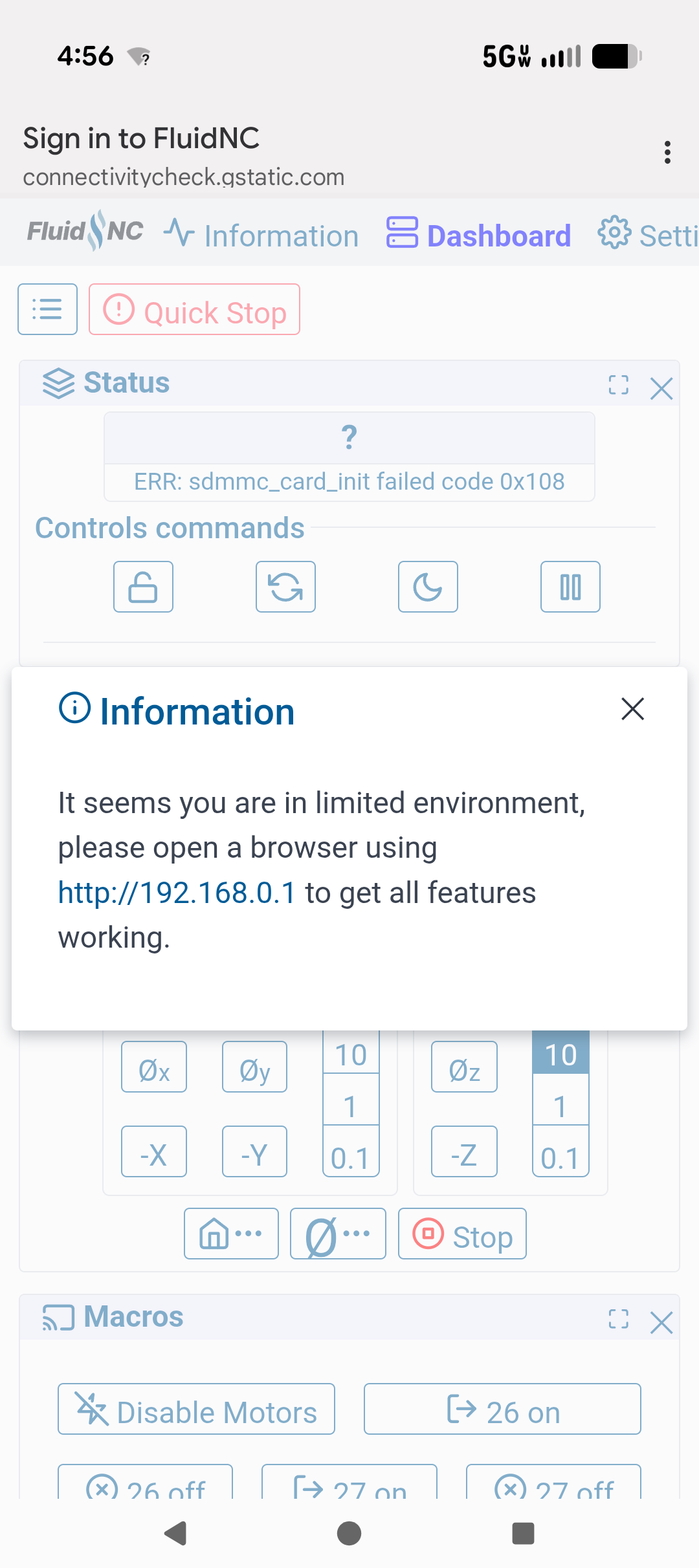
connect to fluidnc and you will see this pop up
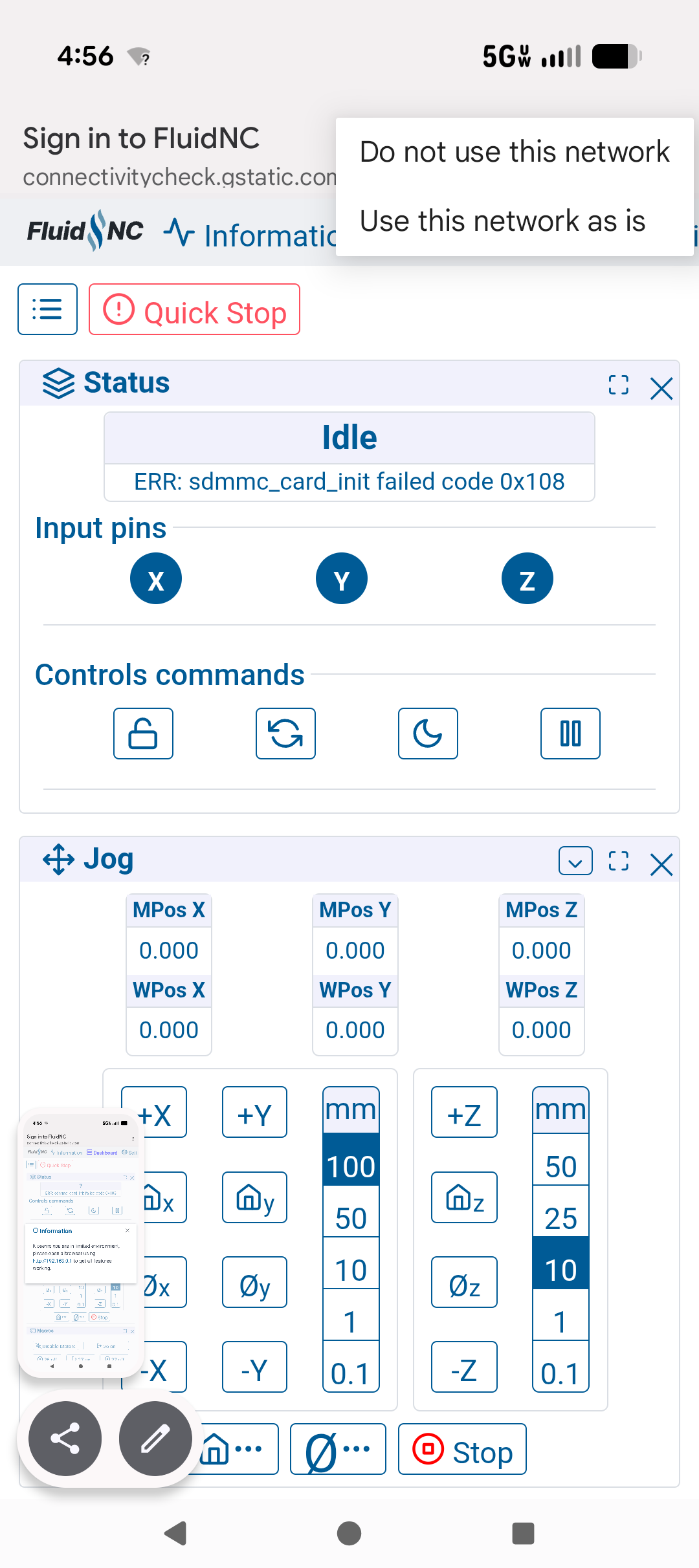
that link works on a pc, not on android. so on a pc click that and you are in. on the android close that pop up out, click the three little dots in the upper right corner
you will see this screen
click use this network as is.
that will kick you out of the browser. open chrome, go to 192.168.0.1, best to just make a bookmark.
it should work from there.
omg! That worked!!! Yay!
and thank you so much!!