I flashed a some boards for a day with FS first then WIFI, turns out that does not work. I was so busy checking for driver issues I did not check the wifi. Grrrrr. Testing is not easy.
So if you see anyone pop up with " I can not connect to my new JP3" they have to reflash (or they could just flash the wifi raw stuff).
FluidNC Installation | Wiki.js - The fluidNC wiki has this section a little confusing. You do have to flash the wifi package first, if you flash it after the FS package the board works fine but the wifi does not.
-p This allows you to specify the COM port. If this parameter is not used, it will automatically select the COM port if only ose exist. If more than one exist, you will have to select if from a list.
-u This indicates you want to upload a file.
-r This is used to specify the filename on the remote device (the controller). If the filename is omitted, the uploaded file will be placed in localfs with a name the same as the tail name of the source file, for example /localfs/myprog.gc per above.
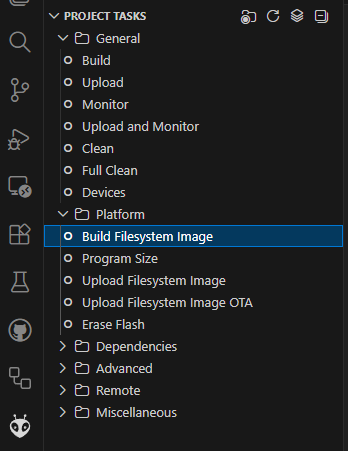
You could even go a step further and build your own littlefs.bin for each board (I guess that’s just JP3 now) since that’s what contains the files. So you could do it all at one shot.
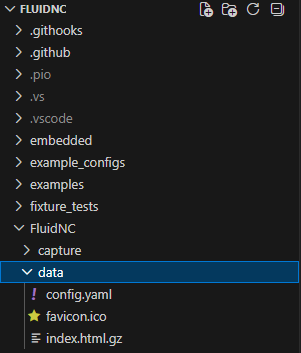
If you open the FluidNC repo in VS Code, the contents of /FluidNC/FluidNC/data is what ends up in that. So, just put all of your flash files there.
So If I leave my script up above alone and just swap out the littlefs.bin file it will have it all…that is too cool. I will be flashing some boards first thing in the morning!