Right…… The LR4 has been working flawlessly….. up until now! Of course it happens to be the first serious project!
17mm Formply (Phenolic faced plywood used for concrete formwork/shuttering)
1/8” Straight 2 Flute Bit (new)
Depth of cut = 3mm, Feed = 25mm/s (1500mm/min)
Router Speed = Between 2&3 on the dial (Genmitsu Makita clone) - circa 14000RPM?
Initially I think I was running the router too fast (5 on the dial), and too deep (Depth of Cut 6mm), with too long a bit (32mm). Ended up dulling the bit (discoloured). Trying to pocket a hole and when I dropped down to the next level the depth being too great it wasn’t able maintain track - ended up losing both X& Y.
Changed out the bit to a (again new) 1/8” Straight 2 flute (this time only 22mm long). Also checked grub screws on the X-axis Stepper and tension on X-belt.
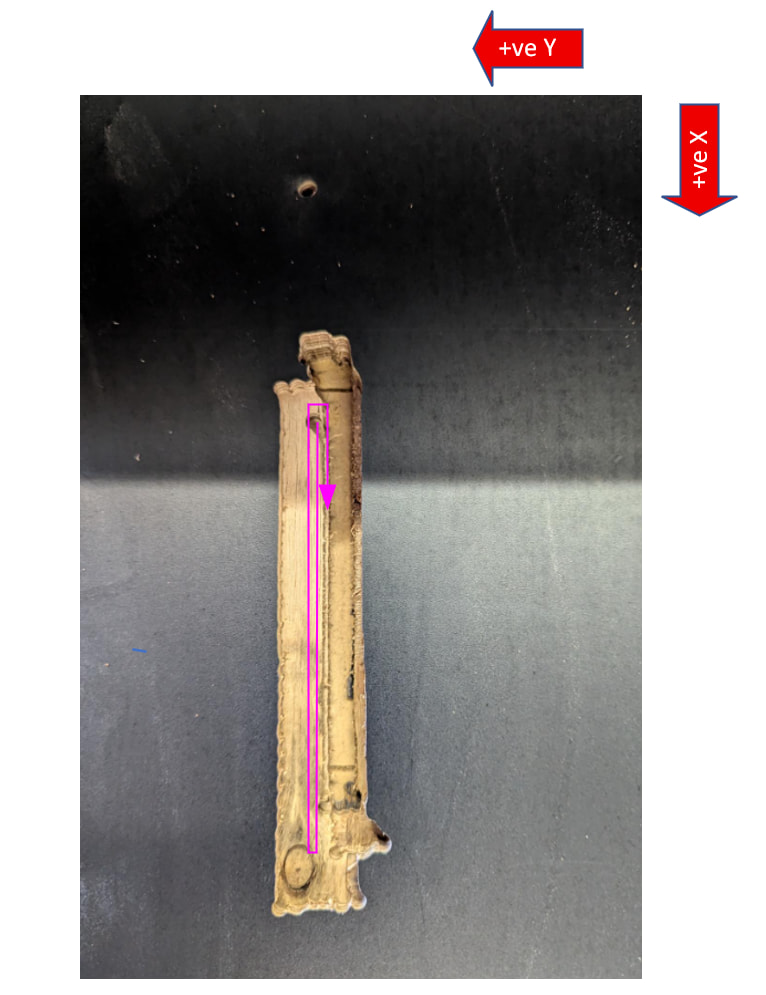
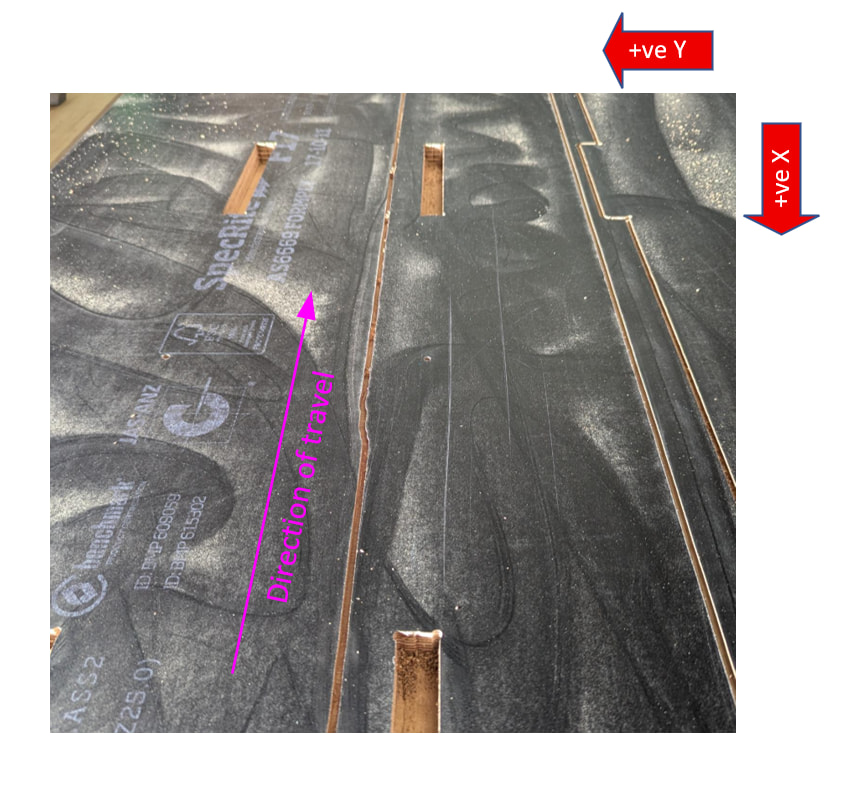
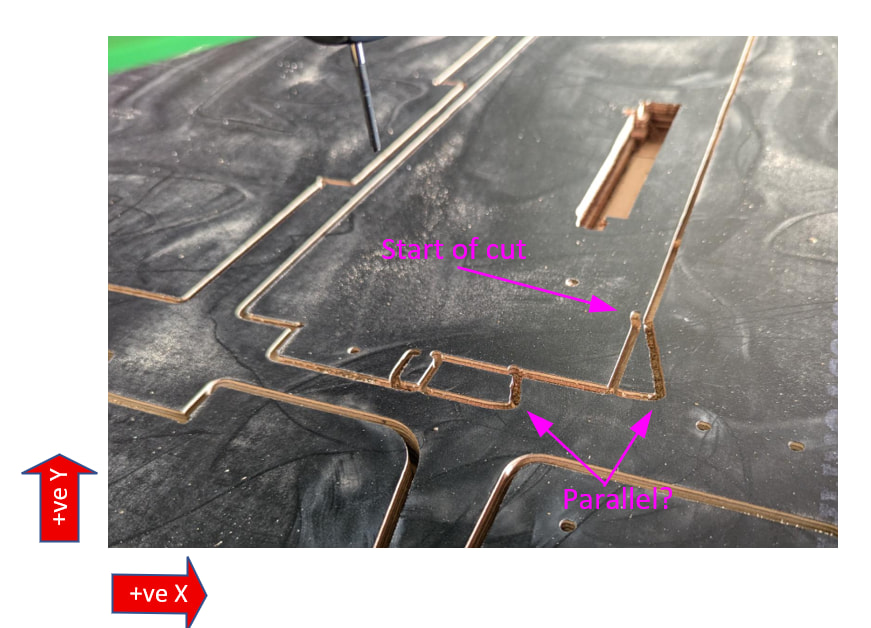
Vastly improved for a period, with no steps missed - until this
I don’t understand why the x axis would suddenly wander on a long straight cut. It then comes in to complete the loop and goes off on a tangent again (where I’m assuming the Z drops 3mm). The cut along the X axis looks ok, but then it goes off on a similar angle when it tries to cut on the Y axis.
There’s no discolouration of the bit, but I’m assuming it’s dull on the basis that it’s digging in at changes of depth/direction?
Would welcome any input on the issue - and I’m more than happy for my thinking to be torn apart…. Every day is a learning day!
That sounds super frustrating. Things are fine until they aren’t and it isn’t always immediately obvious why. That is why guys like me are here. I build marginal quality (not on purpose) and then get to learn every way things fail… and if I missed your fail mode, someone else has seen it.
You did mention this randomly occurs on a y movement cut, so some of the comments below may not be applicable:
Did the y max side come off the rail?
A typical run setting for me is 1/8” 2 flute upcut at 3 on the router and 7.5 mm deep in 1/2” ply (12.7 mm) to get 2-pass thru cuts. I had to slow the acceleration down to get x not to skip. What you are displaying looks to me like you have a bad y motor extension wire and the gantry is moving out of square.
I had a dull ball nose one time and when it would plunge, the y gantry would lift off the table and rail on the y min side. Are you ramp plunging with that straight-edge mill? Any video of the cut when it does that?
Is your vacuum hose grounded?
Are any wires getting pulled at various gantry or core locations?
When that happens to me, it is always one of two things (rarley both): a dull bit or being too aggressive (to fast speeds and feeds). I run my router as low as it will go (16,000 on my Dewalt). And try to not go more than 1/2 the diameter of the bit on a DOC or sometimes just a little more.
Interesting… Don’t think there’s any issue with wires being pulled or carriages coming off rails and at the moment I don’t have dust extraction.
I have been playing with limit switch cables (and discovered that I hate crimping dupont connectors!) - but haven’t touched the stepper motor cabling. If it was the gantry out of square, then all cuts would then be skewed thereafter? It looks like the cuts on the x-axis are in alignment (or not as far out os the cuts on the y-axis).
How would you diagnose a bad extension wire if it’s an intermittent fault?
Yes - ramp plunging the bit, but no video of it. Plunge is 8mm/s @ 45deg
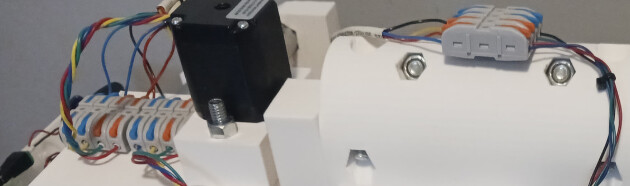
intermittent faults are the worst. usually the best option is to resecure all wiring that is extended. and verify connections are in fact connected. I don’t trust dupont extensions. I don’t trust dupont to jst connections. For wire extensions you can strip the ends and use the wago toggle switch connectors, but those are huge.
On the MPR&P they are used a lot because they are easy for prototyping.