I’m looking for a Raspberry Pi to control my MKS Sbase board via CNCjs, because I don’t feel comfortable bringing my laptop to the shed all the time with all the dust. Even though I build an enclosure for my MPCNC, there is still some dust in the shed.
I’ve briefly looked at the V1Pi page and it seems pretty easy.
My question is what model to buy? The 4B with either 2/4/8 GB of ram or the 3B with 1GB of RAM?
And how is the startup time?
And another question, last night I saw a video someone using a Orange Pi that’s a cheaper option.
Will the Orange Pi work aswell?
I don’t know about the orange pi but I am running the 3b and have no problems. I never timed the boot up but by the time I get 30 Feet and away it is fully booted
FYI, the “normal” case for the v1pi is to run it without a keyboard, mouse, or monitor. If you’re hoping to leave your laptop inside, you’ll benefit from a bit more cpu and memory if you’re running a desktop. The 3B+ will work, but a 4 with 4GB would be very good.
The rpi4 runs a bit hotter. But if it gets too hot, it will throttle the cpu. Some cooling, at least passive cooling, is a good idea.
I don’t think cncjs works right from a phone. Maybe if you choose the desktop view.
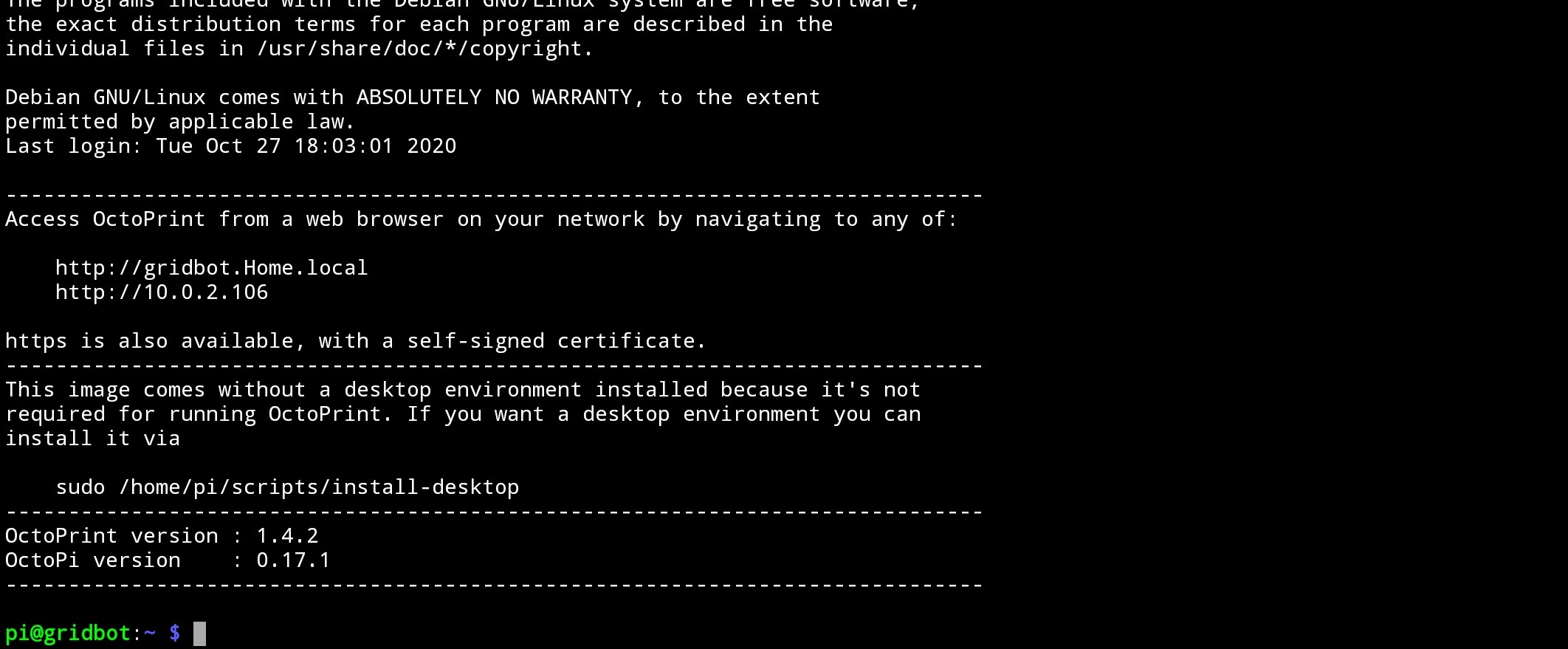
If you follow my instructions, you’ll end up with a pi you can connect a web browser to, but if you connect a monitor, you will just get the command line. Running the desktop (the graphics) takes more resources. So we don’t enable those in my images.
You can enable the desktop. Then you can connect the pi’s browser to the same web page for cncjs. This works fine on the v1pi. But if you’re doing that, then expect to have a slower experience than the folks here have reported.
If you want to run it from a phone, I think octoprint might be better, which is also in the image. Octoremote should connect just fine.
I’m not really sure what you are talking about.
I think I want to connect a mouse, keyboard and a monitor to it, so what to do to get it working with cncjs?
Just put Linux on it?
I’m not sure what V1Pi is… it’s an image which you access through the web browser?
I would like to use CNC.js, it’s what I like and know.
Ok. If your goal is to run cncjs on a monitor at the machine, this will work.
The pi operating system is linux. It is all stored on a micro sd card. The “image” is the complete set of files that I have created to put on an sd card. When you flash that image onto the sd card, you are basically installing the operating system, and all of the software I have installed on the image. This includes the cncjs web server, and an octoprint web server, and some other goodies.
After going through the instructions, you can set up the desktop. I think it needs to be connected to the Internet and I think you can turn on the desktop in the raspi-config. I am sure if you search for something like “boot to desktop on octopi” you will find a bunch of information on it.
When you get to the desktop you can open a web browser to http://127.0.0.1/ and that will get you going.
What do you mean by ‘setting up the desktop?’ Do you mean like the normal Linux like on a PC?
I don’t have internet in the shed, but I can do it in my house.
It looks like it gives you the instructions for installing the desktop right there. Make sure you’re connected to the Internet when you run that command.
After that, you may not go straight to the desktop when the computer starts. To go straight to the desktop, you do this:
Yes that was my other option, to use an old thin client… but I like the idea off a super small computer which a Raspberry Pi is. I’m pretty sure your pc will work fine with CNC.js, good luck!
I’m using an old second hand kindle fire tablet as my shop interface to CNCjs. It seems like a good option to me.
This uses the basic V1pi, with no desktop. I did add a tablet specific interface to CNCjs. There are a number of “pendants” on the CNCjs github. I’ve been using the “shopfloor-tablet” one with the tablet.
There is also a “tinyweb” pendant that seems to be the most minimal interface. It might be usable on a phone.
I just recieved my Pi! I flashed the V1Pi and setup Wifi via ‘Visual Studio Code’
I run my Pi with a monitor and it works, but only in command line mode not desktop.
I ran ‘sudo raspi-config’
I chose ‘2 Boot Options’
B1 Desktop / CLI
B3 Desktop
Than it says: Do ‘sudo apt-get install lightdm’ to allow configuration of boot to desktop
I get an error: There was an error running option Bi Desktop / CLI
I tried http://v1pi.local on both my laptop and Iphone and it works!
I just recieved my Pi and I wasn’t sure what you meant… but now that I got it set-up I know, you just connect to the Pi via V1Pi.local… That’s an option too.