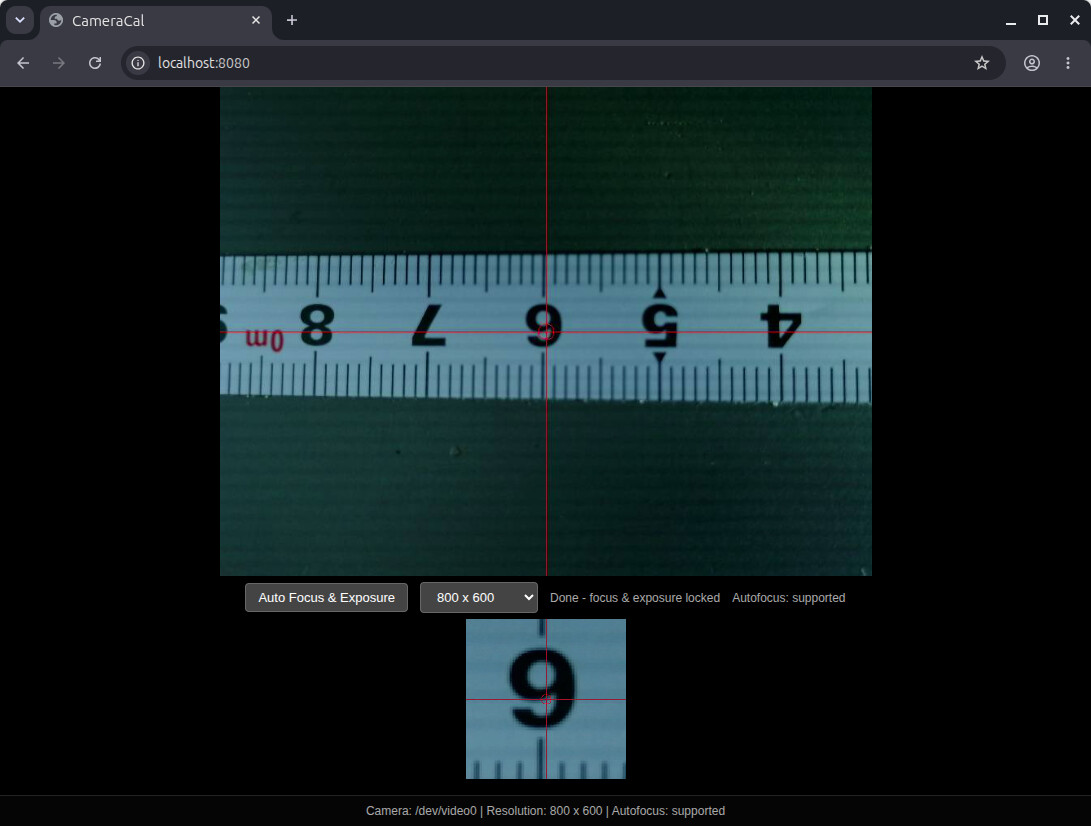
Here is my way to check that the machines moves accurately and steps per mm are correct
Mount a camera and use it to look at the tape measure. then jog the machine back and forward and make sure that if you move the machine 1m then the tape measure also shows the same distance
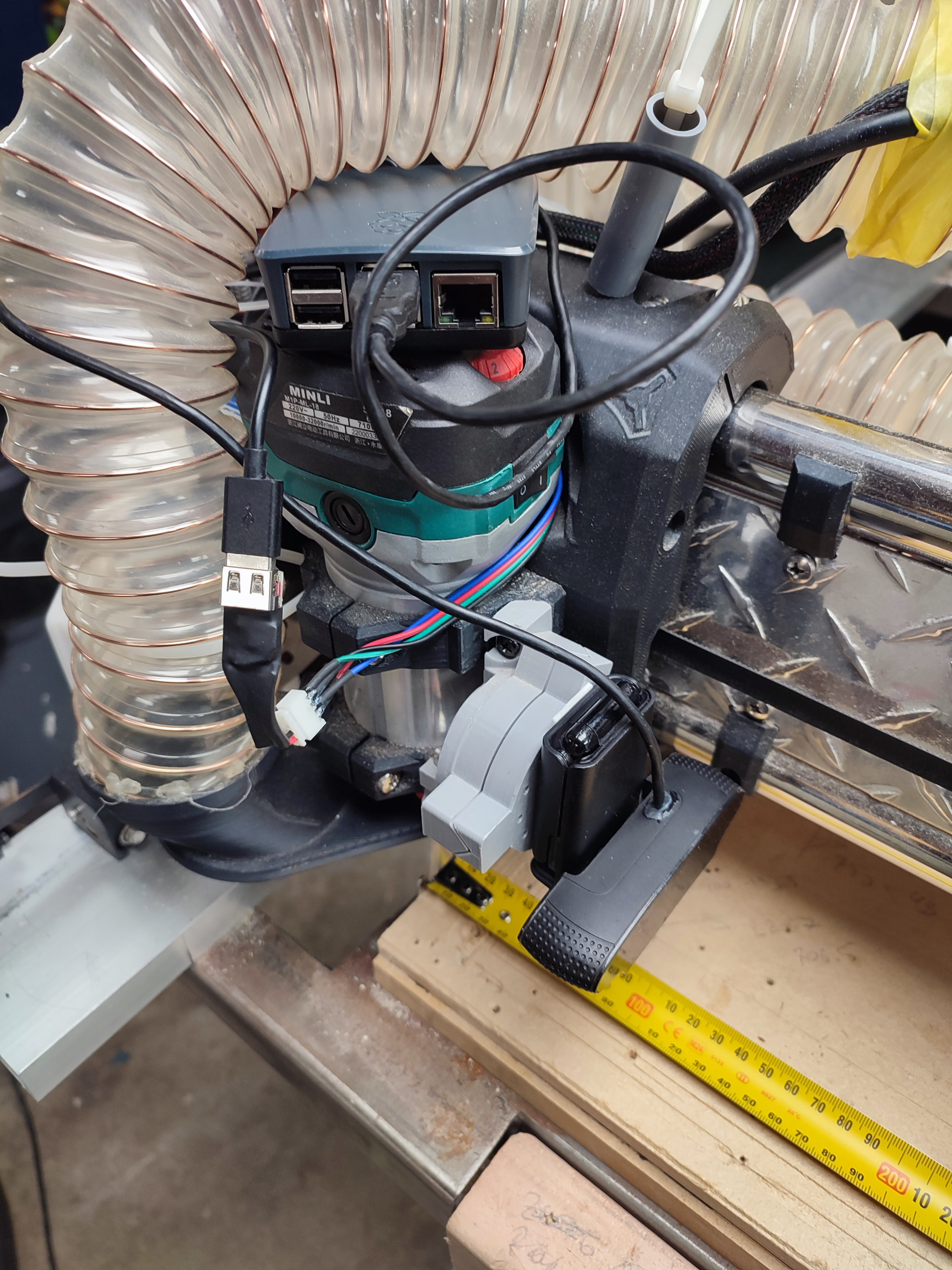
My setup:
LR4 with jackpot
webcam connected to a raspberry pi
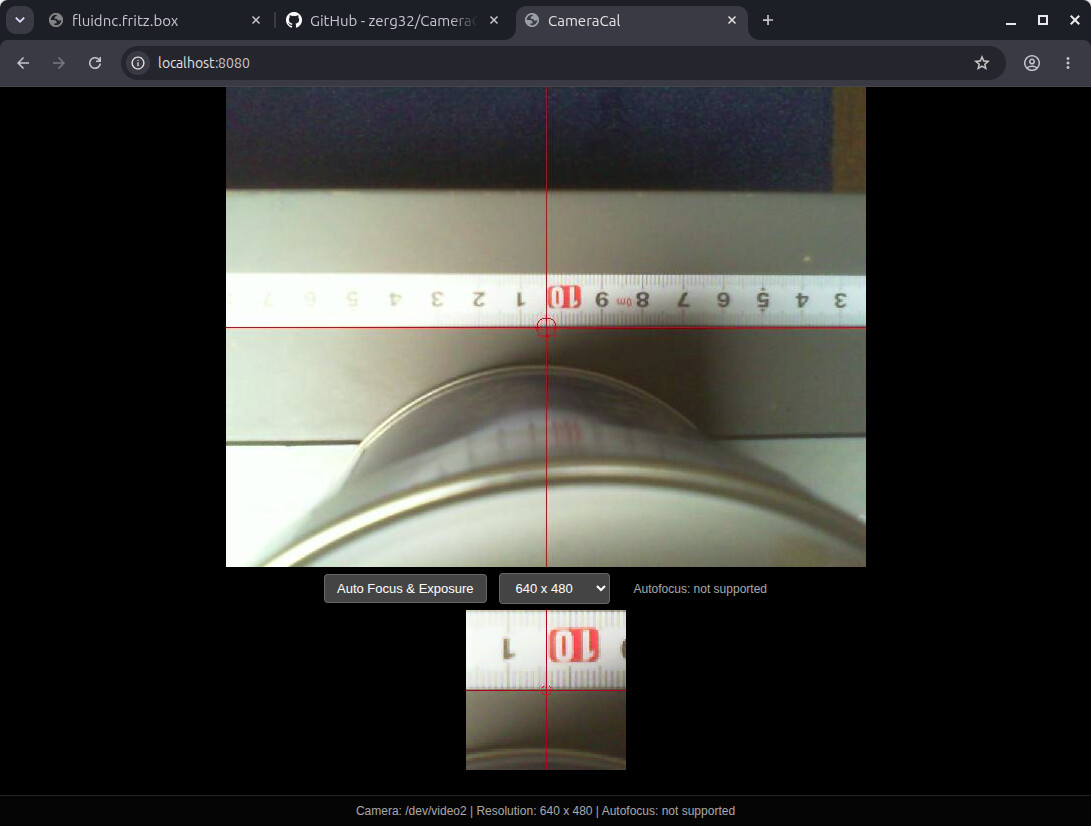
a script running on a pi serving a page that shows the camera with a crosshair
tape measure sitting on the bed
measurements:
use the camera to align the tape measure to one of the axis. X in this case. jog back and forward and move the tape until it is aligned
jog to the start point and zero the X
zero the X and write down the reading on the tape
move the X given amount and compare the tape reading
if the reading on the tape does not match then jog by 0.1mm to find the difference
do the math and update steps per mm
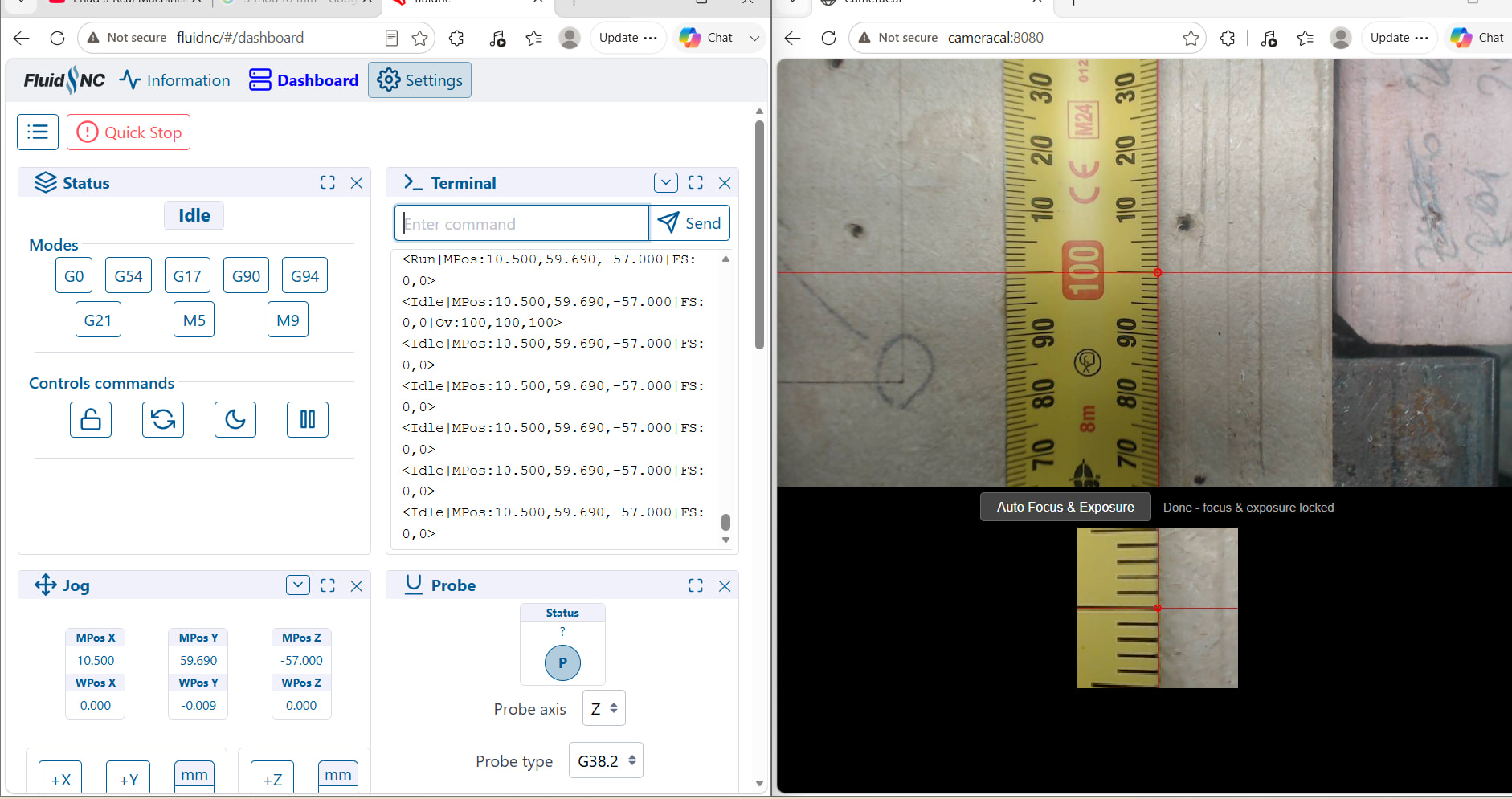
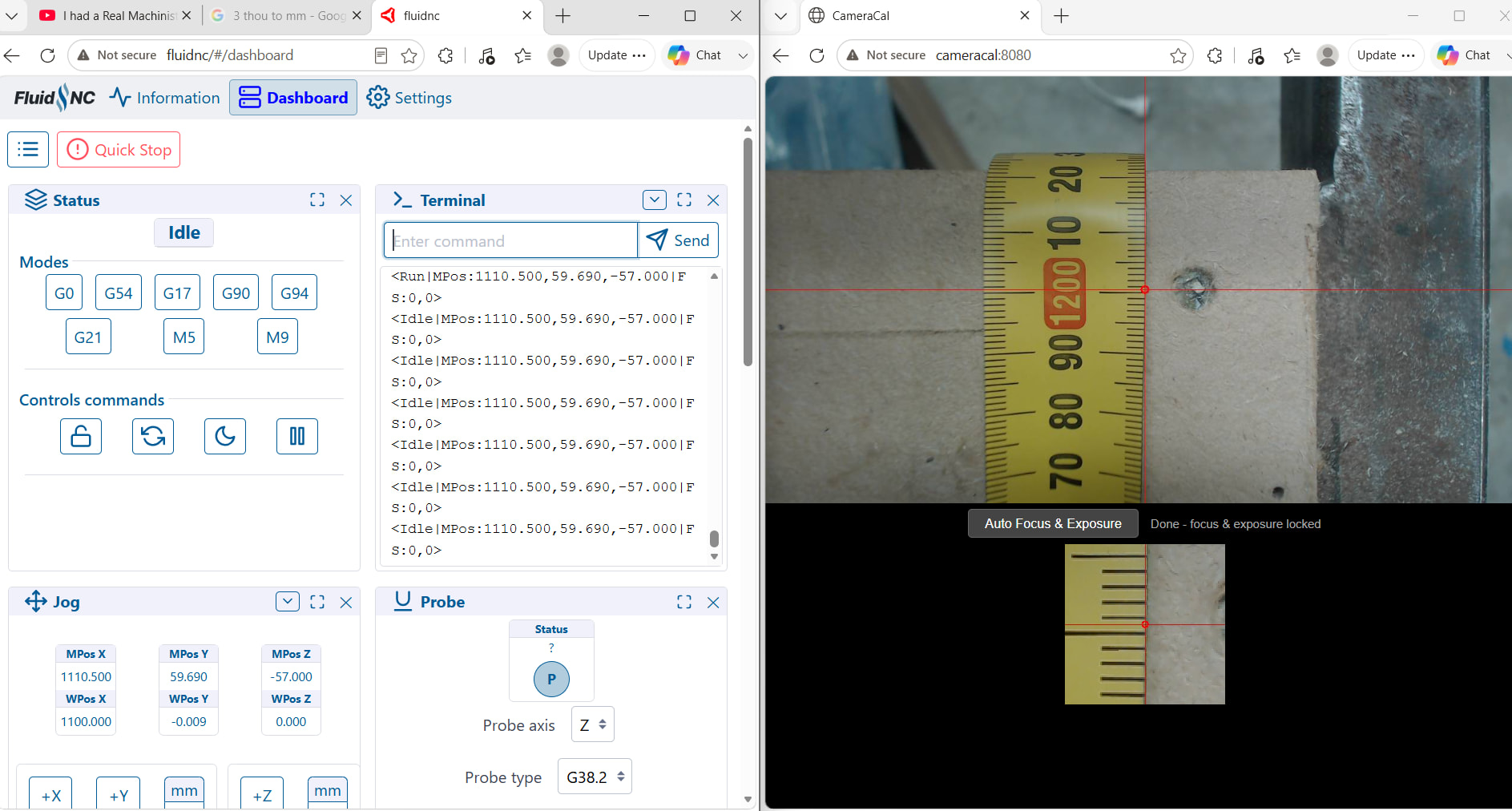
you can see on the screenshot that the crosshair lands not on the mark but a little bit off before the calibration
if anybody is interested i can share the script that you run on the pi that serves the page with crosshair and magnified middle of the frame
I was really impressed that on the Y axis my movement is only 0.1mm off at Y+2400mm according to the tape.
here you go zerg32/CameraCal . ignore everything else in this project except the stream_server.py and setup script. I was trying to make a full camera based calibration using opencv but failed to find a way to make the calibration patterns accurate enough
Just some fast feedback from me. I couldn’t wait for my table to be ready. I just installed your script on a old laptop I want to use as workshop computer.
It’s still a very cheap camera - yes, I don’t learn from my mistakes - but focus is fine now. Brightness is a problem, but it’s now good enough for me.

 And now I need a somewhat better camera. This one can’t focus near enough.
 it will tell you if it can control auto focus near the resolution drop down.