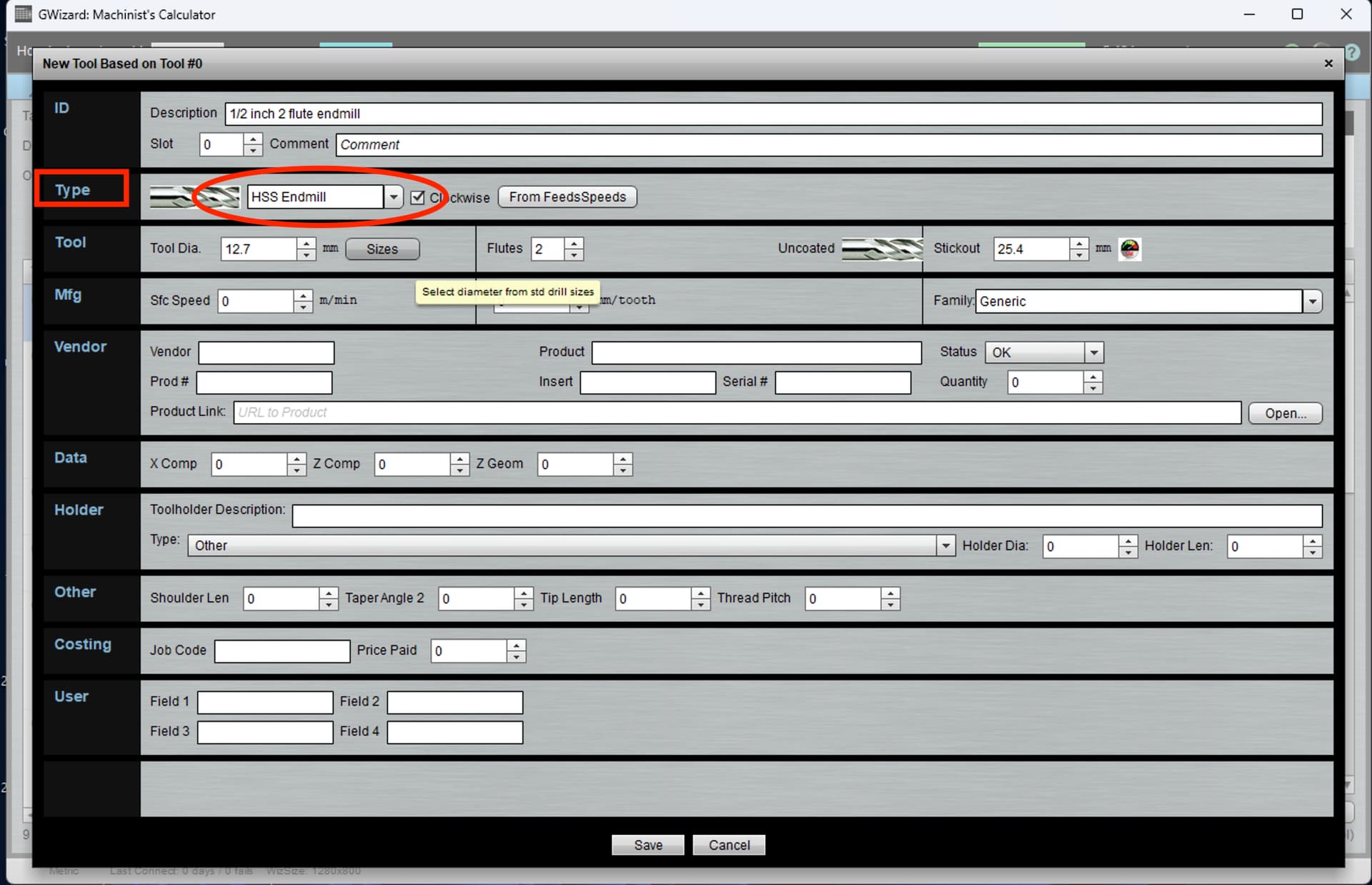
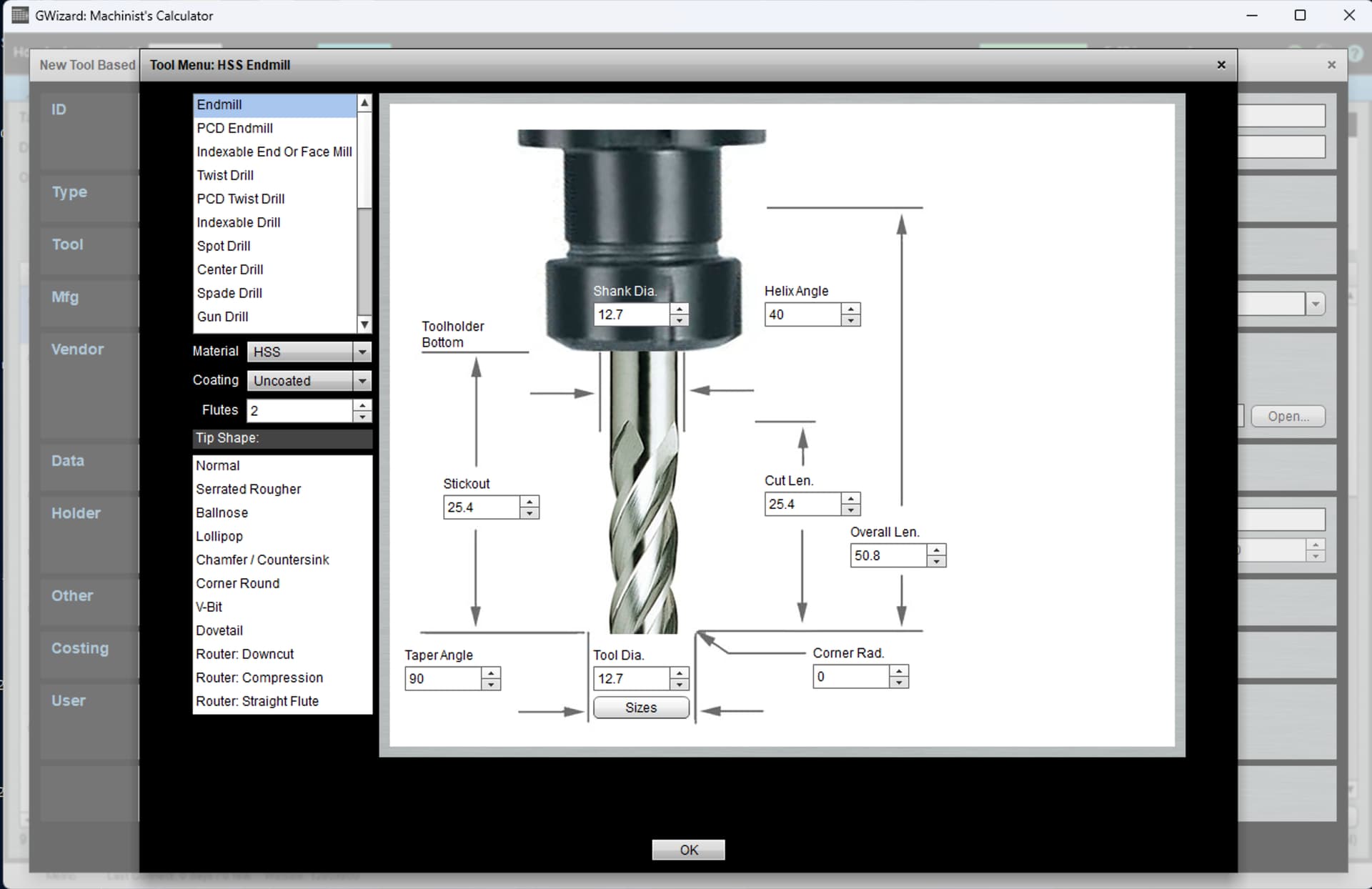
I’m working on adding the various bits I have to GWizard. Adding my initial tool there was a nice picture asking me for various dimensions of the tool. Adding the second tool, it’s just a form with fields. Is there any way to get the first interface back, I can’t seem to find it.
1 Like
When I am in my Tool Crib, and I tap on “New Tool”, and then tap on the dropdown beside “Type” it brings up that nice interface.
1 Like
I have Estlcam telling me it takes 05:29 minutes. Since it’s a bit off with carves it might be closer to 10 minutes. E12 file in the attachment. I used a 10mm 60° V-Endmill for the calculation.
Sean.zip (1.3 MB)
Something like this?
This one: Sorotec Online-Shop - VHM-Gravierfräser
Used a 60 degree bit. Estlcam claimed roughly 10 minutes if I left the depth to auto. Gave it a shot, and got this in 30 minutes. Yes, Estlcam was way off.
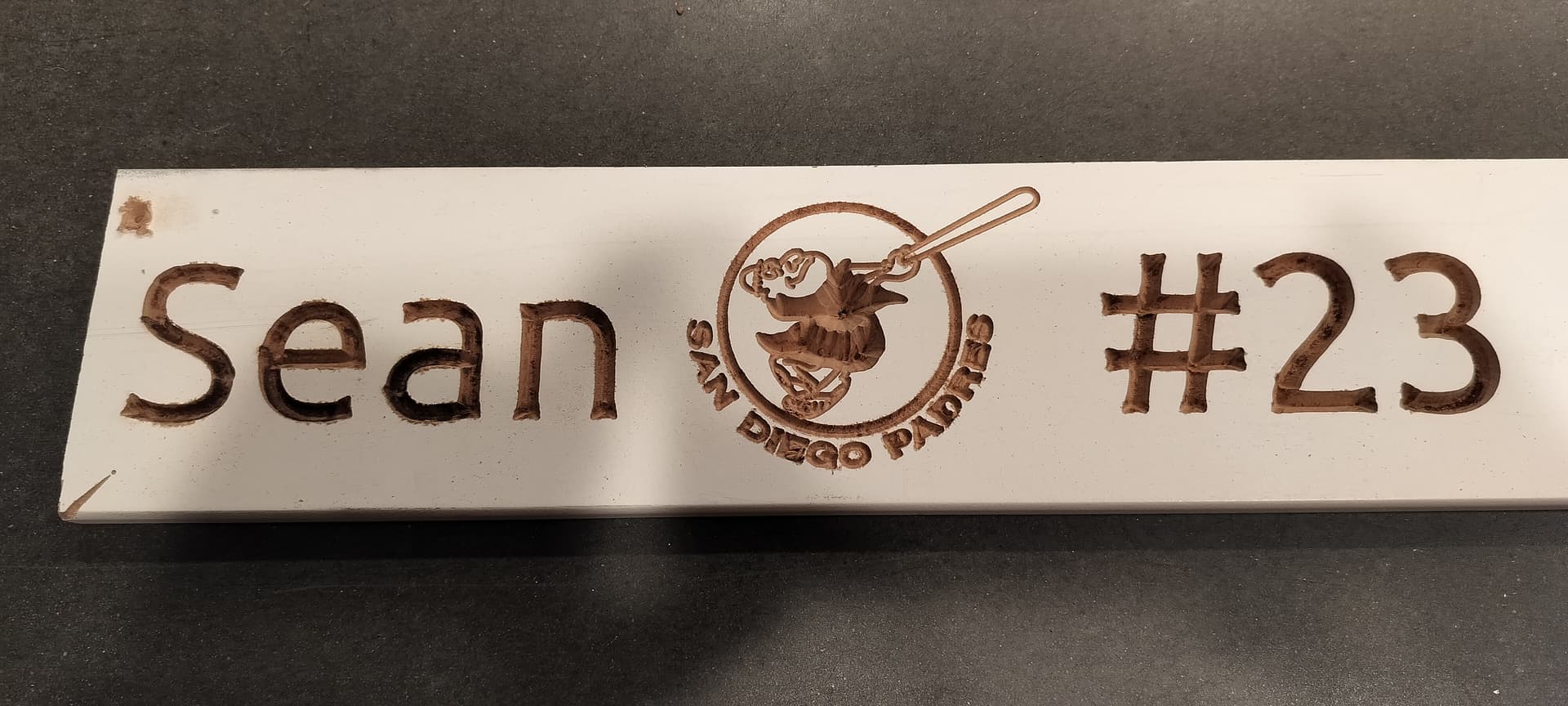
It looks like I’ll need to change bits a few times. The small lettering appears to be too fine for the 60 degree bit. And the auto depth for the padre is too deep, killing quite a bit of the detail.
But seems like a good first pass.
3 Likes
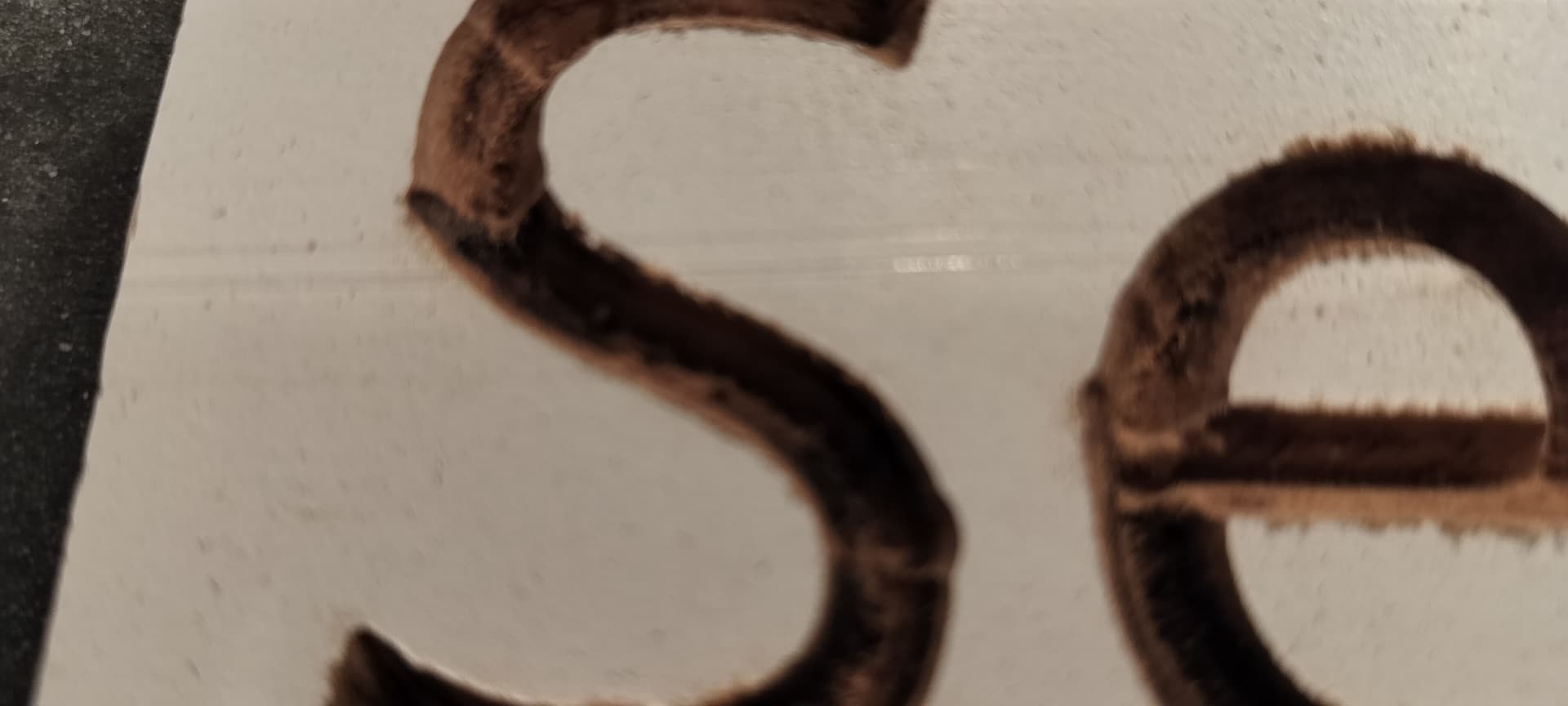
Burning is always an indication that either your feed rate is too slow, or your RPMs are too fast or both. Particularly challenging with V bits. I would try nudging the RPMs down a little, and nudging the feed right up a little and see what kind of result you get.
1 Like
Looking good! You’re off to a great start!
Another question. Between each individual cut, the toolhead raised quite a bit, like 30-50mm above the surface. Is that normal?
1 Like
Depends on your clearance plane setting in EstlCAM. What is yours set for?
1 Like
Odd, don’t recall setting that, but it’s set to 50.8mm.
1 Like
Probably a default setting for that end mill.
Estlcam handles it in a global setting not tool based. Unless this is a version 12 feature.
1 Like
It’s the global that I found set to that value.
2 Likes
closing old topic to help fight spambots