I start wiring tomorrow. then the real questions will start.
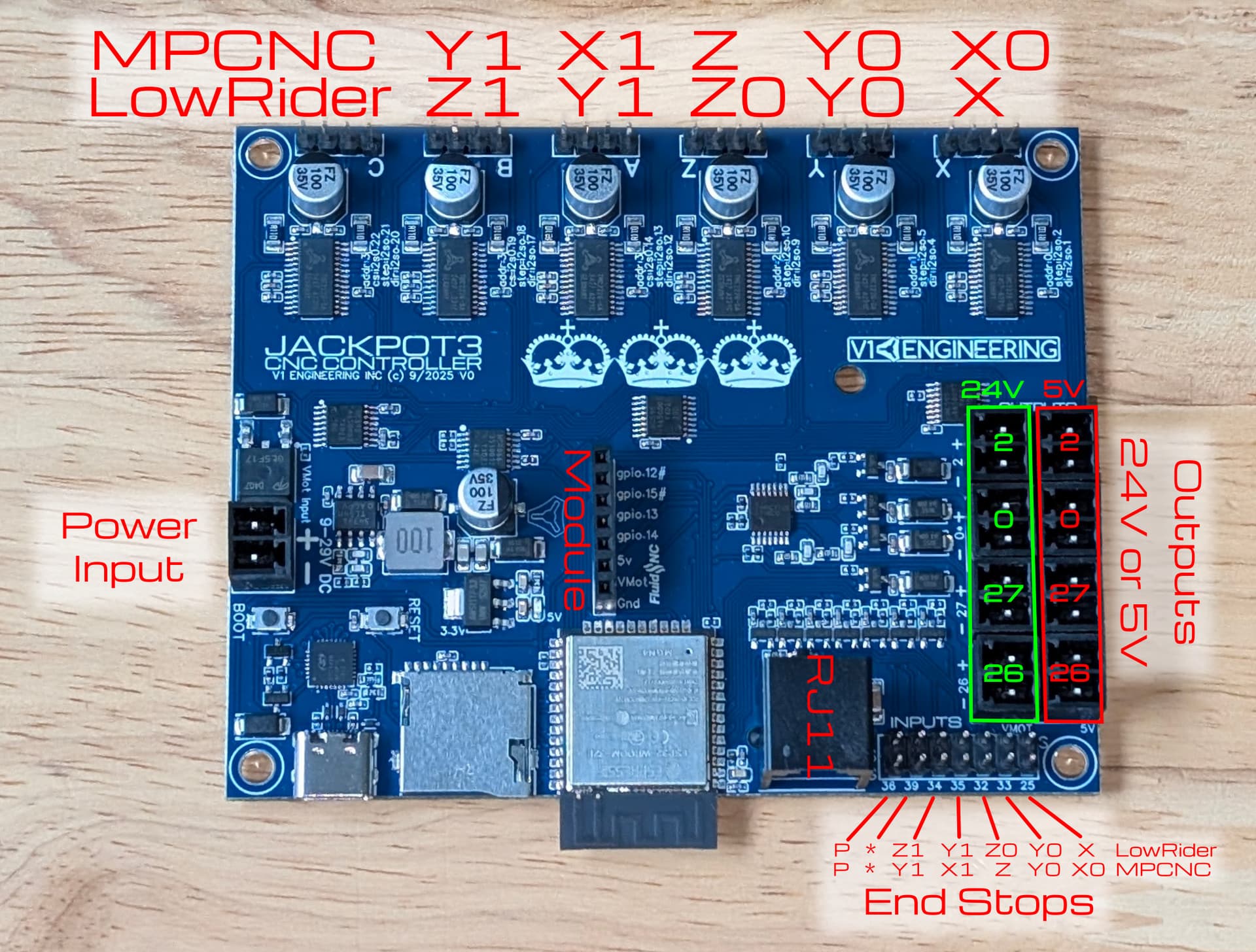
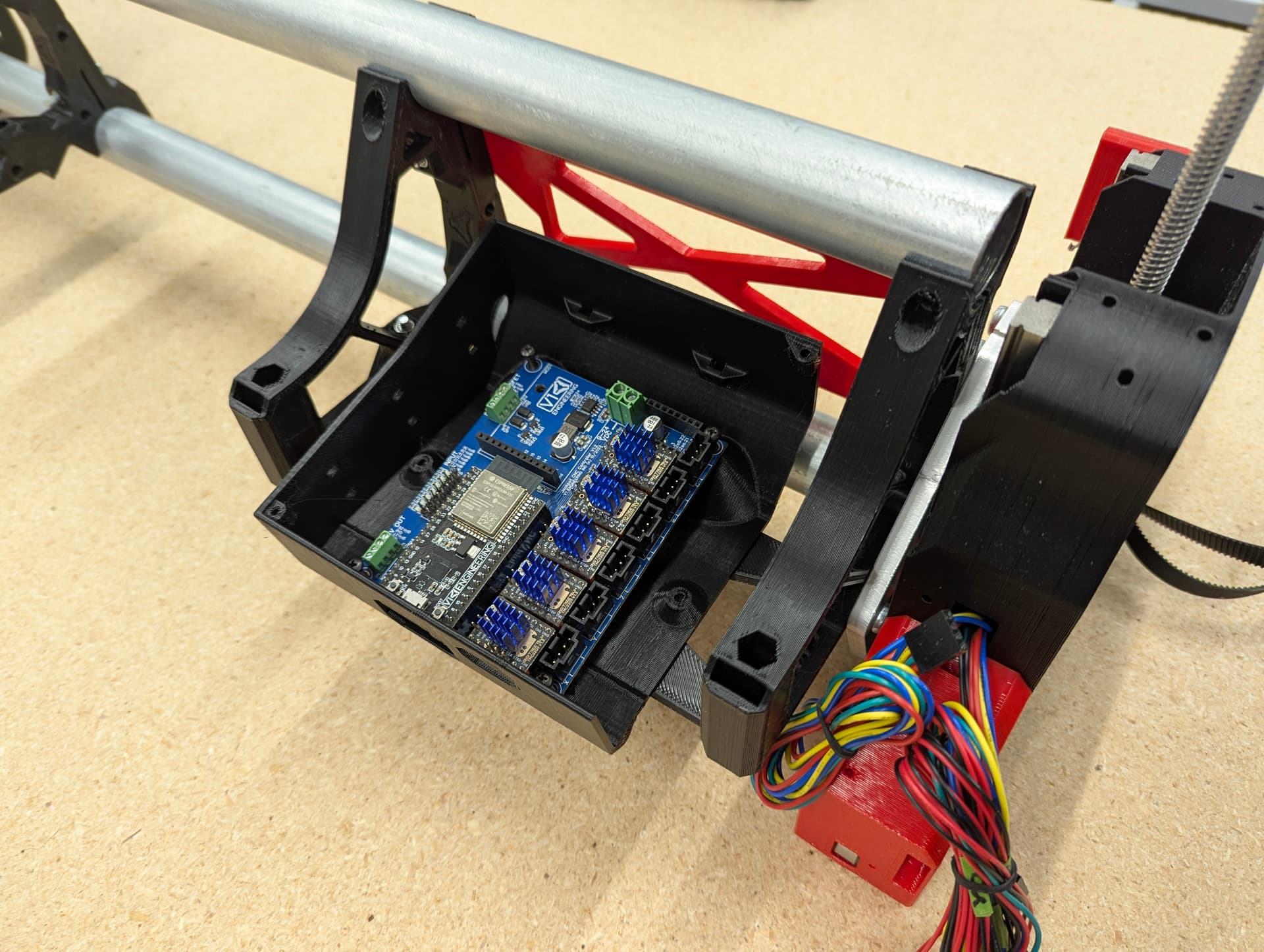
The Jackpot 3 box?
donkeyshines
Just plug them in and when you test, use small increments on your movements. If any are moving backwards, just [power down and] unplug from the Jackpot, flip it around and reinstall!
*kudos to @Jonathjon for catching this
Make sure you power down the jackpot before you move any plugs on the board. Bad things can happen if you do it powered up
got some movement out of the machine today.. good start. I would have sworn the dust collection files were in the main download.. the shoe and tpu parts.. am I wasted on sawdust?
wired and moving! Next is to get this guy jammied onto my network. Is there an (easy) way to reset this thing if I somehow jammy it up? (networking is wellllll within my wheelhouse) so this is a jackpot question not a network question. basically is there a reset firmware button? or does it have to be re-flashed?
You can connect to it via USB using the web installer (although there were problems with the web installer recently reported on the forum) to edit the config if need be.
If you use STA with fallback to AP mode you’re pretty safe… although with a working AP in range, STA mode is fine, too (unless you’re like me with a 6x CNC Controller and an Airedale expander that seems to be under-powered on the 5VDC side of things causing wifi flakiness).
So basically re-flash is what i’m hearing. Ill probably just put an old fire tablet on it or something. Not a must have. May muck with it down the line.
If you’re using STA mode and it can’t connect I think the default is to fall back to AP mode - but I could be wrong.
No thats right the sta>ap will do that. I had setup a seperate ssid so that if it didnt do what I wanted it to I could just turn that ssid off and push it back to AP. Problem is when it connects it connects with a 192 when my internal network is a 10 - so it is fundamentally unreachable. I wanted to change some of the other settings from 192 to 10 to see if I could get it to work but am worried I may lock myself out of AP mode.
Nope. You can just edit the config.yaml with the web installer. No need to reflash.
“STA” mode is distinct from “STA>AP” mode. “STA” mode will not fall back to “AP” mode.
“$Sta/IP” is distinct from “$AP/IP”, as are the associated “/Gateway” and “/Netmask” settings. Should be a walk in the park with your networking experience.
Ill try that tomorrow. its beer time now. I went DHCP and Static and for whatever reason it kept trying to jump on a network segment that isn’t even advertised. If I sort it I will document it and give it to you guys.
While you can definitely fix this with the web installer without reflashing, this information is not stored in the config.yaml file.
Yep, brain fart.
Related documentation for anybody looking to do it…
got it crankin through the web installer.. stay tuned for tomorrows questions.

So in yesterdays tinkering and connecting via USB. I pulled a copy of config.yaml and notice it looks very similar to config.xml from klipper. Going to do belt calibration and squaring today (probably) and reading that section also talks about configuring steps (flashbacks to klipper on ender v3s). So the question is/are
1.) can I set the machine up so that no movement is allowed until all axis are homed?
2.) can I set maximum travel on each axis so that it doesn’t go past a defined enpoint in directions that do not have limit switches?