I was flattening my spoilboard, ran the same file 3 times without issue. I just kept resetting the Z zero. on the 4th run it was about 75% down the Y direction and 80% done in the X direction and acted as if was at the end on the run, came back and crashed because it tried to go beyond the physical limit. this was not photoed.
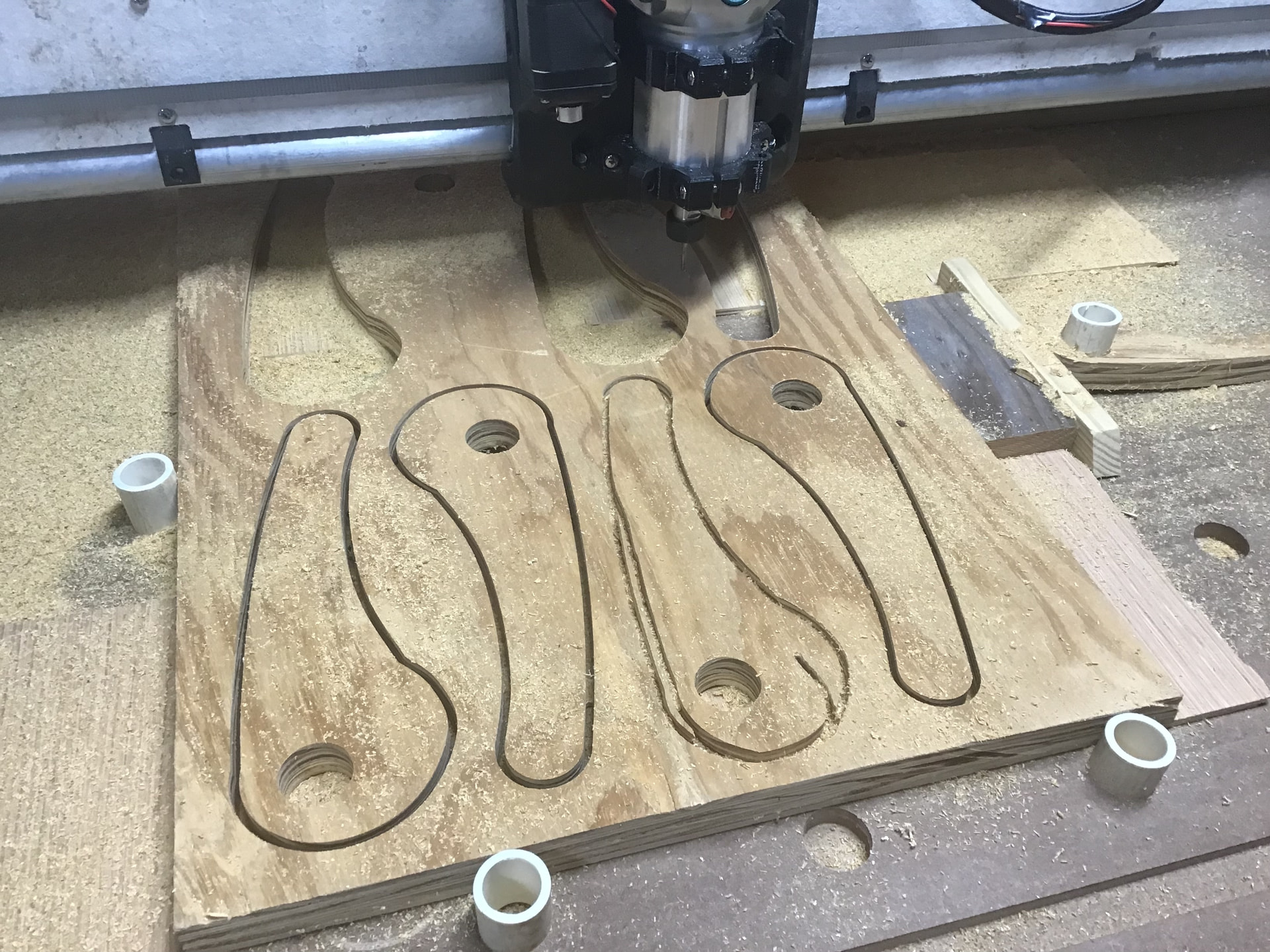
Today i was cutting and it did all but one cut just fine. as you can see in the pic it goofed. It almost looks like it was scaled down. The outside line is correct.
2 things always come to mind.
1 always check the grub screws’ the screws that hold the pulleys on the stepper motor shaft.’
2 you may be skipping steps. Caused usually
By feedrates,dull bits or depth of cut. Plywood,rhe glue layers can mess you up
This has gotten me a couple times as I was learning. What works with a new sharp bit can’t always be done with a used / duller bit. I changed bits to a new one and it was ‘fine’ again. Same general idea, but what worked for one bit in plywood from one of the big box stores didn’t work the same on some nice quality dense plywood.
8mm/s Feed Rate (The speed at which you move through the material).
3mm/s Plunge Rate (The speed at which you move vertically into the material).
1mm Depth of Cut (The thickness of material your bit will be removing per pass).
45% Step Over (The percentage of bit diameter that should be in contact with the material)
Use the Peel pocketing strategy.
Always use a finishing pass of ≈10% of your tools diameter. The denser the material the smaller the finishing pass.
At this point you should be in HD foam, if that works out you can try some soft wood like pine.
If that works at this point the only variable you should be changing is the depth of cut. You can vary this and it will increase the load on your machine in trade for more material removed per pass or decrease the load by taking shallower bites.
Peel, Is usually the best pocketing strategy.
When you get that working and want to cut faster come back and learn things a little more in depth.