lol, I come from a 3D printing background, where everything has to be carefully thought out before you ask someone… here it’s more like: just try it, and if it doesn’t work, do it differently. I absolutely love it! My last printer certainly took me 40-50 hours to build, and I finished the LowRider in four hours. It’s all somehow… easy and relaxing! Thanks a lot, I’ll test it tomorrow!
I have to admit that I also had great help, my wife built YMin and I Ymax
And Not included the time for sourcing the parts, that was probably a lot more…
And then this shipping madness… wanted to support v1e, from the USA a total of €50 including taxes, surcharges, and shipping, while the motherboard from China only cost €6 shipping and arrived in 7 days… crazy
There are some steppers that are not wired right! If they do not move shut it down and you can verify with a multimeter. Most work though so I will not elaborate until you say they do not move!
As long as the motors move, flipping the plug (after powering down the controller) will reverse the motor rotation.
In my experience, the colors on the motor wires are not consistent, so you cant assume which color pairs make up a winding. If you unplug the motor from the controller (again, after powering down) and short a pair of wires together and the motor gets harder to rotate by hand, you’ve identified one of the winding pairs.
Somehow I’m confused, I’ve now tried all sorts of (someone I must have forgotten) combinations, it doesn’t help, the stepper can not be moped manually in any case as long as there’s electricity on the machine.
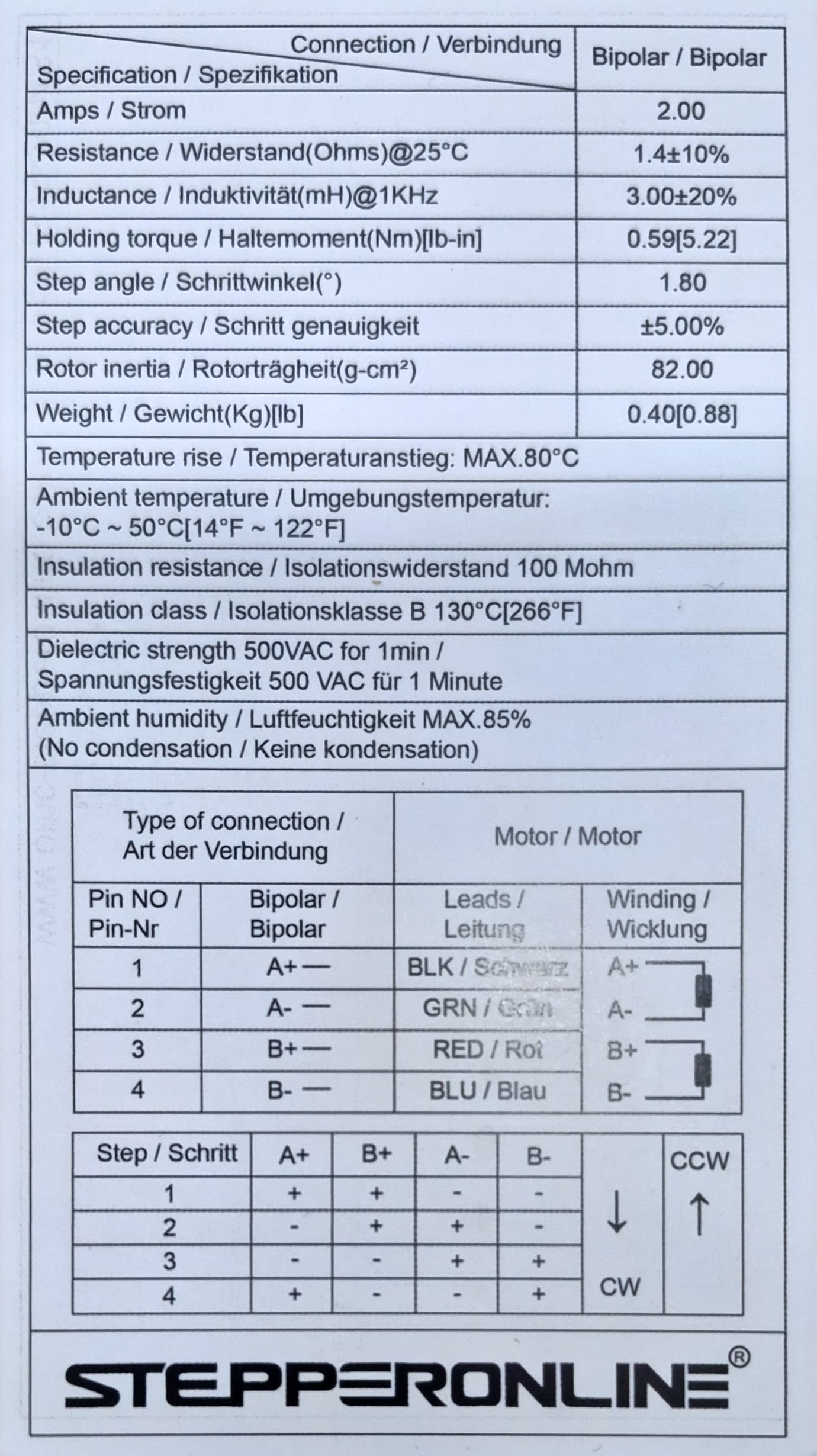
I have a datasheet for the steppers, can someone help?
Do you mean, that when powering your jackpot board you cannot move the motors by hand? That should be normal. When the jackpot is powered, the motors are enabled, which means the motors will be held in place. You should be able to move them via the webui controls.
Do only move them in 1mm steps and stop if they do not move in the right direction or if the motors on the y or z axis are moving in opposite directions.
If that’s the case, power down and turn the motor connector 180 deg. This will swap the motor direction.
It works - i think, the config was faulty or so… did a clean install of Fluid and uploaded the config + other data again (like i did before) and now it works!
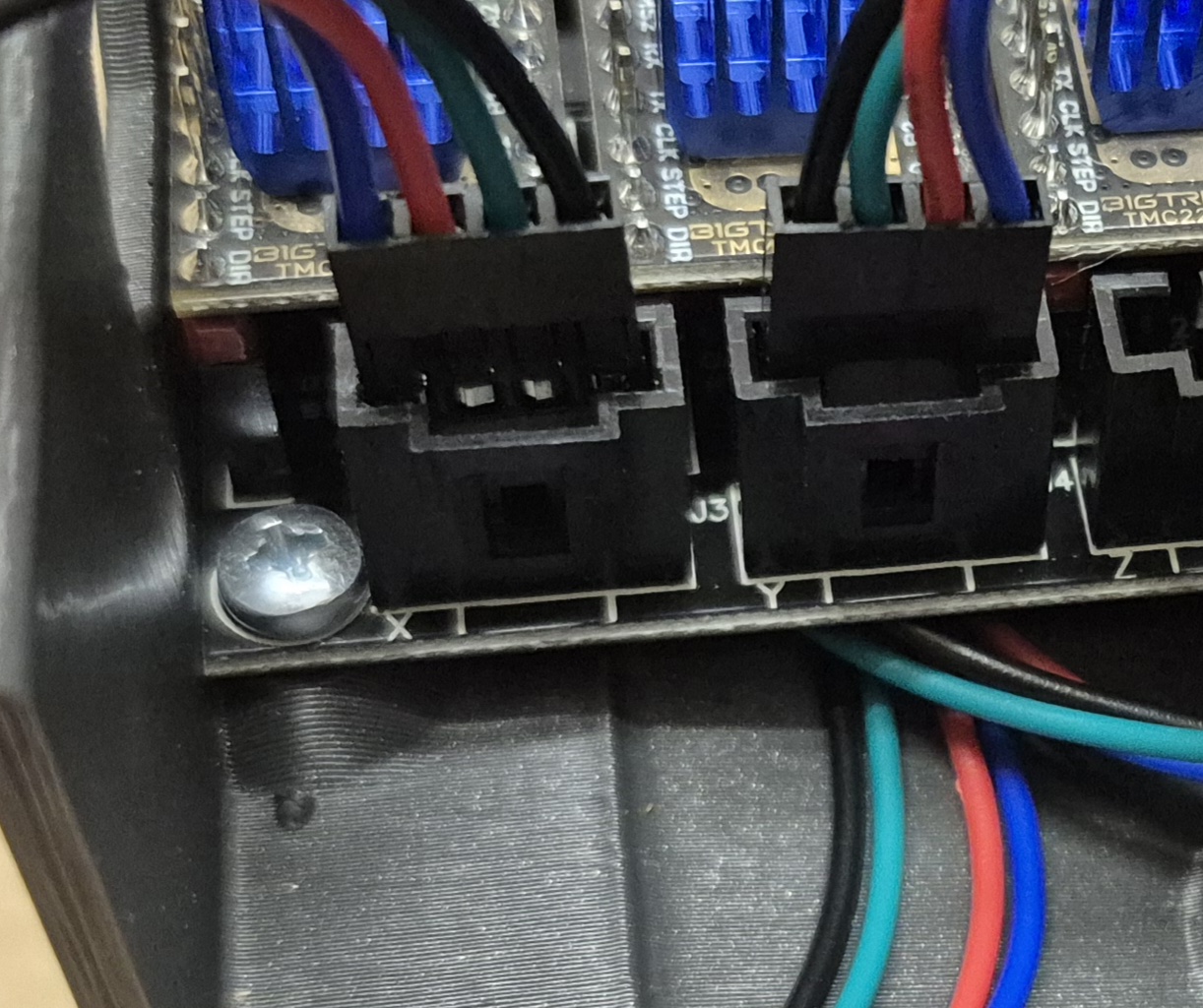
The socket on your control board and the plug on the motor cable are not compatible. Even if they connect, they are not secure and may come loose during operation.
The STEPPERONLINE stepper motor datasheet contains the pinout definitions, and the control board manual provides the pinout definitions. The order of the pins can help determine compatibility.
Can you explain a little more about what you mean about the pin order and what controller board manual you mean?
This reads like very generic AI generated text based on context clues in the first post only so I’m interested to see if I get a response - or it’s just a random post every few months to keep the account active for scraping.
 My last printer certainly took me 40-50 hours to build, and I finished the LowRider in four hours. It’s all somehow… easy and relaxing! Thanks a lot, I’ll test it tomorrow!