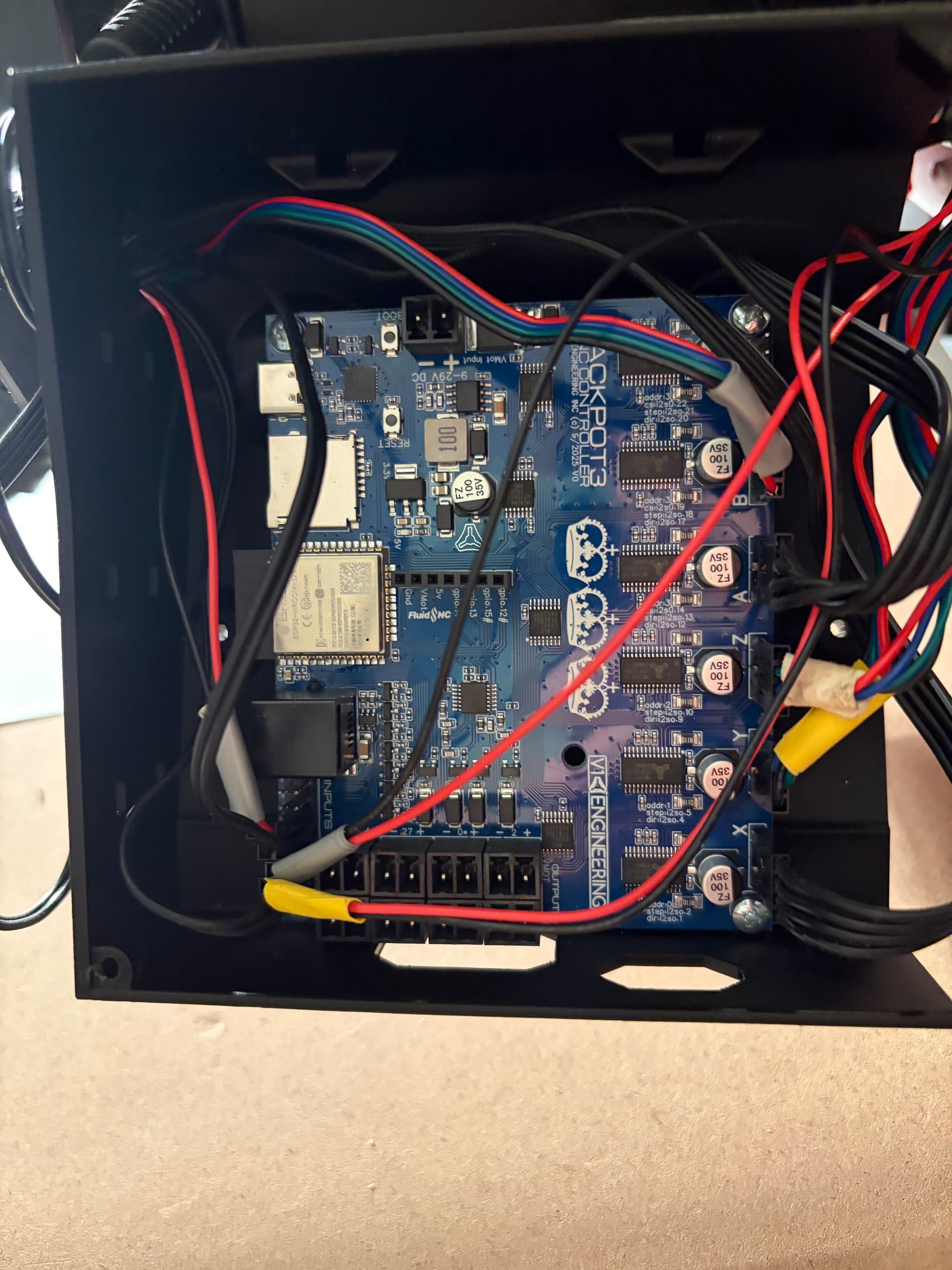
I’ve never used an SD card, and never wired anything before, so I know the wiring is messy. I will probably redo the whole thing if I can get the permanent strut plate cut. Lmk if this is not a good enough pic. Maybe it is the wrong box?
1 Like
Your using the JP1 box with a JP3 board. You need to print the box for the JP3 and it will all line up much better and be a ton easier to use.
2 Likes
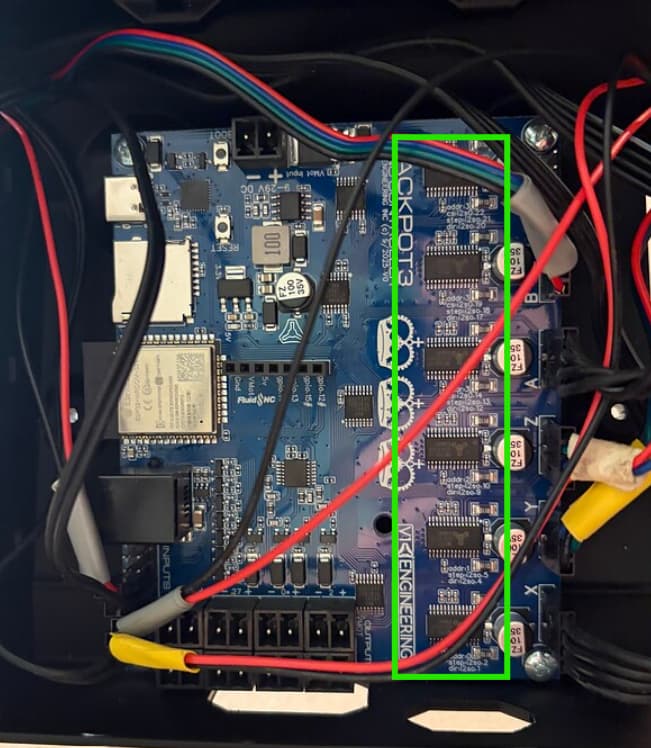
Also don’t forget to put the heat sinks on the drivers
3 Likes
Thanks so much Jonathan, I had always thought the holes in the box couldn’t be right. I don’t know what heat sinks on the drivers means, did I miss that step?
1 Like
You should have gotten a little bag with the wire plugs for the board and 6 black aluminum heat sinks with tape on the bottom. The tape has a blue cover on it. You peal that blue off and then stick them on top of each of the 6 drivers.
5 Likes
Easy enough, I wondered what those were for, thank you so much.
3 Likes
When you get your new box printed and you clean up your wires, make sure no wires go on top of this part here. If they do it can mess up your WIFI connection
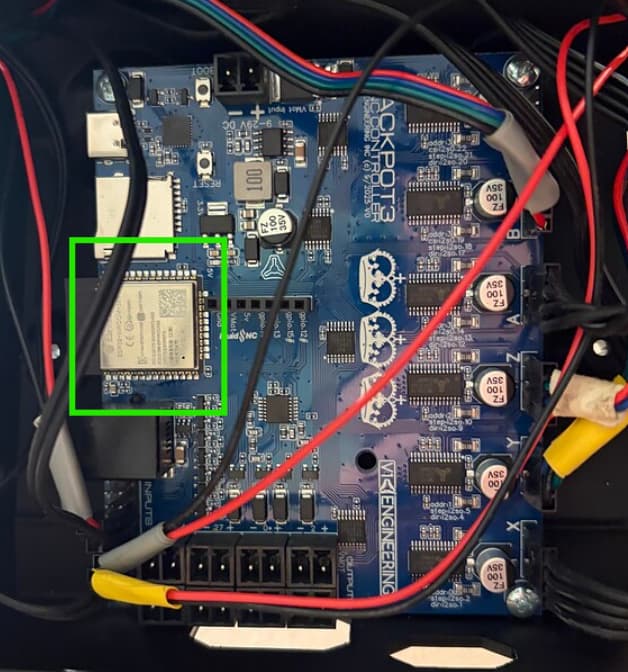
After you print the new box the board will be turned 90° and that will be at the bottom and much easier to avoid but wanted to mention it anyways.
3 Likes
I keep my cnc’s out of the internet. Someone suggested another wifi dongle, but i have a dedicated pc for designs and making gcode (never online) and a dedicated tablet (surface pro3 also never online ) .
2 Likes
Tablet for operating the CNC? And you just move your SD card back and forth from the pc and the slot on the control board?
No. No sd card. I transfer files to each tablet via wifi /not internet access. Surface tablets are windows
if you are hooked up to the jackpot with a laptop that has the gcode file on it, you can transfer the file to the jackpot over wifi
2 Likes
You can upload files to the SD card using the FluidNC WebUI.
2 Likes
Thanks. That’s what I meant. (My English is not very  good
good
1 Like
Oh okay, I thought that’s what I was trying, but the only options in the dropdown were SD, Flash, and when I tried uploading a file it said that wasn’t supported, got an alarm. I probably need to mess around with it more, but good to know an SD card isn’t necessary.
You need the sdcard into the sdcard slot in the controller (jackpot)
5 Likes
You have to have the SD card in the jackpot. Thats where the gcode is stored. So if you dont have one installed thats why it didnt work
4 Likes
You guys are the best, it’s going to be so satisfying to actually draw this crown.
2 Likes
More satisfying is to get chips and some inevitable dust on your machine.
3 Likes
That’s the dream, I’m such a beginner, I’ll be so thrilled if the only thing i need to redo is this box.
1 Like
We were all a beginner at some point. Just take your time and keep asking questions like your doing. Everything will be just fine 
3 Likes