This is a mechanical issue that we need to find and fix. You should be able to move the core all the way left or right until it hits the end of the axis. If it can’t do that, something is misassmbled or there is some kind of binding or FOD somewhere.
1 Like
I’m not sure if I was clear. When I home, it can travel all the way. After the cut starts when it slips, it thinks it’s further left than it is. It won’t travel left all the way because it thinks it hit the end stop location it homed to, not that it mechanically can’t travel that far.
OK interesting. Just to be clear- Our default FluidNC configuration does not use the endstops after homing. If you command the axis to 0 and it doesn’t go to 0 then you are losing steps, or the belt is slipping. The machine thinks you went all the way back, but since we generally build open-loop machines it can’t tell any steps were lost.
The belts don’t need to be excessively tight. It’s actually better to be slightly loose than overly tight, because you can break or cold-flow the plastic parts. This is a learned feel. I made my belts too tight until I had a chance to see how Ryan sets up his machines in person.
Next question: When you lose steps, is the offset when commanding back to 0 always repeatable?
I think you said you are using parts from V1, the steppers Ryan sells are adequate. It’s not unusual to benefit from a little more current.
An experiment you can do: Raise up your Z axis and make sure the router is off. Command the core to the center of the X axis. Let it sit. Then, push on it and we’re after a measure of how hard you have to push before it starts clicking and moving. (Overcoming the holding torque). LowRider 4 is designed to have 7 lbs force in X and Y at the cutter and is actually more capable than that.
You can use something like a luggage scale or a fishing scale and pull on the core, finding out how much force you need to overcome the holding torque. It might sound like hell, but it won’t hurt the stepper or belts.
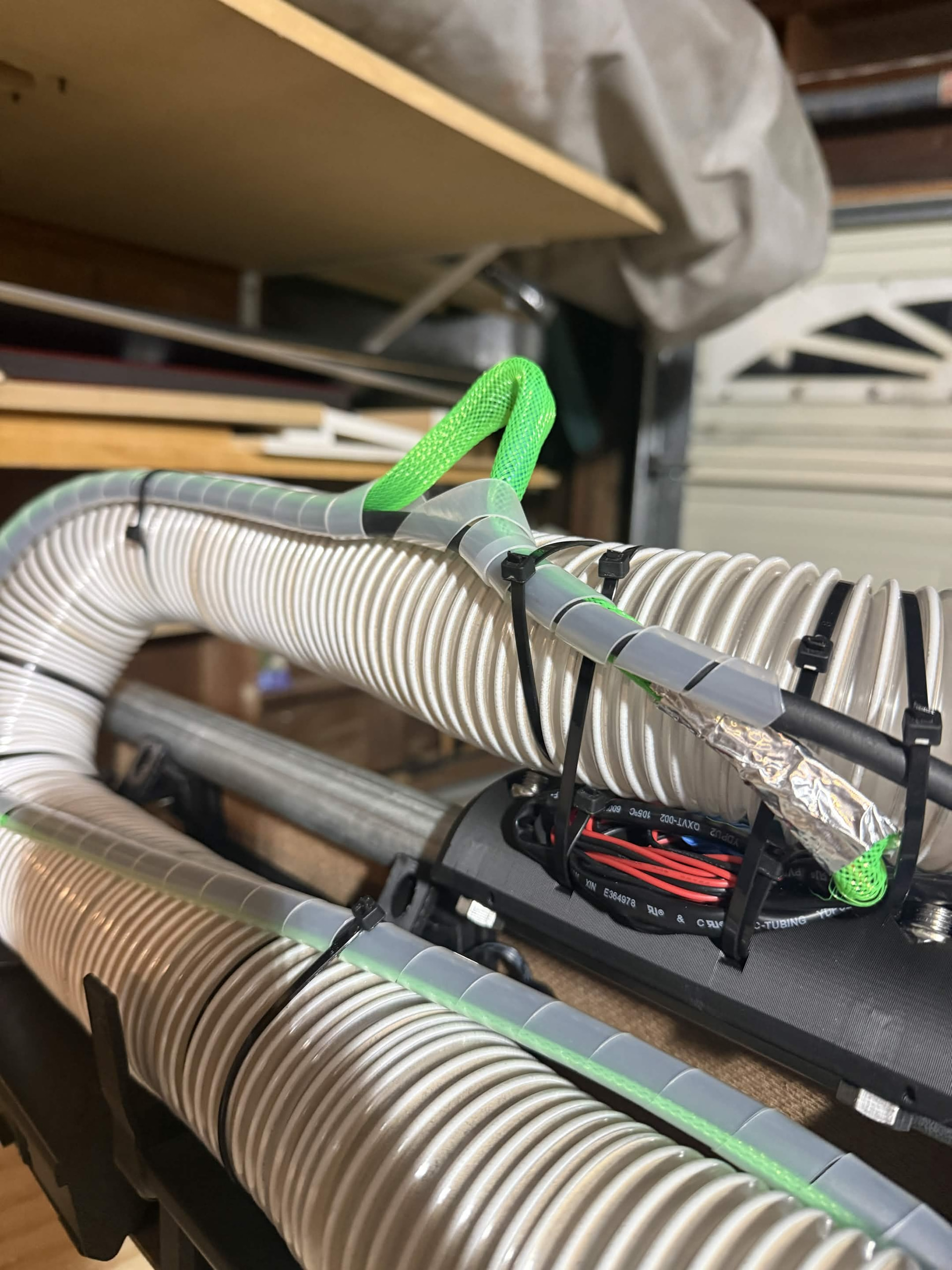
EDIT to add: I’ve seen this happen with an intermittent X axis stepper wire. If you have an extension cable for your stepper, double check that you’ve got a good S-bend in it and taped like in the build instructions.
1 Like
If you command the axis to 0 and it doesn’t go to 0 then you are losing steps, or the belt is slipping.
In the default fluidnc that comes with the jackpot 3 I would:
- Home the axes
- move the toolhead to the starting position and zero the work position
My understanding is that homing sets the MPos. When I see this issue, its trying to travel to 0, which should be the endstop at 0 mpos. The mPos reads 0 but physically I can see its not there.
When you lose steps, is the offset when commanding back to 0 always repeatable?
Yes, its always offset the same amount. As if it had just set its mPos to something new, or like it had missed a specific number of steps.
I’ve seen this happen with an intermittent X axis stepper wire. If you have an extension cable for your stepper, double check that you’ve got a good S-bend in it and taped like in the build instructions.
Without even checking the cable my gut is thinking this is it. I had some issues with the extensions not laying properly in the cable bundling that I did. It would make sense that it would occur in a similar position every time as well if that was the point where the cable became loose. I did tape the cables together when I attached the extension but this certainly looks like it could be the issue doesn’t it? That part sticking out is the taped junction
Homing sets the machine position, but what happens next depends on what coordinate systems you are using. I’m not the right expert to give a dissertation on that. If your error is intermittent then it isn’t a coordinate system error, though.
OK, that makes it a bit stronger candidate for where the issue is in my mind as well.
1 Like
Don’t. Too tight stretches it and makes the steps be off. It should still have a pretty low sound when plugged normally.
I agree with @MakerJim this sounds like a physical issue in the mechanics.
If the belt always lines up with that mark, then skipping teeth isnt the issue. It might be worth the time to back the grub screws out and pull the toothed pulley off looking for whitness marks of where it is slipping or moving. Assuming you find nothing, I would also check for snag points in the cabling. I had an issue last night where I gave my machine the “park for the night" macro I made and it just happened to move in the exact way to show me I had a snag. It never made it all the way to the commmanded location and I know exactly where I need to fix my cable routing.
we also havent adressed the comment you made about the core wiggling on the rails. I wouldnt think this is the root cause, but I am curious if it isnt playing a role.
In order I would:
Look for cable snags
undo x belt
check and adjust bearings on the top of the core until it moves easily but not jiggles around. Start by backing them off a little, then fine tuning each one to almost no play. then roll it a bit and see how it feels. 10deg of rotation on the screws can make a HUGE difference both good and bad. So take your time and be super picky.
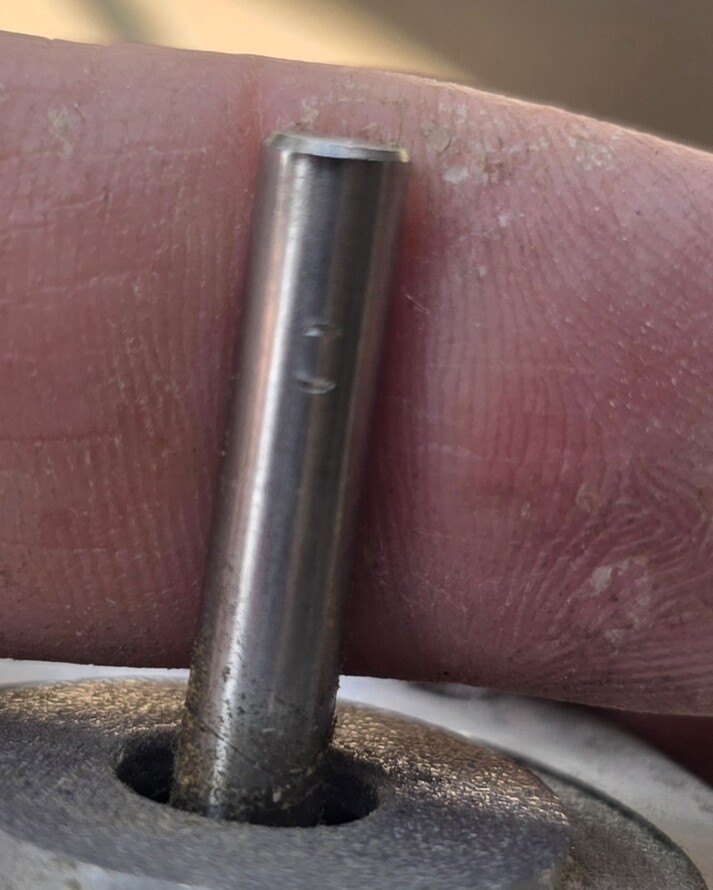
whie the belt is still off, take the toothed pulley off the motor shaft and see if there are any marks that it hasnt been sitting perfectly still and aligned with the shaft. In the picture below you can see where the grub screw was, but it never moved. thats the kind of whitness mark I am talking about.
My interpretation of the fluidnc documentation linked here means that (with default settings of mpos = 0.0) the machine position gets set to 0 after the pull-off has been done. With soft limits enabled, the machine will not move closer to the limit switch than the pull-off distance. This explains why the machine won’t go all the way back to activating the homing switch outside of the homing cycle.
1 Like