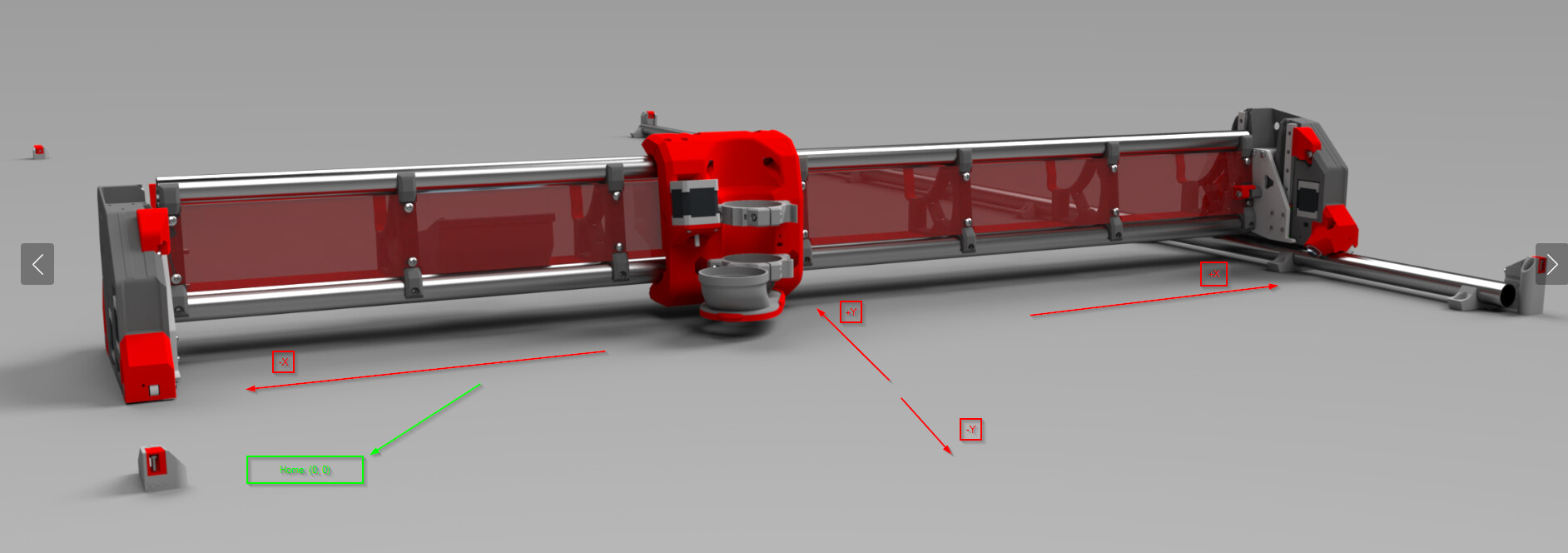
Start with taking a picture of your build, mark up which direction and location your build has X, and Y, note where you think home is, and which direction +X and +Y are.
I thought we got a picture like that put into the LR4 build instructions, but I’m not seeing it at the moment.
Thanks. I’ll do that when I get some time from work. Maybe that will make everything make a little more sense when I’m cutting things. I assumed bottom left (form the way I took the picture) would be 0,0 normally, but I guess it seems like it should be bottom right?
or I guess I’m looking at it the wrong way, and I should be looking at it from the core side as the “front” and the top left would be 0,0 which makes a lot more sense.
Your picture is backwards to how we typically represent it, you are facing the rear X gantry.
If you are facing the front of your router (opposite side of the table from the picture) where your left hand is where home should be. That would be Y-min and X-min with also Z-max.
If you are homing to X-Max then your X is backwards.
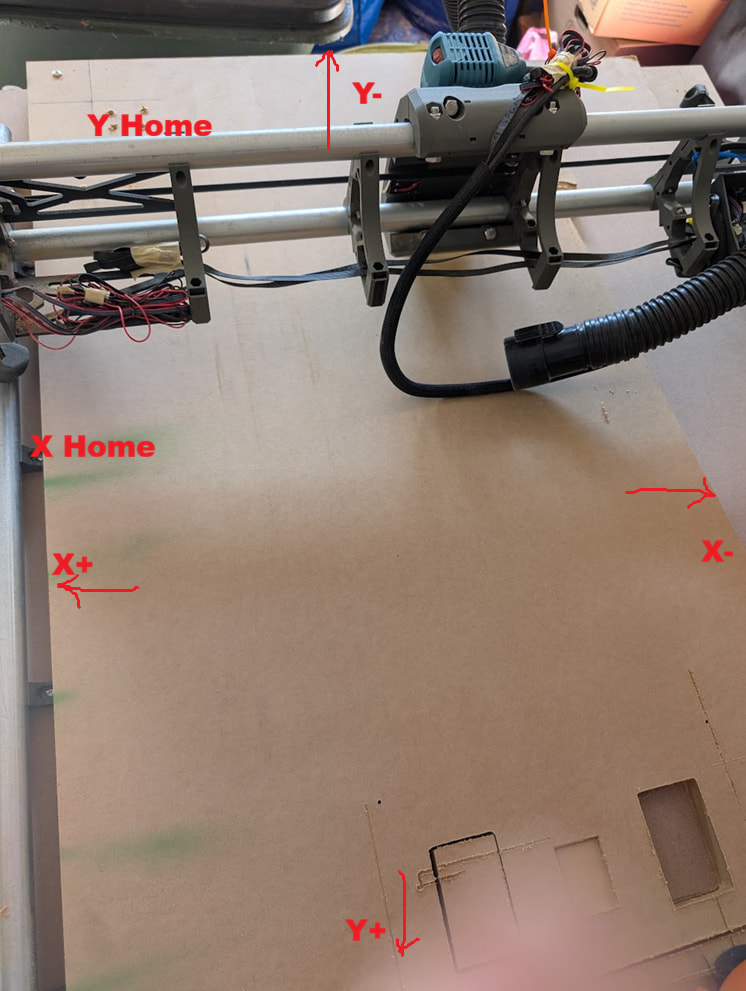
 I assumed bottom left (form the way I took the picture) would be 0,0 normally, but I guess it seems like it should be bottom right?