As many of you may know, I use the open-cncshield with estlcam as controller for my lowrider3. After a long rest I tried to fire the machine up again and found out it wasn’t working anymore. Communication with estlcam still works, I hear motors hissing, but no movement when I want to.
When I stat up the machine all motors move a little on their selves, even without a computer connected.
I started using it with a 12V psu and switched later to a 19V one, unfortunately without removing JP17. I have used it a lot with the 19V psu -with jp17 still on- without any problem, until now.
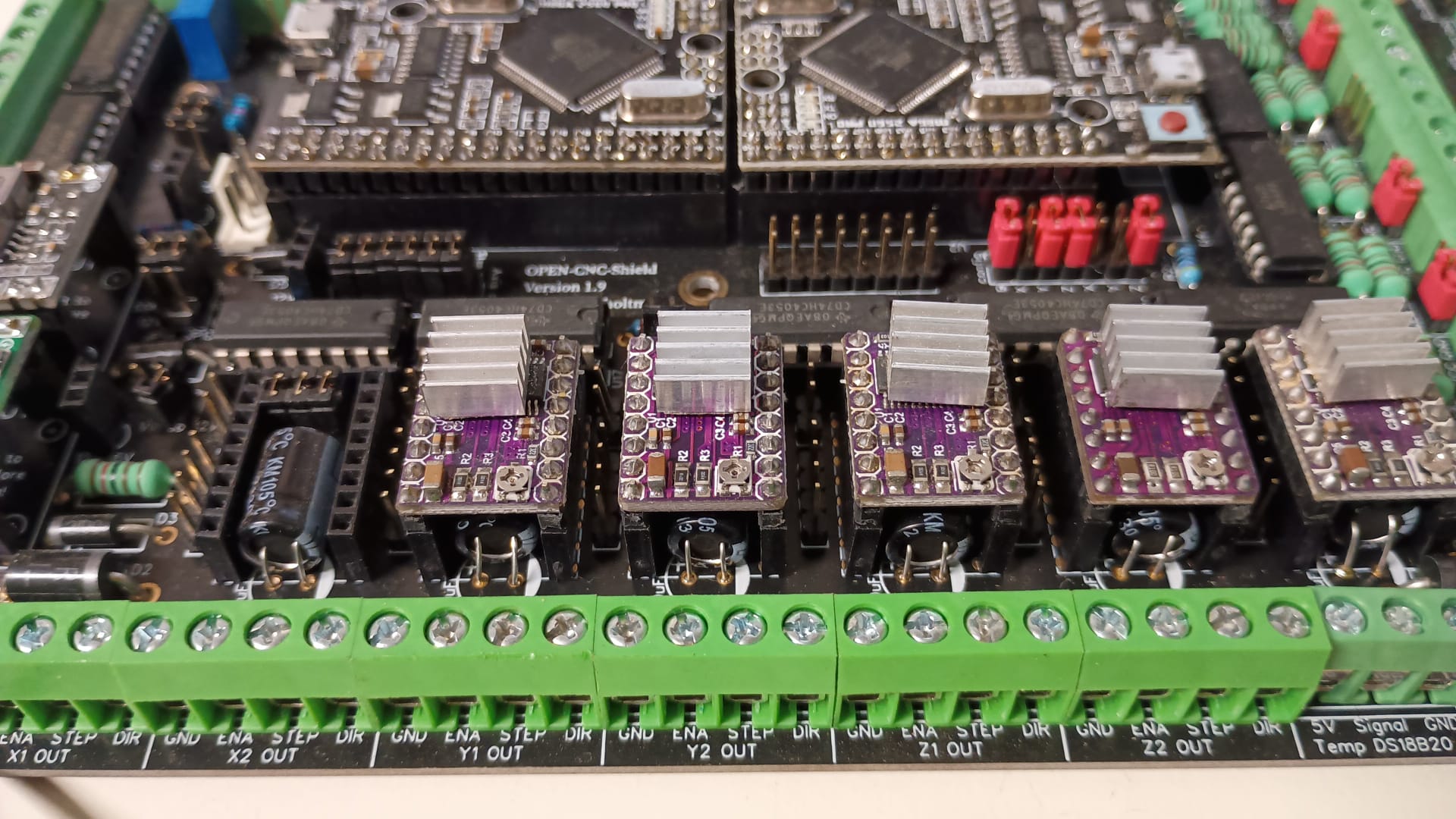
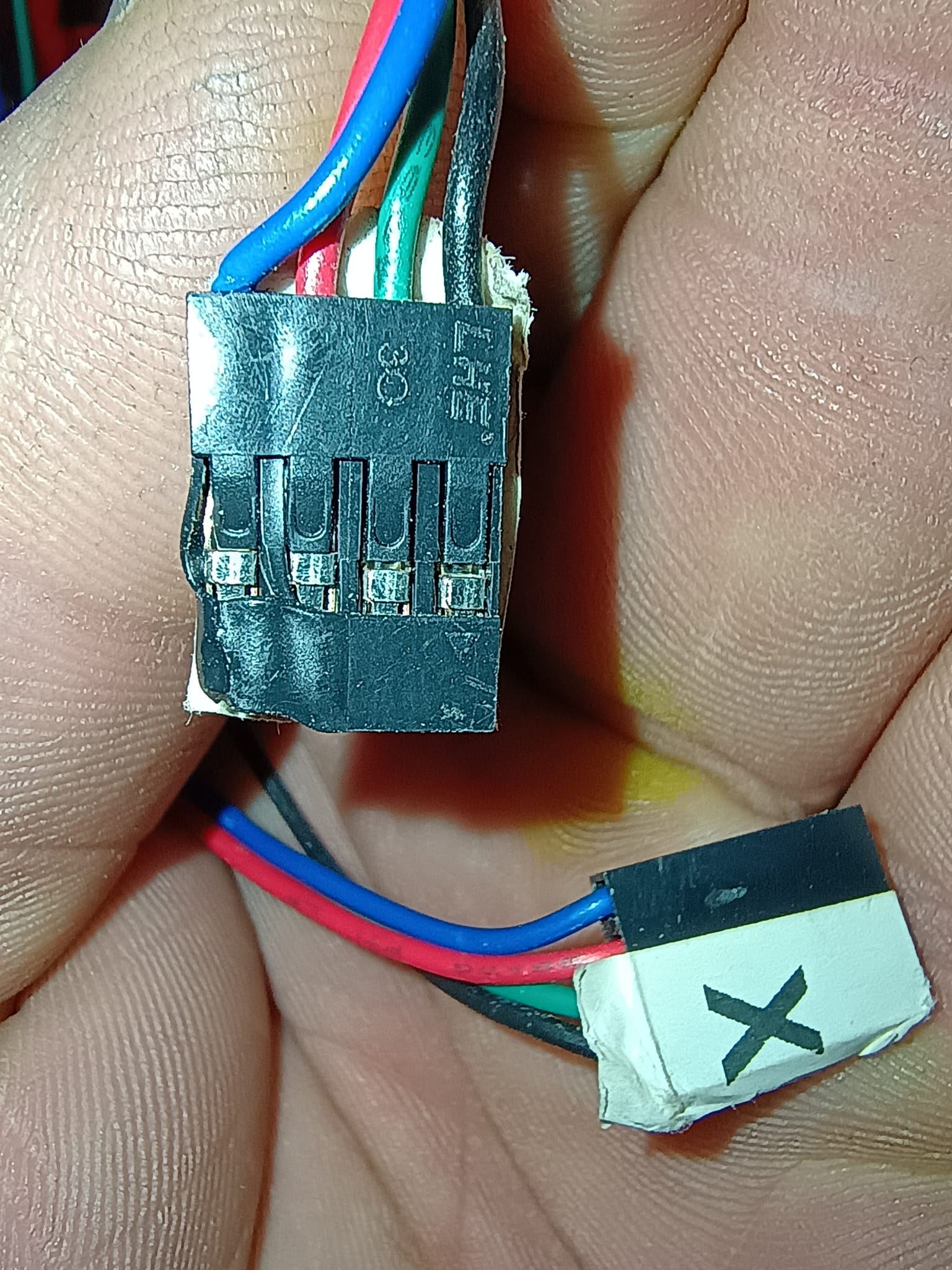
The connector of Y1 seams to have melted a little, but i can’t find any burnmarks on the driver.
Does anyone have any idea what could be fried? Or what I should replace first to try to repair the board?
I’m sorry to hear your system is troubled. That can be frustrating for sure. The good news is that it is arduino mega and you can just swap out the arduino if that is the issue and they are not very expensive (generally). Would it be worthwhile to separate the two boards and see if just the mega still works?
You mentioned your y motor cable is melted a little. It is possible the driver for that motor gave it up OR the connection isn’t made anymore and the motor driver is erroring out OR something else could be an issue. Not knowing your shield board form factor: can your motor drivers separate from the shield or are they soldered down?
I had a wire on my mp3dp melt because one of the dupont connections at the wire extension plug was not quite right. It was inside a wire loom and out of sight, so not easy to find. It melted the connector and periodically the motor would skip steps. Nothing else was damaged, but if the connection was broken during startup, the controller would error. If it happened briefly during movement, it would skip steps or error. Took a while to find the issue.
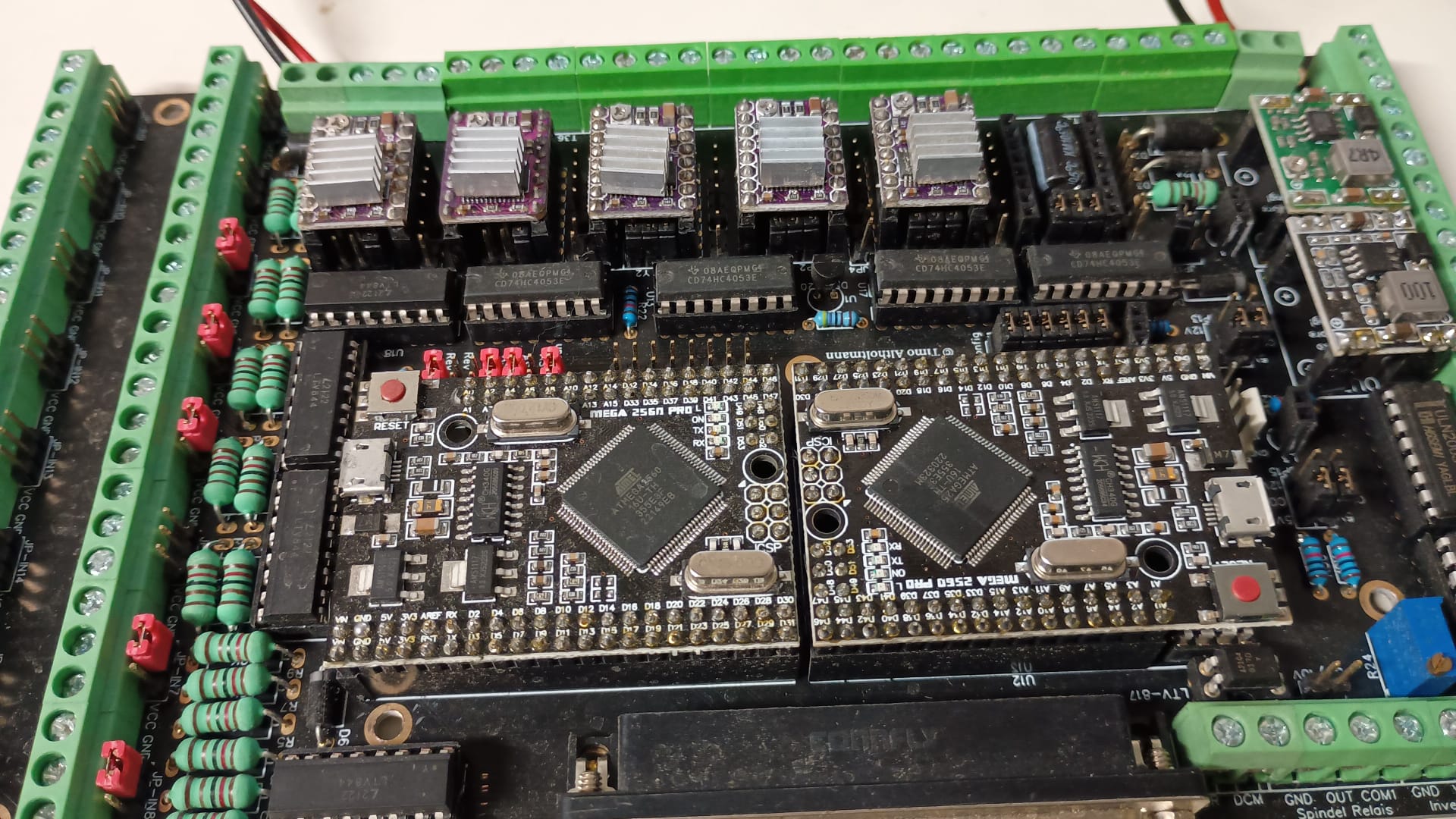
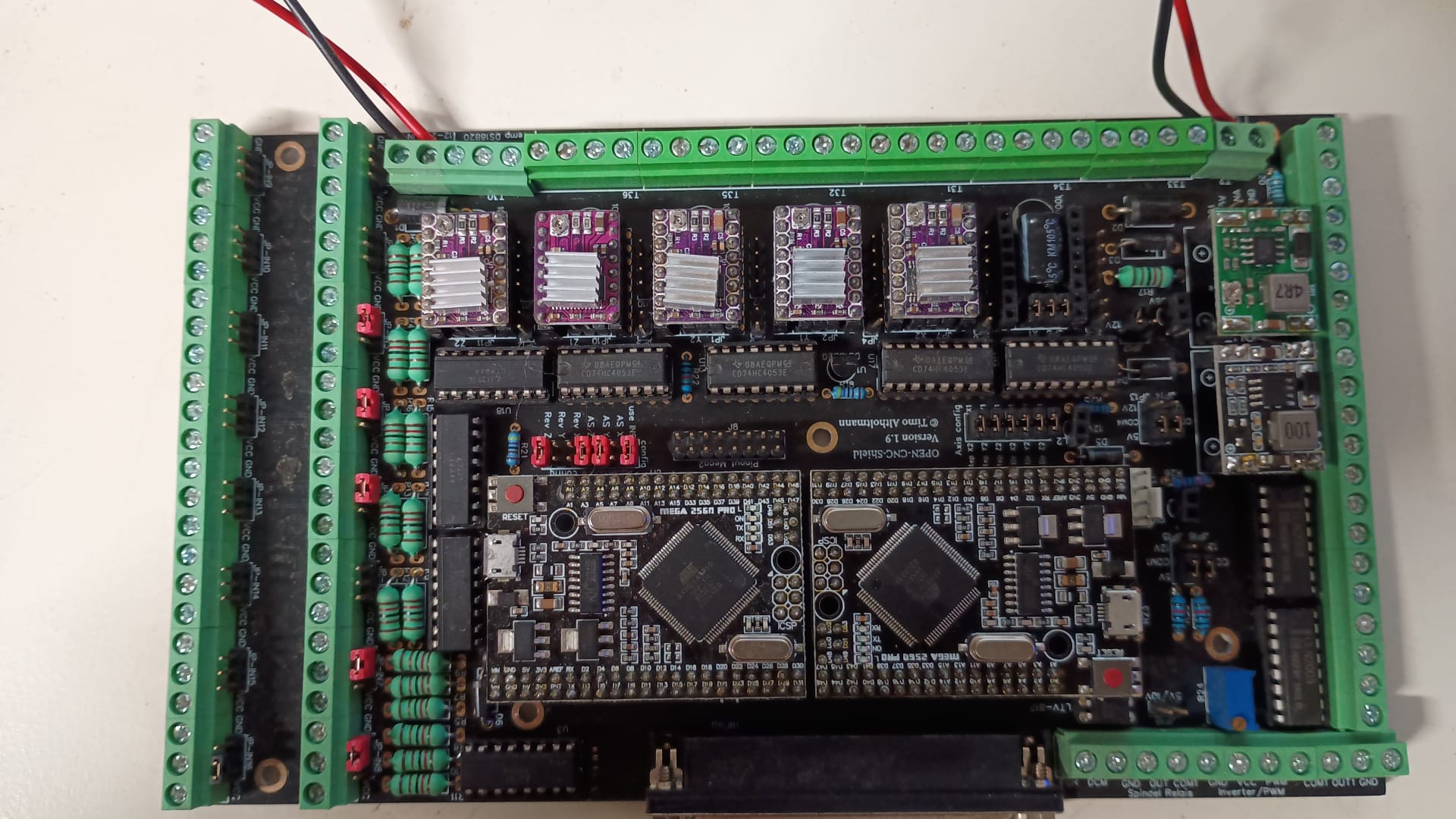
More information on what is normal and what is different in your software and additional photos would help.
Running it with JP17 in place shouldn’t matter too much. It means there’s an LM358 running off 19V instead of 12V which isn’t an issue, just that the spindle PWM output will be 19V. If you’ve got the inputs/outputs configured to use 12V they’ll be using 19V instead, which is starting to get pretty close to ther power ratings of the resistors on the input optoisolators but not enough that I’d be super worried.
When you say the motors move a little on startup, is that just a few degrees to align themselves or something more like a 1/4 turn?
Y1 being melted is definitely a weird sign but may just be a bad crimp/unrelated. I agree, more photos of everything would be helpful here.
From there, I’d start trying to figure out if there are any inputs that might be damaged that could be preventing any form of movement (E-stop, feed hold etc.), then try to get individual motors moving. It might be worth taking off the belts and making marks on the pulleys/shafts to see if something turns/moves with no load, etc.
Ah yeah, a little melted but not terrible. I’d guess there’s either a bad crimp in there or the contacts are a bit bent.
So it creeps to the home position in all axes or just one of them? Should it normally go there quickly? While it’s homing, does it feel like you can stop it moving easily with your hands?
Especially with the hissing, that does sound like the power supply could have gone bad or something like that. Do you have a multimeter to check it?
I tried @jono035 suggestion and put the open cnc shield on my desk and looked around for some steppermotors. I connected 5 of them. When I power on the board all motors engage, so the drivers seem to be working. When I connect USB nothing happens. When I start Estlcam the movement of the steppers begins.
I start to wonder if I messed up the configuration of one of the arduinos, but haven’t had the time to try that, because duty called , a ate to much chocolate and I had to make it vomit everything up. The glamourous life of a veterinarian…
Nice, that’s a pretty good sign that there’s nothing major wrong.
It’s always crazy how something can go wrong and you end up noticing a whole bunch of unrelated stuff like things that are melted, weird noises, things running hotter than expected etc.
It’s a good reason to try specifically pay attention to how things are while things are operating normally, which is obviously easier said than done!
The good news is that the lowrider is riding again. The bad news is that I don’t have any clue what caused the problem.
I had another open-cncshield lying around which produced the same problem.
I flashed all the arduino’s on the mainboard and on the wireless adapter one by one, I let out some frustrated words, quite a lot frankly. Suddenly it started working with the “new” controller and some time later I put alle the motors on the old controller and it worked also!
I put the old controller back on the lowrider and it also worked!
The only thing I can think of is that the wireless adapter caused something weird. The strange thing is that this weirdness dit not stop when I connected my old wired controller
I would be inclined to look at the filter caps in the power supply. after a long period of no power they can exhibit a loss of value but when powered on for a while will reform to a certain extent until turned off again9 think of the early lcd displays that would turn off a few seconds after they were turned on after the weekend and you had to keep turning them on until they finally would stay on and slowly brighten). if you have a scope you can look at the output of the supply and you will see the high frequency signal on top of the dc.


 ate to much chocolate and I had to make it vomit everything up. The glamourous life of a veterinarian…