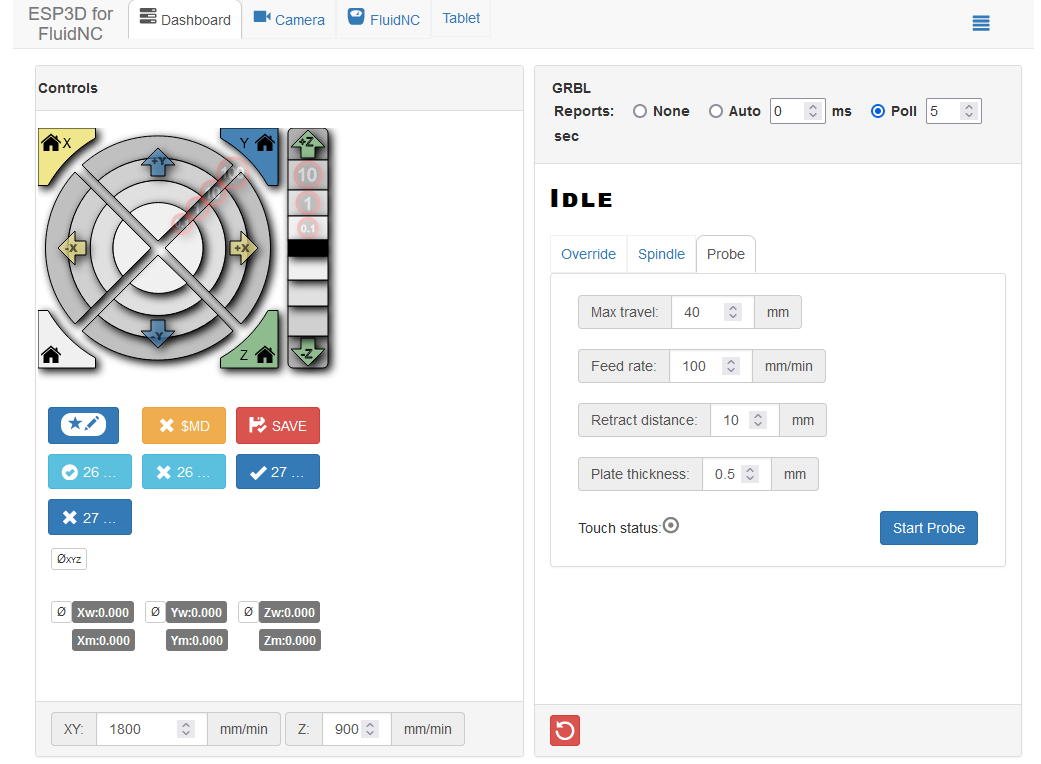
Guys everything in the machine works except now the z axis motor0 does not, I moved it to Z1 and it works fine, I was thinking about moving it to slot C but I do not know how to do so.
[MSG:INFO: FluidNC v3.9.9 https://github.com/bdring/FluidNC]
[MSG:INFO: Compiled with ESP32 SDK:v4.4.7-dirty]
[MSG:INFO: Local filesystem type is littlefs]

[MSG:INFO: Configuration file:config.yaml]

[MSG:INFO: Machine LowRider]

[MSG:INFO: Board Jackpot3 TMC2226]

[MSG:INFO: UART1 Tx:gpio.16 Rx:gpio.4 RTS:NO_PIN Baud:115200]

[MSG:INFO: I2SO BCK:gpio.22 WS:gpio.17 DATA:gpio.21Min Pulse:2us]

[MSG:INFO: SPI SCK:gpio.18 MOSI:gpio.23 MISO:gpio.19]

[MSG:INFO: SD Card cs_pin:gpio.5 detect:NO_PIN freq:20000000]

[MSG:INFO: Stepping:I2S_STATIC Pulse:2us Dsbl Delay:0us Dir Delay:1us Idle Delay:255ms]

[MSG:INFO: User Digital Output: 0 on Pin:gpio.26]

[MSG:INFO: User Digital Output: 1 on Pin:gpio.27]

[MSG:INFO: User Digital Output: 2 on Pin:gpio.0]

[MSG:INFO: User Digital Output: 3 on Pin:gpio.2]

[MSG:INFO: Axis count 3]

[MSG:INFO: Axis X (3.000,1223.000)]

[MSG:INFO:   Motor0]

[MSG:INFO:     tmc_2209 UART1 Addr:0 CS:NO_PIN Step:I2SO.2 Dir:I2SO.1 Disable:I2SO.0 R:0.110]

[MSG:INFO:  Neg Limit gpio.25]

[MSG:INFO: Axis Y (3.000,2443.000)]

[MSG:INFO:   Motor0]

[MSG:INFO:     tmc_2209 UART1 Addr:1 CS:NO_PIN Step:I2SO.5 Dir:I2SO.4 Disable:I2SO.7 R:0.110]

[MSG:INFO:  Neg Limit gpio.33]

[MSG:INFO:   Motor1]

[MSG:INFO:     tmc_2209 UART1 Addr:3 CS:I2SO.14 Step:I2SO.13 Dir:I2SO.12 Disable:I2SO.15 R:0.110]

[MSG:INFO:  Neg Limit gpio.35]

[MSG:INFO: Axis Z (-147.000,3.000)]

[MSG:INFO:   Motor0]

[MSG:INFO:     tmc_2209 UART1 Addr:2 CS:NO_PIN Step:I2SO.10 Dir:I2SO.9 Disable:I2SO.8 R:0.110]

[MSG:INFO:  Pos Limit gpio.32]

[MSG:INFO:   Motor1]

[MSG:INFO:     tmc_2209 UART1 Addr:3 CS:I2SO.19 Step:I2SO.18 Dir:I2SO.17 Disable:I2SO.16 R:0.110]

[MSG:INFO:  Pos Limit gpio.34]

[MSG:INFO: X Axis driver test passed]

[MSG:INFO: Y Axis driver test passed]

[MSG:INFO: Y2 Axis driver test passed]

[MSG:ERR: Z Axis TMC driver not detected - expected 0x21 got 0x0]

[MSG:INFO: Z2 Axis driver test passed]

[MSG:INFO: Kinematic system: Cartesian]

[MSG:INFO: Connecting to STA SSID:CAT-WIFI]

[MSG:INFO: Connecting.]

[MSG:INFO: Connecting..]

[MSG:INFO: Connected - IP is 10.1.10.237]

[MSG:INFO: WiFi on]

[MSG:INFO: Start mDNS with hostname:http://fluidnc.local/]

[MSG:INFO: HTTP started on port 80]

[MSG:INFO: Telnet started on port 23]

[MSG:INFO: Probe gpio.36:low]
I don’t know how to help you with that, but it looks like your first message formatted funny. To share code, use 3 of the tic marks " ``` " on the line before and after your large block of text and it will make it look right instead of the “>” before each line. Best of luck to you on the FluidNC. Often it is a YAML config file issue.
Z0 did work for a while, what happened to cause it to stop working? Did it get unplugged while moving? One driver going out is a very random thing to happen, they are connected in groups of three.
Ok, I will leave the layout as is. Yes, it was working perfectly before, minus the homing, which I believe is fixed now. I have the jackpot 3. I never unplugged it while moving, but I did unplug it a bunch of times while doing diagnostics, and I may have unplugged/replugged while the unit was on. I ordered a new jackpot3 that is supposed to be here this morning.
We should make some “alternate config” Documentation. Like how to swap any given axis to the spare. I always have to sit down and figure it out. I’m never fast enough to sort through it to help a community member out near real time.
I’m always afraid I will miss something and since I cant exactly test it myself on the fly I hold back from helping there. I know how to do it, but not 100% confident in doing it without testing
Even just a documentation blurb that says to change the five config parameters under the appropriate axis motor config to the C slot driver values would be helpful to link to.
There are enough versions already that we’re getting into config builder space. Prompt the user for Jackpot version, machine type, with some other options for swapping an axis to the spare slot.