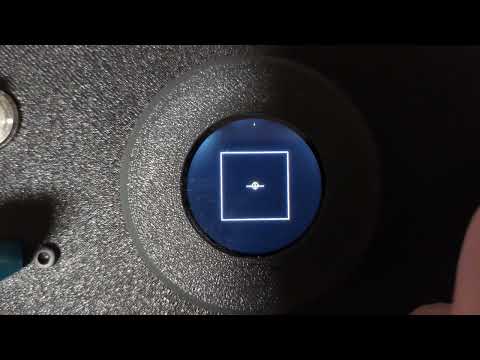
I did some research in a few libraries. None of them really suit round displays and I like the current look.
I have now found ArduinoMenu. The Core only provides the structure. There is also an implementation for Arduino_GFX that could be used as a base.
Does anyone have experience?
Otherwise I’ll try it out next week and try to implement the existing structure in the current look and feel.
The interface only contains generic methods such as Print, Draw Line and Clear.
But for the Round screen, we need to know more about the items themselves.
I started to Implement a simple framework.
Maybe I’ll make a video tonight showing the current status.
Currently, it is running on an ESP8266. However, the code should run 1:1.
I still need to integrate the FileSelector and a ConfirmDialog. Ideally, this should also be generic, so that you can simply specify in the menu entry that confirmation should be requested.
I plan to integrate two menus, one directly after homing the axes and one that can be called up during cutting. No handle button is pressed, and then the menu should open by pressing the encoder. Here, the feed rate can be set again to 0.0 or the process can be terminated.
The next idea immediately came to mind: the log file actually contains everything needed to resume a job after a power failure or scheduled break, as long as there is a homing bracket.
I started the implemntation.
Currently only presets works but it is possible to see that I have planned.
Nextsteps for me to do:
Implement File Selector
Implement Confirm Dialog
parametrize all presets
refactor machine zero “wizard”
Implement scaler to the float editor, to scrolling 0.1 steps is not very usefull, i want to implement x0.1, x1, x10, x100 scaler (change with double click), or maybe somethinf dynamic based on the increment speed.
What the heck?! You crushed that. That looks great.
I see what you mean now. Thanks so much for getting that framework started. I like the approach to have two distinct menus for “runtime” and “idle”.
That’s clean, I like it. It shouldn’t be too hard as long as the SD card closes appropriately upon power failure. The main thing would be to make the binary decoder on the machine side, but that framework is already built out in Python.
One thing that comes to mind when watching the video: what do you think about using a double-click or triple-click to trigger the “back” button instead of a screen element? That could make the interface a bit simpler
That is making the most out of that screen and knob. IDK why I never thought of this. But the fluid dial is a good example to look at, but it uses a wheel around a screen and has touch:
In the long term, separating the UI from the code running the gcode would be a good thing to do. It would mean updates can be independent and a UI feature wouldn’t make the functionality of the machine unstable.
Oh for sure. I have been looking into some of the same displays with built-in processors so that they can be fully asynchronous and capable of doing a lot more complex runtime UI
Although it is a bit oversized for a diy project if you don’t use it every day. I will get an HM-10 Bluetooth module with my next China order, it can be used with web apps on the smartphone. Almost everyone has a smartphone and if you have both hands on the CNC, it’s just lying around anyway.
For simple engraving, drilling and cut-outs, what we have now is enough, but when I think about milling pockets, the small display and gCode no longer good enough.
When milling a pocket, I think it would be good if you can move as you want, the compass should only make sure that you don’t leave the limits and at the end you move the contour once cleanly. This is very easy to implement with a ray casting algorithm, but if you can’t see where you were and where you still have to go, it becomes difficult. On a smartphone screen, however, you could display it really well.
But one thing at a time, work with it first before I implement an infinite number of functions