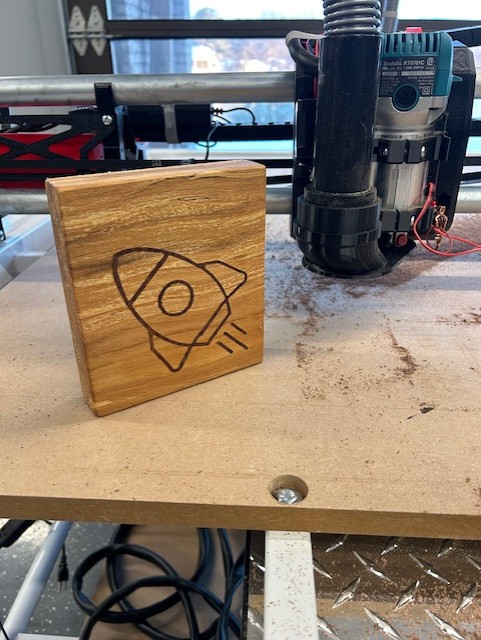
After finally being able to run the Crown test, I made this test piece. It is beechwood with a walnut inlay. I know I was supposed to make and install the strut braces first, but I decided to just jump in the deep end. Learning Vectric VCarve at the same time to create those toolpaths was an adventure. I know I had to ask a lot of questions on the forum so I thank all of you for your help.
8 Likes
Very awesome first cut! Now cut and install your struts before you cut anything else!!!
2 Likes
This is a fantastic inlay, I can‘t make out any glue gaps at all (and believe me, I looked hard! :P). Really nice. I have been contemplating getting V-Carve Pro as well for those, but it‘s just so damn expensive…
2 Likes
Way cool! Nicely done 
I have a copy of Aspire that fell off the back of a truck, it’s a lot more affordable when you know a guy  That being said I just keep going back to EstlCAM (that I gladly paid full price for
  ) just because I already know how to use it lol. And then I remember that I can’t “undo” a mistake in EstlCAM and the cycle continues…
1 Like
You can delete any tool path you created by mistake. Select it (where its red) and then hit the delete key. Took me a while to learn this and once I did it saved me a ton of headache.
Also if you are doing a manual toolpath and hit it wrong just hit backspace and it will go back to the last place you clicked, you can go back all the way to the start with this as well.
3 Likes