LR4 Jackpot 3 Random Error Issues

I built a LR4 with a Jackpot 3 controller (Nov 2025) and had great success. The unit was very accurate and consistent. I took a break from using it in Feb to design a guitar in Fusion and a couple days ago I was ready to start cutting out the neck. I powered up my cnc and uploaded the files into the SD card via the web interface. I was then presented with a ‘‘Low memory: 4996 bytes’’. I thought maybe my fusion NCprogram toolpath files were too big. Rebooted, same error. Following direction from my idiot AI Co-Pilot, it indicated that my config.yaml file was too large. I checked the file and there was nothing wrong with it. I decided to upgrade the unit from v3.9.9 to the latest v4.0.2 using the Web installer. After successfully upgrading it, it seemed to work ok. I managed to complete 10 toolpaths on my neck and then it randomly started freezing up and in two cases mid toolpath. When thiis would happen it would report ‘500 - Internal Server Errors’. Rebooted unit and this error continued but at different times. I thought perhaps it could be my android tablet or wifi and tried my garage pc instead…no difference. I plugged in a usb cable and used the FluidNC Web Installer to try to find out what was happening. It presented me with a ‘[MSG:ERR: Configuration is invalid. Check boot messages for ERR’s.’ whenever this happened.

I thought perhaps the sd card was bad, so I removed it and found the internal server errors continued. I also remove the motor connections and same error appears. I measured the voltage and I am exactly 24V with no fluctuation.

I also powered up the board with only usb and i am able to sometimes trigger an connection error when trying to access the fluidnc web interface wifi settings or the FluidNC settings. When it does this it states in the terminal:

MSG:DBG: WebSocket connect cid#1 from 192.168.0.125 uri / session YNDNHFML
MSG:DBG: WebSocket error cid#1
MSG:DBG: WebSocket disconnect cid#1

Whats going on with this thing? It was rock solid. Is the ESP32 crashing for some reason?
Should I try a fresh install of everything or do i risk it locking up while upgrading? I have been fighting with this thing for a few days now. It seems to be getting worst.

Any help or tips are appreciated.
sorry it posted ‘You can’t use ‘macro parameter character #’ in math mode’ instead of
”[MSG:DBG: WebSocket connect cid#1 from 192.168.0.125 uri / session YNDNHFML]

MSG:DBG: WebSocket error cid#1

[MSG:DBG: WebSocket disconnect cid#1]”

Before you do anything else, you should revert to a known good config.yaml file and then we can start working your issue.

Using AI to tune your settings is worse than asking the stupidest person you know to make random changes to your machine and hoping that works out for the best. It seldom does.

Depending on what FluidNC version you have, we might want to have you update.

2 Likes

Thanks for the response MakerJim. I upgraded from v3.9.9 to v4.0.2 due to the ‘‘Low memory: 4996 bytes” warning I was initially getting.

Quick question. If the JP3 was having issues with connecting or getting kicked off my eero 6E router that is 6ft from it (possible f/w issues), would that cause this strange behavior? Would this cause the machine to alarm out and freeze?

Also is there an easy way to share my config.yaml file for you guys to look at?

You didn’t upload your gcode file to flash instead of the SD card by mistake did you? We haven’t been seeing any low memory errors with 3.9.9 that I remember.

If you add it to a zip file, you can attach it here on the forum.

Here is the link to the config file for your LR4/Jackpot3 Lee:

Download the config and upload it to your JP3. Then you’ll have to power cycle it for the config to load. Be sure to unplug the USB if you have one plugged in before power up again. Let us know how things are going after uploading the config.

Further analysis.

Back in early February, my machine was running absolutely flawless. Zero issues. At that time my home network was on an eero 6E system running eeroOS 7.13.3.

Then on Feb 20th and again on March 11th, the eeros Network took firmware updates. I didn’t think much of it at the time, but later on I started noticing some really odd behavior across a bunch of devices like my GamingPC and laptop.

  • random “connected but no internet” messages
  • DHCP failures (“no DHCP server found”)
  • devices dropping off and reconnecting constantly
  • some devices connecting onto the wrong AP, sometimes one way across the house vs the one in the adjacent room

At first I figured it was just my PC acting up…perhaps a flaky Wi‑Fi card or drivers requiring an update. But when I dug into the eero activity logs, I noticed my Jackpot 3/FluidNC was doing the exact same thing..so is my garage thermostat. They are disconnecting and reconnecting over and over, which totally explains the ‘500 Internal Server Errors’ I kept getting in the WebUI. The poor thing was basically losing its network session every few seconds.

Last night I noticed the eeros had yet another firmware update available, so I updated to eeroOS 7.14.0‑8208, hoping it would finally calm things down. Nope. Same DHCP weirdness, same short dropouts, same devices wandering off to random APs. I forced a couple devices to avoid 6 GHz entirely and stop roaming from AP to AP with some success, but the disconnect pattern was still there for other devices.

So I tried an experiment: I set up a separate TP‑Link Deco access point on a fresh SSID and connected the JP3 to that instead.

  • Instant stability
  • No drops
  • No reconnect loops
  • No WebUI errors
  • No Error 152
  • Just… normal behavior again…I hope

At this point it’s looking less like a FluidNC/JP3 issue and more like something in the recent eeroOS 7.13.x and 7.14.x firmware that certain devices, especially 2.4 GHz / 6 GHz / IoT / ESP32‑based stuff, really don’t like. The Deco AP seems to avoid whatever the eero firmware is doing behind the scenes.

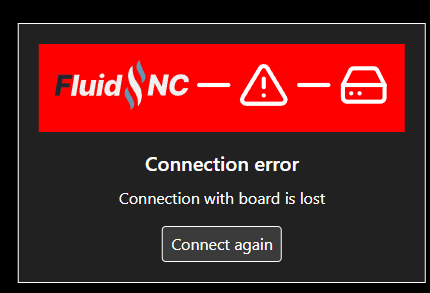
I will keep an eye on it, but I hope this is the issue. I might drop back my fluidnc firmware to v3.9.9 as switching to fluidnc settings ‘Wi-Fi’ panel routinely comes up with an error ‘Connection error Connection with board is lost. Connect Again.” Have not checked to see if this is a known issue with v4.0.2.

One other option I might try is to change the board to AP mode and isolate my home wifi entirely.

Perhaps the msg here is, just because there is an available update, if it ain’t broke don’t touch it.

Thanks guys. Crossing my fingers

Hmm… interesting.

The Release of OpenWRT 25.10.x broke a bunch of things for me, but none of those were FluidNC , because I hadn’t gotten around to upgrading those APs and routers yet.

It looks like it will be an interesting year for wireless firmware.