I am cutting 1.5” Starboard with an LMT ONSRUD 63-727 with RPM of 20k, Plunge at 750mm, and Cut at 2500mm, and the machine is all good. However, I need to switch to LMT ONSRUD 63-777 with RPM 20k, Plunge at 1219.2mm to 1828.8mm, and Cut between 4064mm and 6096mm to keep my chip load within the manufacturer’s specs. I have never taken the machine higher than 3000mm Per Minute. Can the machine go up to 6k or 7k plus MM Per Minute?
Short answer: no.
The LowRider works best with 1-flutes, as soon as you go 2, it’s nearly impossible to keep the speed and DOC needed. I did push my LowRider pretty hard to 4k just to try, but I never ran this besides for the tests. I had my X drift when going too fast.
1 Like
I just finished cutting 1/2” Starboard with LMT ONSRUD 63-725 with RPM of 25k, Plunge at 3048mmpm, and Cut at 6096mmpm, and it cut like butter. Cleanest cut I have gotten so far with this machine while cutting Starboard.
I was surfacing my spoil board with a 1/2 flush cut, I ran fine at 100mm/s (6k/m), and started to get lifting at 120mm/s. As long as you are using an upcut you should be okay at those speeds since they will pull the machine down.
If you are really going to be pushing the limits make sure your steppers are sitting at about 45C, you can add more power if needed.
But there are two limiting factors here. First, I geared it low, big deep hard cuts are slow, if you want to go 20% faster for free just swap out to 20T pulleys. Second is at some point you are going to pull down so hard you will flex the beam and get inconsistent depths. If you are cutting all the way through the second on does not matter.
But if at all possible, cut deeper, not faster. Twice as deep is much faster than twice as fast.
You are also going to have little steps because the router is getting pulled into the wood more, you absolutely need a finishing pass then if it’s supposed to look good. The harder the wood, the more a problem.
Thanks for the input, guys. When I did my 4x8 spoil board last with an X002XU0TXJ | 1/4” IRB 1-1/2” bit, I was doing a Plunge at 800 mm/min and a Cut at 116.7 mm/s (7 k/mm/min), while removing 2mm with a 25% step over, the results were great.
@vicious1, when you are referring to steppers sitting at about 45 °C, you’re saying I could raise the run amps higher than the 0.800A you set to say 1.0 to 1.2A as long as the motors stay around 45 °C?
I am not looking to push the machine’s limits; I’m configuring each bit to get the best results. My LMT ONSRUD 63-725 setting above is about as high as I want to go, and king starboard in general is a pain to cut. I was surprised how well it cut 1.5” king starboard with a 1/4” bit when I should have used a 3/8” bit.
I am about to cut some windows for a boat out of acrylic with the same LMT ONSRUD 63-725 and will test the feed rates on scrap to see what offers the best cuts.
Thanks again for all of your help
Yes, if you get too high though then you need to be sure the control board has a fan on it and you are using my box to control the airflow, keeping the drivers cool.
With that said, the biggest issue we run into is not really the steppers power. The way steppers work, all steppers even large ones, is the max RPM. Trying to spin a stepper to fast it will lose all torque. I strongly urge you to convert to 20T steppers if you want to run at 100+mm/s.
More current will give you a little more power, slower RPM will give you a lot more power.
For me I find HDPE some of the best possible material to work with ever. I can tell you you really really do not need to spend that much on endmills for that material. Anything will cut it. I use the <$10 endmills from the shop for it all the time.
Arcylic is much harder to cut. You need to do a lot of test cuts. To slow and the material will melt, too fast and it will shatter. Too shallow it melts, to deep it shatters. Make sure the hold down is good so it can’t get pulled up and shatter.
hdpe is the easiest plastic to cut, acrylic is the hardest.
3 Likes
What is your depth of cut?
and what is your cutting diameter?
20k rpm is too much.
I can assure you slower RPM, slower feedrate, deeper cut per pass and you will find a much faster job and a better more accurate surface finish.
Chipload is rpm and speed, it does not factor in depth. As long as you keep the chip load at the lower end of their recommendations, slower rpm and deeper is a better option for us.
Sorry, can’t help myself. This is an interesting topic to me.
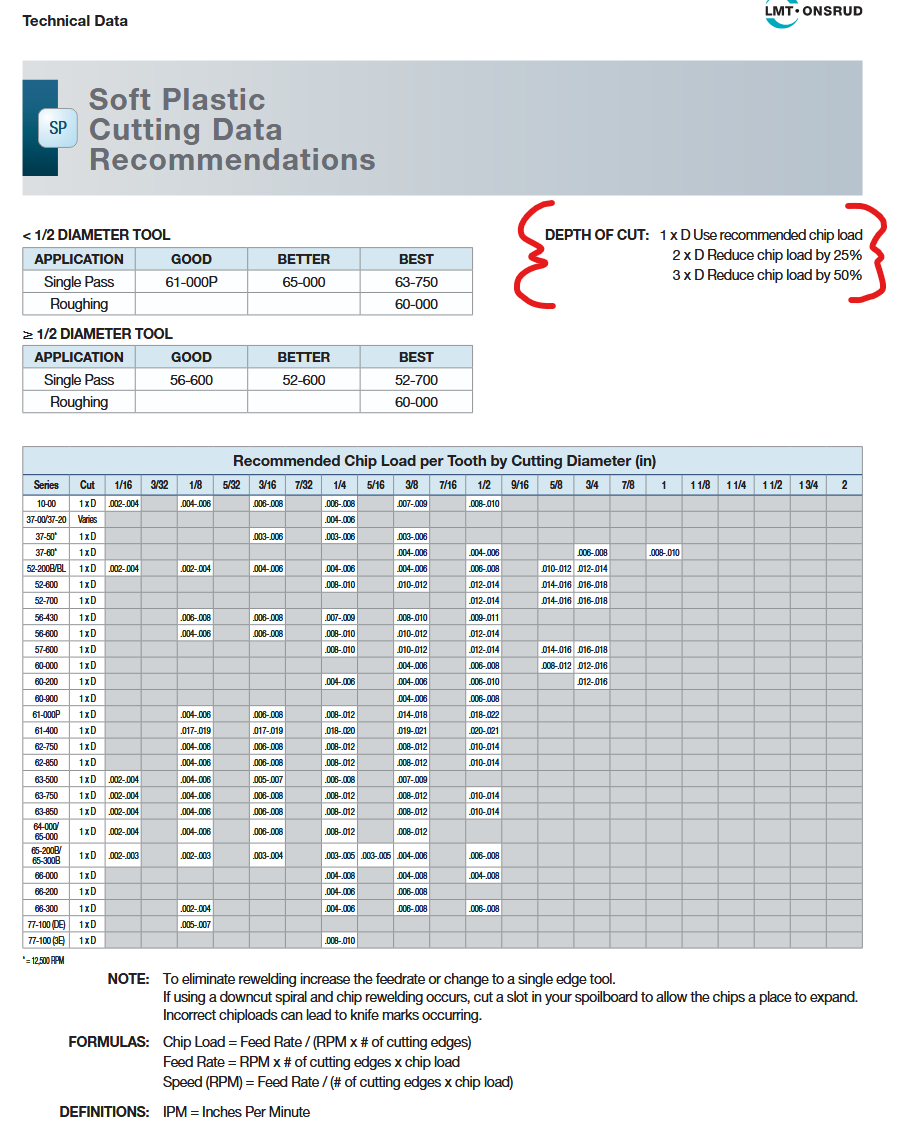
See the part highlighted in red. The chipload they give you is for 1diamter depth of cut. Now if you cut 3 times deeper you only need to slow down half the speed. 3x 1/2= 1 1/2. So slower and deeper equals 1.5x faster.
I threw all that into the calc,
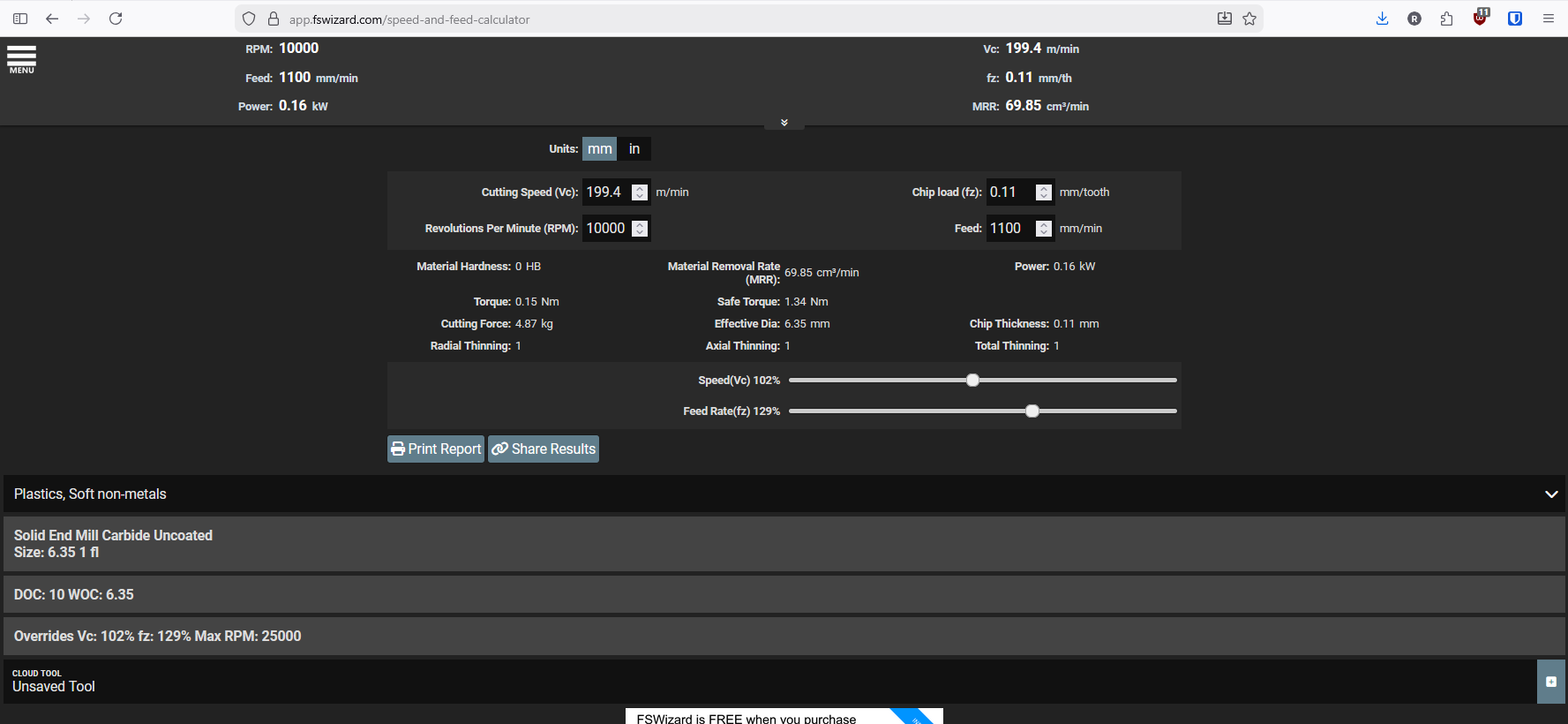
This assumes a 1/4" single flute upcut slotting. Correct chip load (lower end), 10k rpm, 10mm DOC, 18mm/s.
What you need to keep an eye on the most is that cutting force. The LR is designed for about 9lbs/4kg. This is a bit high, so maybe a slightly shallower or slower cut, but I think this would work fine for most builds. The MRR, is the gauge on how fast you are actually cutting, same diameter bits will let you compare directly.
These numbers are very far off from what you are showing so I am assuming you are cutting super shallow. Shallow cuts wear out the tip of your endmill and waste the rest, and deeper cuts remove more material. Go as deep as you can while still being able to remove the material out of the slot.
1 Like
What size build is this cutting force of 9lbs/4kg calculated from? I have a Lowrider 4 that I built to have a 48 inch long X axis. So it is a fairly large build, and therefore less rigid, of course. It has been phenomenal, but I am always trying to make sure I am getting the most I can out of it. Or is there any way to compensate for size of build when calculating potential cutting force capability?
I imagine that would be fairly complex to get very precise, but was just curious of a ballpark number to use as a general guide when using calculators such as FSWizard.
Larger builds just need a larger finishing pass. They can all handle the same loads, larger builds just deflect more
Awesome, thank you for the answer! That’s super exciting to hear. I had thought there were more drawbacks at this size, so glad to see it is closer than I thought.
Another question for those much more in the know than myself then. I have seen videos from Doug from Design 8 Studio during the beta testing phase where his machine makes some truly impressive cuts. Such as 150 mm/s, 12mm depth, and 75% stepover in MDF; as well as 50mm/s, 12mm depth, and 75% stepover in Alder. Both with a 1/4” one flute endmill. These are crazy impressive cuts, and I just haven’t been able to get close to those in my experience. Would this be due to an improper build or even bad bits? I have tried different bits without nearly as much success as that. Or could it possibly be something else? I haven’t modified anything from Yellow Brick Road guidelines that I’m aware of.
Very pleased with what I have accomplished with such a versatile machine. (Saved me quite a few bucks for Christmas presents alone haha) Just always curious to find out what the machine is truly capable of. Fun to chase that performance, and wanting to make sure that I am not holding it back in some way. Thank you again, Ryan, for the already very helpful answer!
1 Like
Alder is still pretty “soft”, Doug also said he wasn’t sure about what kind of wood it was. 3000mm/min with that depth is possible, but will not be very accurate.
Regarding MDF: it’s kind of hard air, so that might be possible, but again, the parts will not be really great most of the time. 
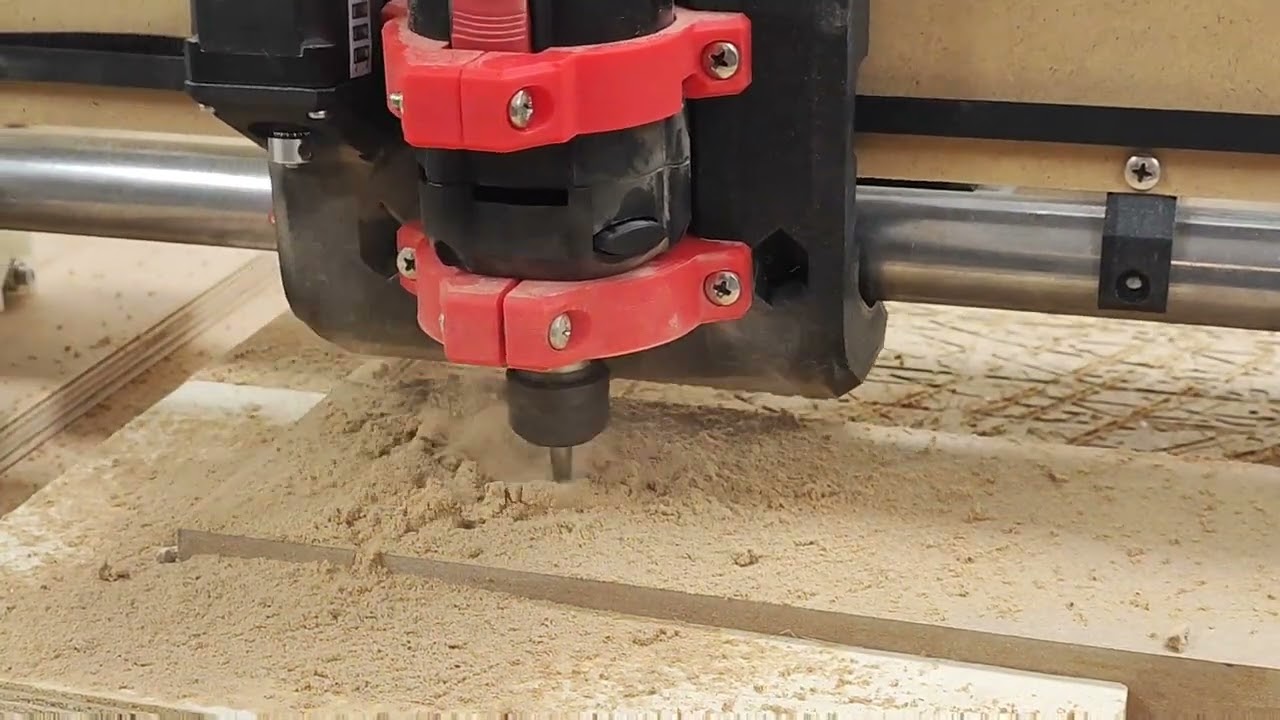
That’s 4000mm/min with a DOC of 12mm:
1 Like
Yeah, I see that “hardwood” got the best of me there haha. Thanks for the info there. I figure that higher speeds certainly sees much greater deflection, but was just curious for the sake of hogging material out quickly. Not necessarily chasing that super high number that Doug achieved in MDF, but trying to get as close as reasonable.
That 4000mm/min cut at 12mm depth is also great. I haven’t gotten close to that either. The highest depth of cut I’ve gotten was about 1/4” and that was at 2000mm/min or less in box store plywood. I didn’t stay there long either, as it was prone to skipping steps and drifting. So that still feels less than the machine should be capable of. But I could be entirely missing the point; I am often guilty of going way too far into the weeds.
Plywood is really, really hard compared to MDF. Basically like hardwood, so 2000 is great.
1 Like
The glue in plywood gets tricky. The cheap stuff is really usually full glue which is difficult to get a handle on, the nicer stuff is usually more predictable and you can go faster.
33mm/s is great, I suggest not going faster. Work on router rpm and then increase depth per pass. Depth per pass removes more material than speed. 2 passes is twice as fast as 4 passes, and uses more of the sharp carbide endmill.
2 Likes
Thank you both for the feedback and suggestions! Looking forward to putting them to good use!