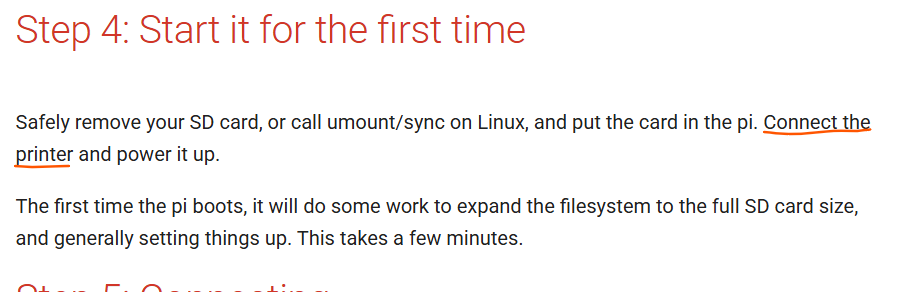
Dumb question time. I am am trying to setup a raspberry pi 4 for my low rider 4 and go to this step and dont know how to connect it.
How do I connect the raspberry pi 4 to the Jackpot 3 control board?
Dumb question time. I am am trying to setup a raspberry pi 4 for my low rider 4 and go to this step and dont know how to connect it.
How do I connect the raspberry pi 4 to the Jackpot 3 control board?
What are you trying to do? This doesn’t make any sense to me unless you are trying to use a sender instead of the normal Jackpot/FluidNC way.
Yes for a repetier server
I don’t know what repetier supports, but in general FluidNC connects over a Websocket connection or USB.
Using a serial sender is off the beaten path, but it is supported several ways by FluidNC.
Easiest way to use a sender is to attach the Jackpot to the Pi with a USB cable and then verify that the Pi sees the Jackpot as a UART device.
You can then set up the sender of choice to use the UART for controlling FluidNC.
Some caveats and cautions- be careful about ESD on a long cable run on a CNC machine. Particularly if you use dust collection as this is a prime way to zap things on the sender or the Jackpot.
When I do long serial runs like that, or even for simple ones like Klipper/OctoPi setups, I always buy a USB cable with an integrated torroid or add one as a clamp-on.
If you tell us more about the sender you want to use and what your workflow is, the community can chime in with additional guidance and advice.
I am trying to get rid having to use a sd card to send prints and want to send prints and control the machine without having to connect to the fluidnc network each time
In that case, I would just configure the Jackpot with an STA connection so it connects to your home wifi (assuming you have good signal strength) instead of its own network. Then you can just connect to the WebUI on your computer, drag and drop the files you want to upload to the Jackpot SD card, and run from there. That’s what I do except sometimes I kick off the job from my wireless pendant.
If you have decent WiFi, then you can use STA->AP mode and just have the jackpot on your network. Then you can use the WebUI. Just as Jason describes above.
That seems way simpler to me, and running the gcode from the SD card is the preferred way to run a job.
If you don’t have good WiFi in the shop, then upgrading that would be a better use of money than adding a Pi to the LowRider.
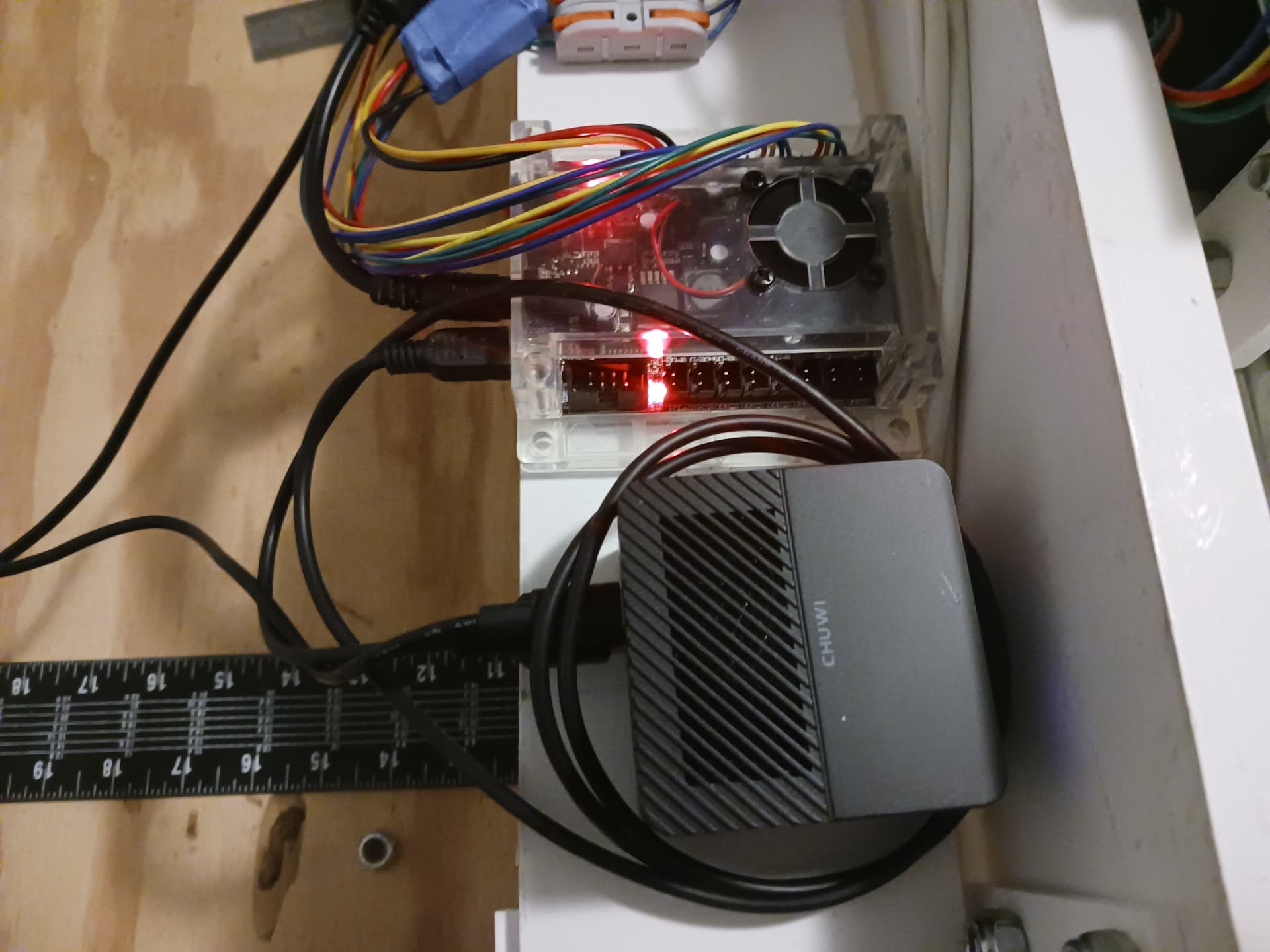
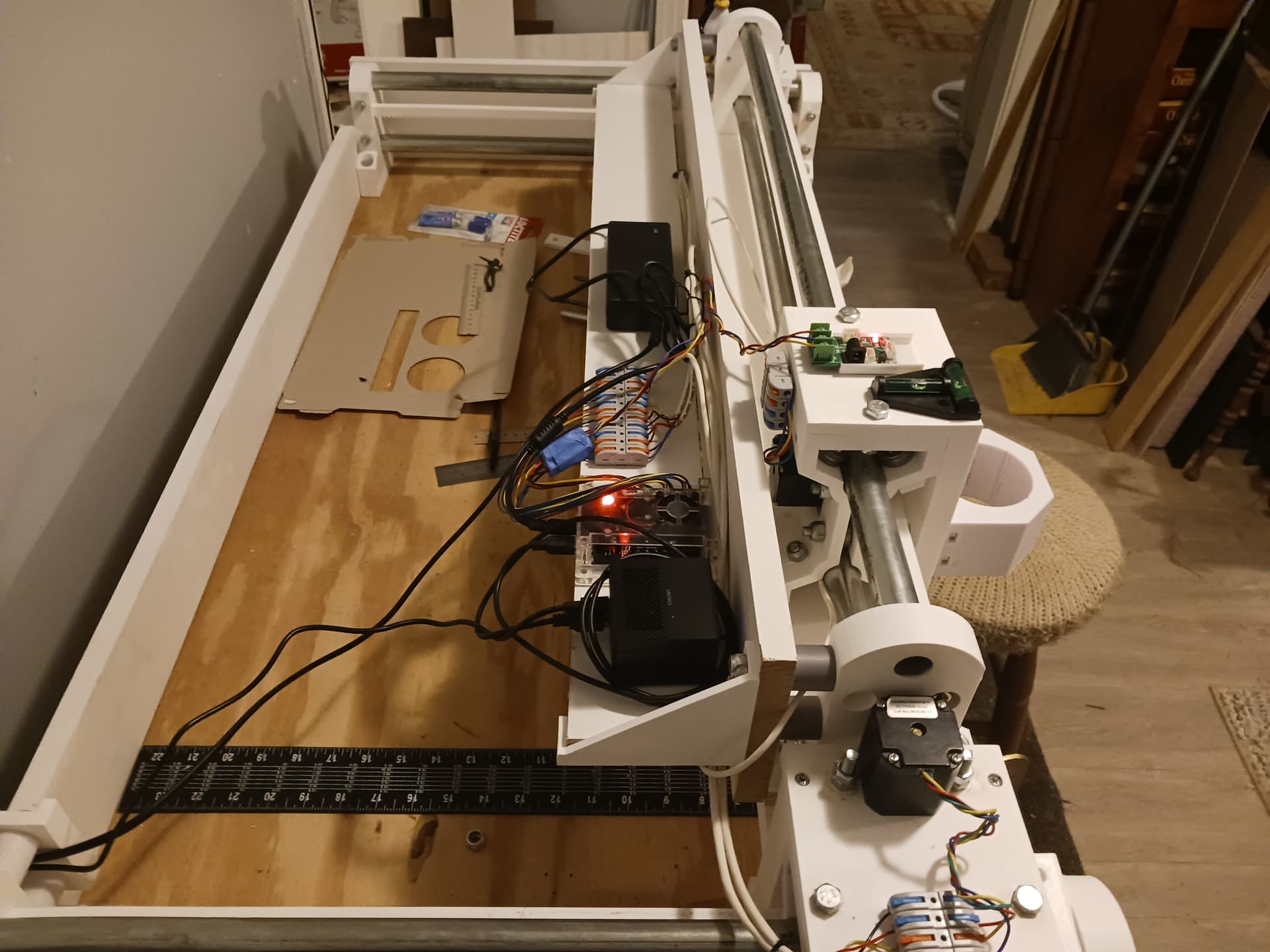
I know you guys are saying it’s out of the norm… but I much prefer using a headless Pi – or better a miniPC – sitting next to the Jackpot or other controller and connected with a short USB cable (could be a lot shorter here). The miniPC is that $81 Larkbox Pro (black cube) I bought and an 8-bit Grbl controller from my junkbox…
Even a very modest miniPC has far better performance and much more storage than a Pi and can host as many gcode senders as you care to try… but even a 4G, 8G, or 16G Pi 4/5 can handle Debian OS and a couple of senders easily. And even Lightburn. I also used Jeff’s V1Pi image and CNC.js for the longest time before I discovered the miniPC’s. And I’m aware that miniPC have gotten far more expensive recently… so Pi 4/5 may be actually be a good bet if that’s all you can get.
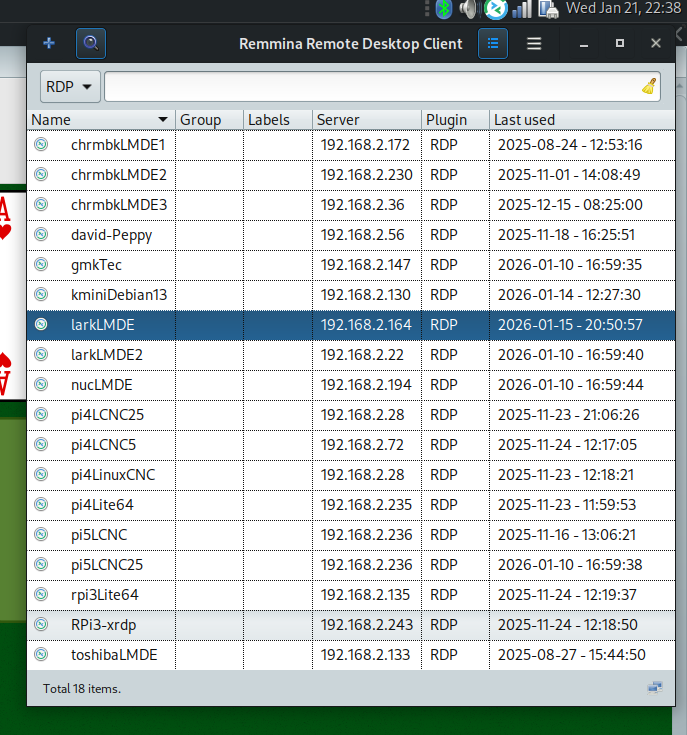
My wifi is decent enough (Starlink) that sending a gcode file to the Pi/miniPC is not a problem. And once it’s on the miniPC or Pi it has the entire file and once the job is started, it can handle the job unattended and free of any further wifi requirement. I do have each miniPC running an “xrdp” server and it allows me to connect to them with a RDP client and control them remotely… repurposed Chromebooks, miniPC, Pi, etc.
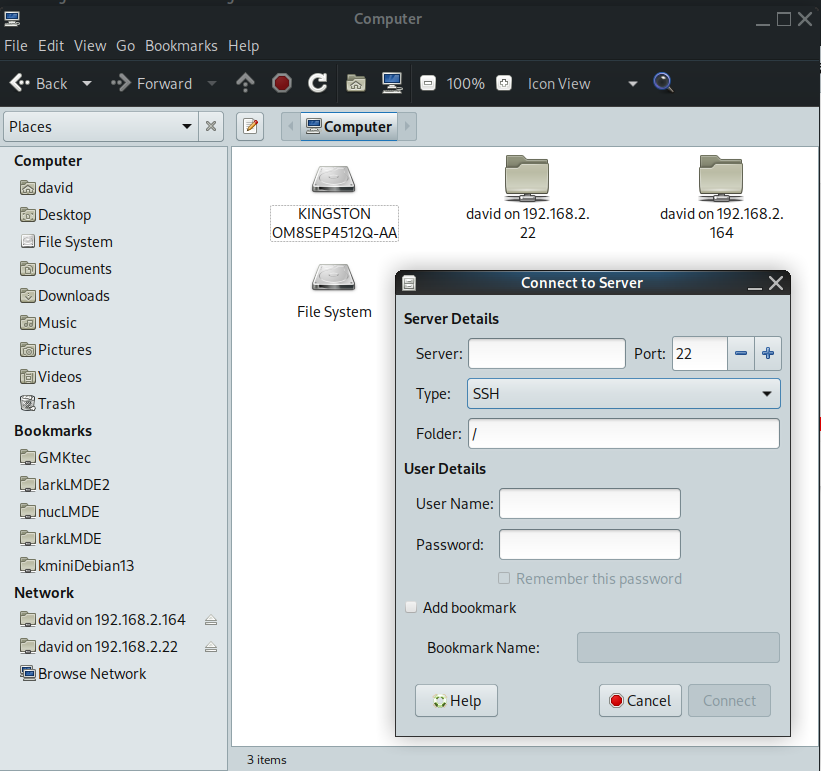
I also found the file managers on all my Linux boxen have a “Connect to server” capability that allows adding the remote machines to my main laptop…
and those “Bookmarks” along the left side are the remote miniPC’s that I can simply drag-and-drop (or copy and paste) files to… just like to any directory on my main laptop itself. You do have to enable “ssh” into each box to have the file transfers thru “sftp”. And even Windows can do this… though it seems a little clunkier to set up.
I recently helped @joegomez1479, a nearby neighbor, set up his new LR4 and Jackpot with this same capability… he liked my demo. He did set it up first using the YBR method in the docs… and used WebUI to verify operation. It worked and it was okay… but a little bland for our tastes. We then quickly set up a miniPC that I had set up for him… and Joe, an experienced Mach3 CNC’er, liked the look of gSender… while I prefer UGS. He actually has his miniPC hooked to a keyboard, mouse, and monitor… but it is a dedicated setup to his LR4. His main laptop is a Windows machine… and we were able to map the miniPC into his file manager as well (though details have conveniently been forgotten…) 
Anyway, this is my $0.02.
Most of my own machines are very well off the yellow brick road- it’s fine.
Advanced users or folks with a strong preference for a different setup will find their own path.
I still talk about the recommended setups and that changes over time.
I completely get why some folks prefer a sender, or a pendant, or one flavor or another of controller or machine embedded software.
Diversity is good.
I didnt know it could do that.
I tried it but I cannot get the ip or fluidnc.local page to load. I can only get it to load if I connect to the fluidnc network.
I have a pretty good wifi signal and speed in my garage and I’m in sta>ap mode
I had been running my Lowrider(Jackpot) and my previous MPCNC(BigtreeTech) with a raspberry pi with a touchscreen. The mpcnc I used a g-code sender but with the jackpot I use just a browser with the Jackpot wifi enabled. There were small issues, the biggest pain was some of the browser widgets did not work if the browser was maximized.
I have since swapped out the pi for a laptop but that was due to adding a laser and lightburn only running on windows and wanting to keep the electonic clutter in the shop down.
So I setup the network name and password on the jackpot through the web page. Now fluid NC network doesnt show up and I can’t connect to the controller
Yes I tried fluidnc.local
No I haven’t tried usb
I have it connected usbc to my laptop. What do I do now?
Go to: CP210x USB to UART Bridge VCP Drivers - Silicon Labs
and download and install the driver first.
You have to use a data USB cable.
Power up the Jackpot and then plug in the USB to the computer and Jackpot.
Go to https://installer.fluidnc.com/ and select FluidNC. Connect to the Jackpot.
After you connect, click on WIFI in the left column. That will show you the IP address and host name.
This is for the jackpot 3?
Yes it is. I have one also.
This worked perfectly. Thank you!