Does anybody have a printed parts color chart for the Low Rider like the one that exists for the Mostly Printed CNC?
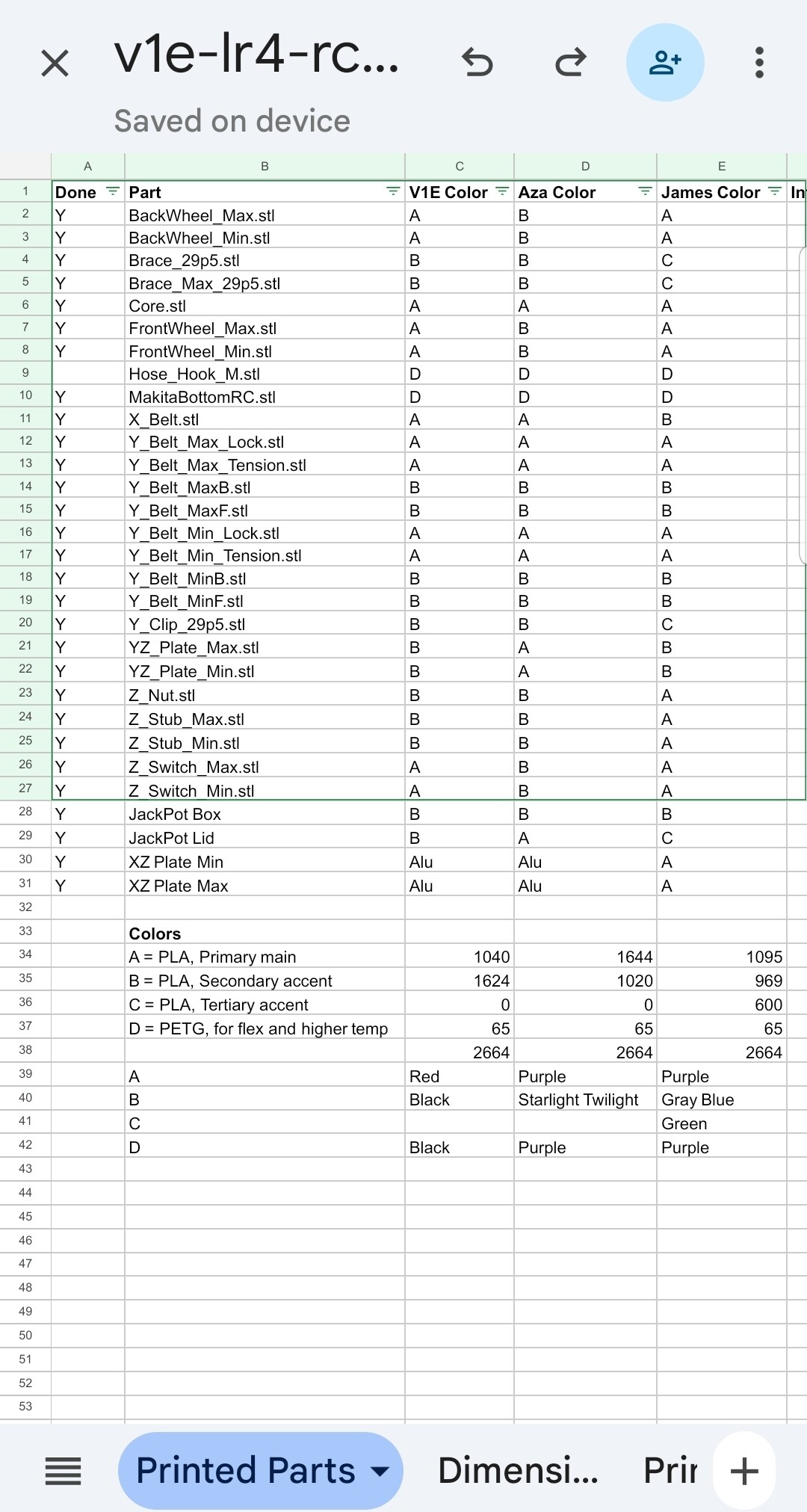
Would spreadsheet help? v1engineering-mods/lowrider4/v1e-lr4-rc2-printed-parts.xlsx at main · aaronse/v1engineering-mods · GitHub
2 Likes
What I did (mostly):
Accent color:
-
backwheel_min
-
backwheel_max
-
frontwheel_min
-
frontwheel_max
-
zstop_min
-
zstop_max
-
z_nut
-
x_belt
-
x_belt_max_tension
-
y_belt_min_tension
-
y_belt_max_tension
-
y_belt_min_lock
-
y_belt_max_lock
-
brace_*
-
hose_holder_*
-
hose_hook_*
-
dust_skirt_makita
-
tool-mount-b_makita
-
tool-mount-t_makita
Other parts in main color…
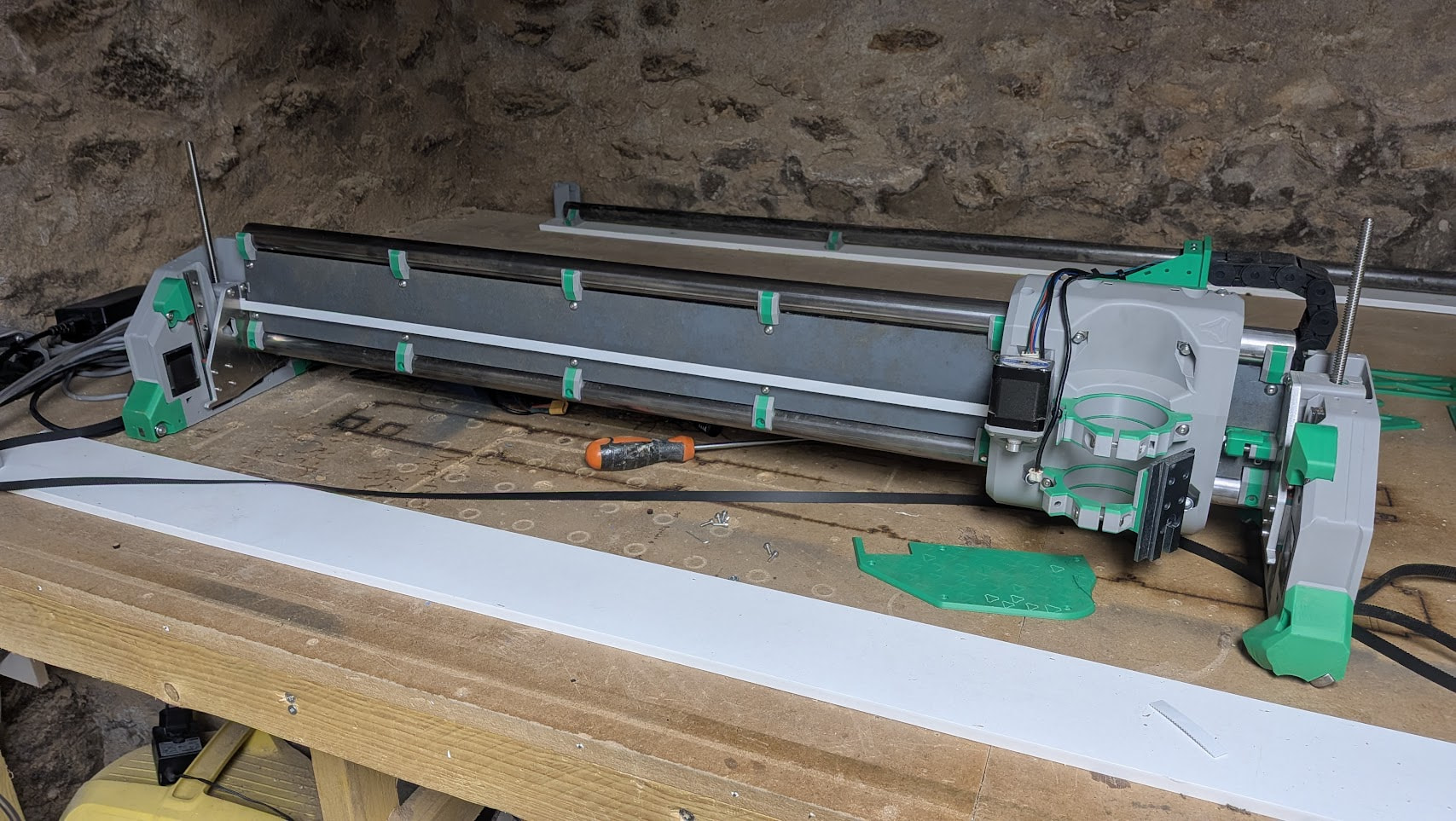
Mine has some parts printed with only a certain height range in accent color, but I don’t know if I’d recommand that…
2 Likes
Shocking! I’m not in your file! 
Love the printed parts sheet, I did that for my LR2 too…
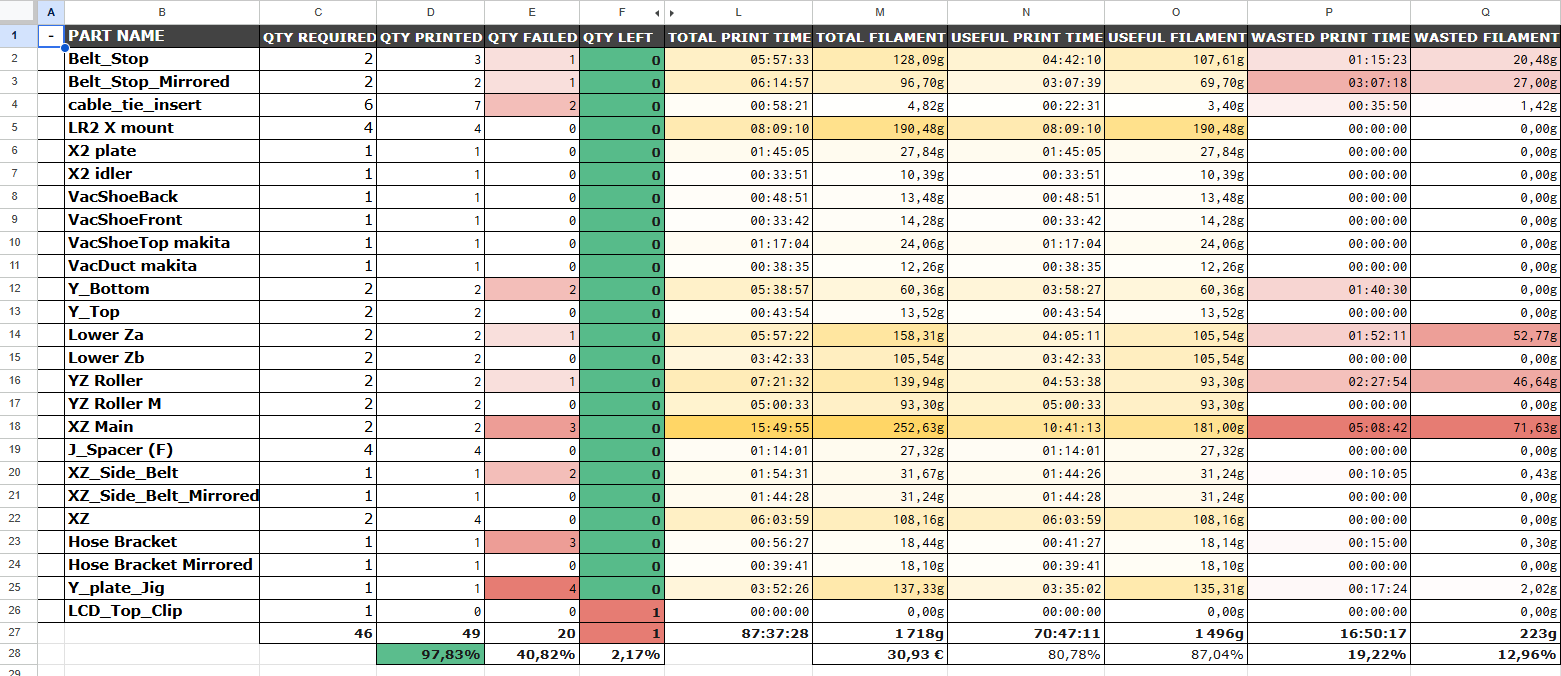
For the LR3 I somehow started but didn’t commit to full logging…
and for LR4 everything printed perfect the first time so no excel sheet was needed…
Note: 56h for the LR4 vs 70h for the LR2… wow…
2 Likes
I need to spend more time in the Github. Thanks so much.
1 Like
The thing is: you’ve gotta like it in the end. So do whatever. 
1 Like
Welcome to the forum @Tbachtell ! Yeah, do whatever helps you like, and use your machines.
These spreadsheets (or text file) aren’t needed, but they can help set expectations on time needed, plan your time, track parts done, and help determine how much PLA to order (after deciding color(s)).
Cheers for asking your question, that was a signal we have an opportunity to tweak the docs (anyone is welcome, and able to do). Submitted PR Enhance filament recommendations with color resources by aaronse · Pull Request #644 · V1EngineeringInc/V1EngineeringInc-Docs · GitHub that adds a link to this topic for people looking for more info/inspiration on part colors.
Am hoping others will share their spreadsheets and/or other color/design scheme info in this topic to help future Makers…
1 Like
Nice! May you have better Focus, and token limits than me.
Personally have more abandoned ideas than I’ll ever admit…

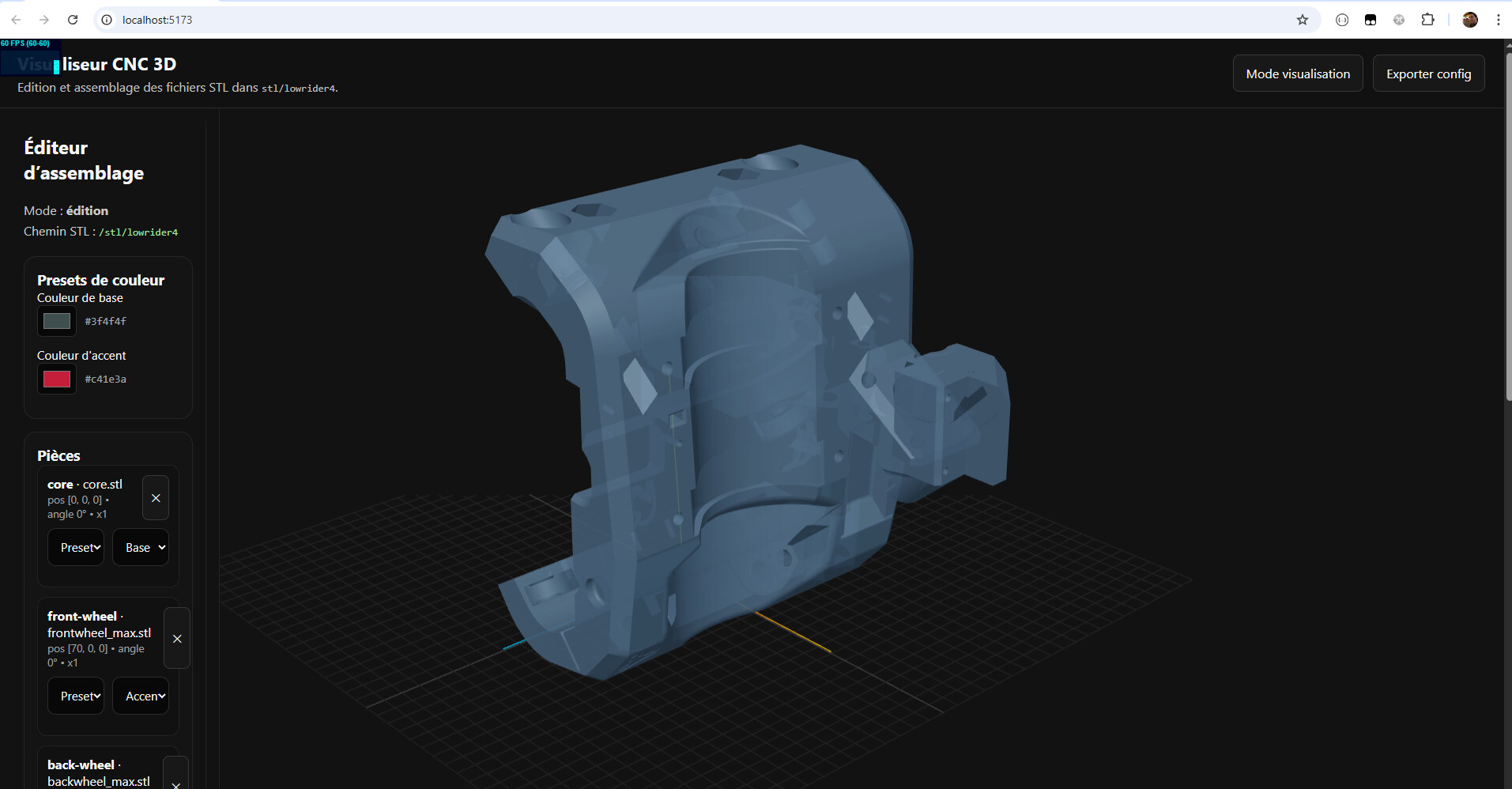
Started down the path of creating scripts that can export and convert OnShape assemblies into a json format that can be loaded within a webpage. For example, right screenshot is based on Jonathan’s/Ryan’s OnShape publicly shared table design. Their OnShape assembly and parts are exported via OnShape’s APIs by a python script I wrote to spit out JSON that the web page can load… Plan was to get that working reliably, and, implement mesh reducing that helps 1) reduce file sizes, 2) improves rendering speed (must not suck on mobile), 3) helps protect Ryan’s IP. IF mesh reducing was done, then…
I was going to propose (by sharing a prototype demo) a LR4 Customizer (pick size, colors, whatever…) for Makers self building, or ordering kits, or purchasing assembled LR4s from Jonathan/Philipp/whoever… Opulo and other offer this kind of thing.
Bonus… With a “digital twin” of their LR4, Makers could use a measure tool to figure out dimensions and distances of things. I figured this’d be help for Makers planning their table setups.
Great help and printing all done. I used a lot of ASA CF for parts requiring added strength. ASA is the easiest filament to print. Even supports fall right off. And it performs well in most situations.
It’s not the stiffest filament out there though, so PLA is suggested or PET-CF (not PETG-CF).
ASA is great though if it lives in a hot garage. 
1 Like
Or PET-GF?
edit: Glass-Fiber-Reinforced PET Filament
1 Like
No, we don’t do Pet Girlfriends here. That is the Furry forum one website further. 
3 Likes