Hi all, just upgraded from an SKR 1.2 to a Jackpot3 on my Primo MP-CNC and it’s great, but I very much miss the always on and ready touch screen I had on my SKR board. I’m considering purchasing a PIBOT CNC pendant to go with my new Jackpot3 board. Has anyone had any experience with these? Are they always ready to go? Does the interface work well and is it intuitive? Is it straight forward to connect and set up? Anything else you think I should know? I would appreciate any insights you have.
If I were in your shoes, I would make a FluidTouch pendant with a CYD display.
Our own @jeyeager is the author of that firmware.
EDIT: Not a CYD, an Elecrow panel. Still, that would be my recommendation.
I actually have a brand new CYD sitting in my electronics box right now. Perhaps I’ll try that first. Thank you.
FluidTouch uses an Elecrow display, not a CYD. However, you can build your own pendant with a CYD. I built FluidTouch because I have a pendant and don’t like the UI. However, now there are some other UIs for the same pendant.
Nice to meet you, sir. Thanks for responding. Is there a way to use my CYD with your current software, or will I need extra hardware. Looks like you or someone else has something called fluidDial that uses the CYD with an extra dial for movement. I really just want a simple display that comes on with the CNC that I can use to control it. The web interface is a bit of a hassle, having to switch wifi back and forth and all, and the way my phone zooms when I tap things to quickly, causing me to press wrong buttons while watching the router.
FluidTouch uses a couple specific 7 inch Elecrow displays, preferably the Advance display.
The compatible hardware is described on the github page.
So, is there a way to set up your FluidTouch so that it comes right on and works as soon as the CNC is powered on, without any extra steps? Ultimately, that’s what’s most important to me.
Okay, went ahead and ordered the Elecrow board. Do you have affiliate links for the battery or are there any additional parts I should be ordering at the same time? It’s a little hard to tell exactly what else I might need from the GitHub page. Very cool setup by the way. Wish I had your skills.
If you want it powered on with the CNC, you could even skip the battery and power it off USB via an adapter that gets switched on via the same power strip as the CNC.
It is designed to allow for connection to multiple controllers so normally you have to pick which controller at startup. However, there is a setting to have it auto connect to the first one.
Indeed it does.
Sorry for the bad info, for some reason I typed CYD even though I know it uses the elecrow panel.
I’ll fix my post above, but It’s still my recommendation that you try a FluidTouch for your pendant.
I’ll do that and saw where the switch for not selecting on startup was in your video. Thanks for your help and creating the program.
Jason,
Just received my Elecrow display today and loaded your software onto it. It’s fantastic! Works perfectly. Completely transformed my experience with my new Jackpot control board. It now has everything I need in a very logically laid out interface that looks and works great. Thank you for creating this!
V1 should have a package with these screens preloaded with your software included with the Jackpot boards, at least as an option. Seriously.
Thanks! Glad you like it.
Not sure its practical or worth it to sell them with FluidTouch preloaded. The web installer makes the process really easy. Plus theres the whole fragmentation of different pendants or same pendants with different firmware. Its still probably best for most people to start off with the WebUI.
I suppose, but I was a bit frustrated with the web ui because of having to disconnect from my WiFi and to the FluidNC WiFi every time I wanted to do something on the CNC, and this eliminated that issue completely.
Quick question, is there a way to turn my router on and off via Fluid touch other than typing in a command in the terminal? It would be nice if hitting the stop button would stop the router as well. I didn’t see anything I thought would work in the settings section. The command for mine is M62 P1 to turn on the router and M63 P1 to turn off the router.
Thank you again for creating this. 
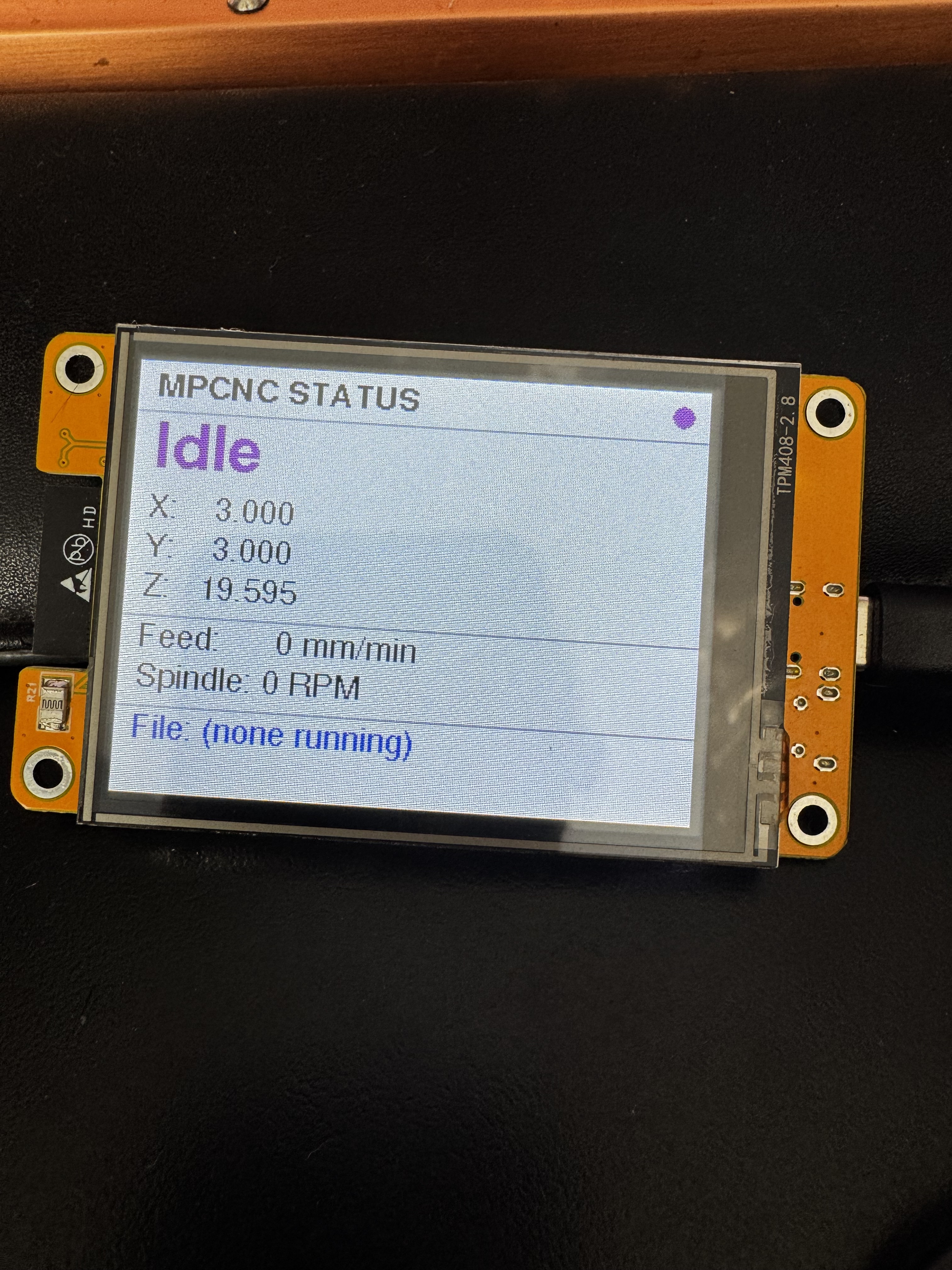
By the way, just for fun I tried using Claud AI to create a very simple status monitor for my MPCNC with the CYD I had laying around and was actually successful. I’m completely blown away that I was able to accomplish that. Have you tried using AI for Programming? I can’t believe what it can do. My family doesn’t really understand my excitement about this. It’s just so incredible to me, I felt like I needed to share it with someone.
You can use Macros. Create a file for each command on the controller SD card at /fluidtouch/macros and then you can set that up in FluidTouch.
FluidTouch/docs/ui-guide.md at main · jeyeager65/FluidTouch
While I am a software engineer professionally, Claude wrote about 95% of the FluidTouch code. As a dev, using AI feels like having a superpower. It still requires intelligent direction and does dumb things anyway, but I can definitely create things faster while using it.