That sucks! How would your Z brakes have anything to do with the extruder driver? Curious to see what you find is the main culprit. My V4 has been down for a long while now. It has plenty of power supply on it, but any time I try to move the extruder it flips out with a TMC error. 2nd brand new EBB36 and new extruder. Wondering if what you end up ultimately finding will give me the will to work on mine again
Yeah it has a 2209 on board for the extruder. I have them on a few printers and never had this issue before. Its been 4-5 months since I have even messed with it. If I get the motivation to again soon I will throw it in my build thread. Sorry @orob for mucking up yours!
Interesting development: the weird vibration sound this printer makes moving high speed left is made by my new one as well. Both did it with stealthchop at 99999. The motors are quiet with that setting but at high speed ironically it sounds terrible. Turned stealthchop to 0 on the new one and it sings like the old drivers again… Not sure why the “quiet drive” upgrade is so interesting since it isnt always quiet… Anyway it stopped making that awful sound on the rapid move along the x axis. FYI.
I was reading about positional inaccuracies with the improper use of stealthchop a while back. I dont have the link for it now, but if I recall correctly, it stated that we want it all on or all off or you get more error in movement. Kind of an all or nothing deal.
Getting this too on my v4. It’s one of the reasons I got a gopro with super slowmo. Looked all over and couldn’t find mechanically loose parts (other than end stop swing arm). Figuring magic combination of stepper settings will fix?
it says that in the klipper wiki. While I am sure that is technically true I do not think at our loads and speeds it comes into play. If you want ultra-high speed travels set the threshold to just under the travel rate, and it only transitions during travel, not during print. We used it that way for a long time and I don’t think it was ever a real issue. The other option is slow your travel moves down to under the noisy one.
Take that with a grain of salt, I know nothing of the intricacies but just observations.
It was the klipper docs. If you switch modes at a nonzero velocity then position inaccuracy can be introduced. If it is too loud, then up the microsteps at the cost of torque then up the current at the cost of heat and melting stuff.
“For best positional accuracy consider using spreadCycle mode and disable interpolation (set interpolate: False in the TMC driver config). When configured this way, one may increase the microstep setting to reduce audible noise during stepper movement. Typically, a microstep setting of 64 or 128 will have similar audible noise as interpolation, and do so without introducing a systemic positional error.” - here
Spreadcycle mode is when stealthchop is 0. I’m going to change the microsteps and see. Right now it runs the z in stealthchop and the a and b motors loud. A and b will be changing microsteps for the xy motion noise.
Followup edit: Changed microstepping to 128 from 16 and it does lower the noise.
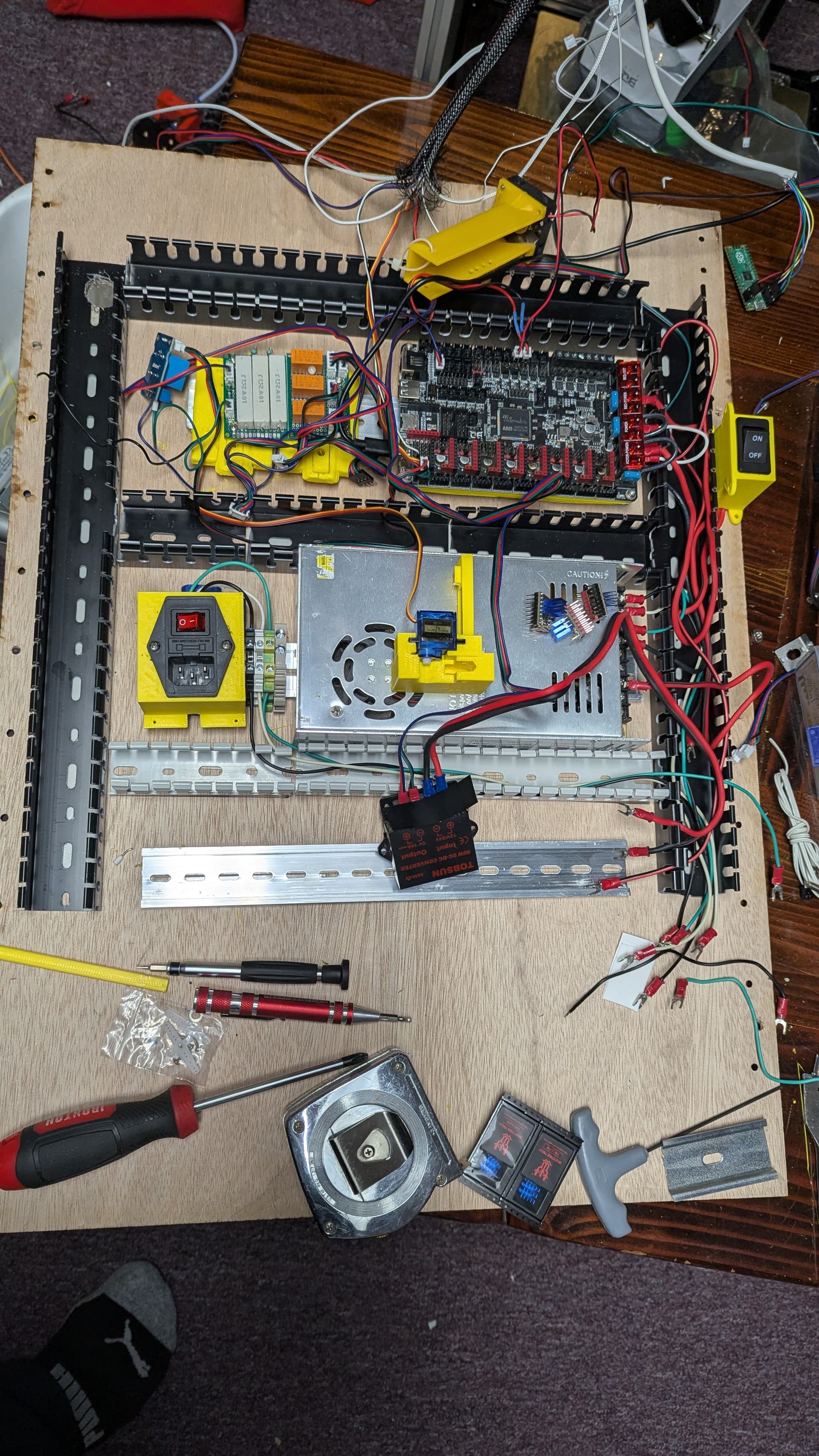
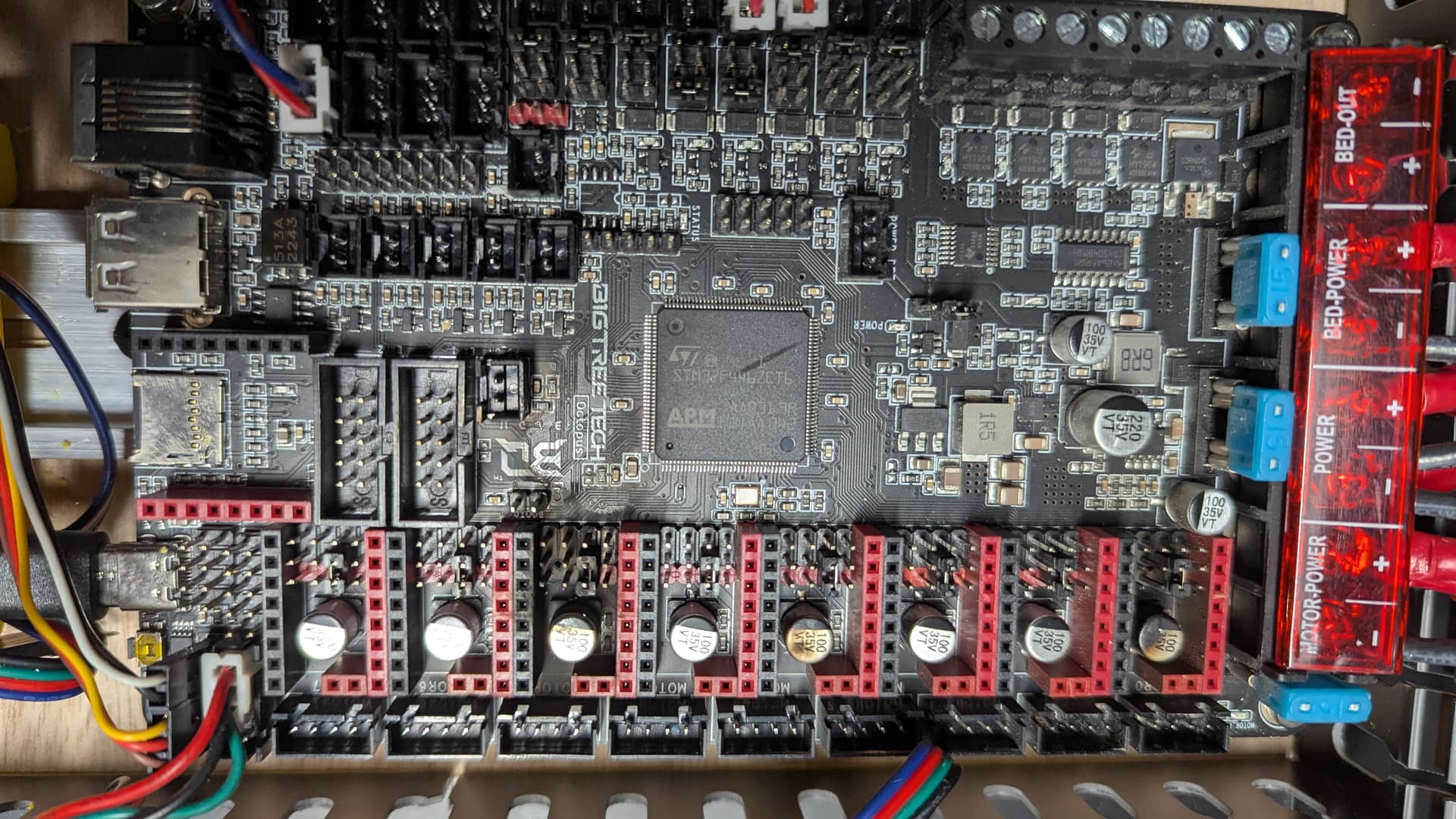
Power supply is steady at 24.22V output. I had a second 24v power supply, but it is bad. The plan was to put the motors and board on a smaller amperage supply and the bed on the larger one… Octopus is bad too it appears. That is 2 boards on this printer. The first one was totally my fault. This one ran for about 2 years and then it fried the 2209 boards… Im tempted to just buy a printer. Anybody want to buy most of the parts to a v5? 300x300x400…
Printer had been unused and off for a couple weeks because I was doing home remodel and automotive stuff. On power up, the extruder 2209 (channel 5 / 6th one on 0 base board) lit up with lights and smoke. pic above in post 160. It seemed odd, so I pulled that one that was burned off and turned it on again and the 4th one (channel 3) popped the same way. I had not powered it since and ordered a couple new 2209’s. Just yesterday after removing all connections to the board including the 2209’s I noticed the channel 0 was also cooked and tried powering the board and it doesn’t respond: lights come on, but there is no USB communication. whether 24V powered or USB powered with the jumper change.
“She’s dead Jim”
I’ll get back on the status of the specific regulators. It doesn’t appear to be a fuse problem at this point.
. Sorry for your loss. Been watching and am curious what root cause(s) you discover.
Am not heavily printing, but am happily using my mp3dp v4 + Octopus, I know v5 is way faster, but my v4 has been great. Lives in conditioned space, not unconditioned Minnesota climate (capacitors affected)? Doesn’t sound like you have mains voltage Heater Bed. Got 24V Bed heater using same PSU, what PSU, a nice MeanWell with lots of wattage headroom? Been angle grinding car parts near your printer? Any suspicions about Z brake boards being a factor (my bed is smaller/lighter 250x250 1/4" alu bed + 1/4"? Not using silly high Driver current right? Did XY or Z channels blow first (i.e. gpio stopped working)? Good luck figuring out!
24 v heated bed. Power supply is 15 amp and is a possible suspect. It will not heat the bed reliably over 75c, so i run it at 55c for pla and 70c for petg and tpu. Prints have been fine with that, but it is probably near 90% output fully operational with tpu/petg. I built the smaller enclosed one for asa/abs. I had a smaller supply that i was going to run everything but the bed from. 15 amps should be enough to heat the bed to 100 if no other draw is on that supply.
The cnc cutting aluminum is about 4 feet away and lower. Dont thing it was a shard. But you never know. Usually during metal cutting i stand between them.
Basement has a single heat /cool vent in the room, but we run a humidifier year round in the basement to keep moisture content below 50%
Brake board was my first suspicion, but the first driver board to fry was the B channel (channel 0 back xy motor) or the extruder channel. Im not sure which because i didnt notice the B was cooked until later. The second power on fried the z1 channel after i removing the extruder driver to see if it was just the driver went for some reason. I dont suspect the brake circuit itself. wire connections to it though are suspect.