I have completed my build and have done all the calibrating, squaring and have cut struts. I cut some clamps yesterday, so things were working. Little while ago, I turned it on, homed and moved to my starting point. Something didn’t look right, so I rehomed. I tried setting X and Y to zero thinking was the problem that didn’t look right, but they never zeroed. Tried again, but nothing. I turned everything off and restarted. Now it won’t home. I get an error that homing isn’t set up in the settings. Looking thru the settings, I notice that the Steps/mm have changed back to 80. Also, there is only one motor listed for the Y and Z axis.
I don’t know how, but it looks like the board has reset to some default setup.
Very reasonable newbie question. You can reply in this forum topic, and in the editor you can paste the output from the terminal in the FluidNC Web UI into your reply.
When. you are pasting it into the reply, you should highlight all of the text and change it to be preformatted text. It’s the icon on the forum topic editor that looks like this: </>
I use dark mode, but your toolbar should look something like that below:
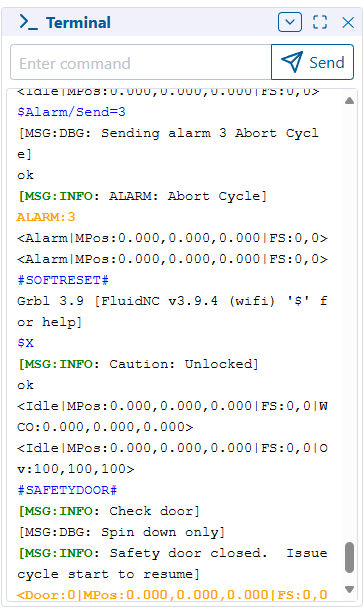
When you’re looking at the FluidNC Web UI, the terminal section will look something like this (Sorry I’m remote so not near my machine to grab a current screenshot)
You can use your mouse to select the text in the terminal, copy, then paste that text into the editor here in the forums as I described above.
When you use preformatted text, the output looks like this...
It's much easier to read configs or logs with that formatting.
Oh, okay, I see now. I thought maybe I would take the result of the $SS command and paste it somewhere in the control to restore it, but you need to see it to determine what’s going on. Gotcha.
I will do that tomorrow. Thanks so much for your help.
Here is the output from $SS:

[MSG:INFO: FluidNC v3.9.9 https://github.com/bdring/FluidNC]
[MSG:INFO: Compiled with ESP32 SDK:v4.4.7-dirty]
[MSG:INFO: Local filesystem type is littlefs]
[MSG:INFO: Configuration file:config.yaml]
[MSG:INFO: Machine Default (Test Drive)]
[MSG:INFO: Board None]
[MSG:INFO: Stepping:RMT Pulse:4us Dsbl Delay:0us Dir Delay:0us Idle Delay:255ms]
[MSG:INFO: Axis count 3]
[MSG:INFO: Axis X (-1220.000,0.000)]
[MSG:INFO:   Motor0]
[MSG:INFO: Axis Y (-2440.000,0.000)]
[MSG:INFO:   Motor0]
[MSG:INFO: Axis Z (-80.000,0.000)]
[MSG:INFO:   Motor0]
[MSG:INFO: Kinematic system: Cartesian]
[MSG:INFO: STA SSID is not set]
[MSG:INFO: AP SSID FluidNC IP 192.168.0.1 mask 255.255.255.0 channel 1]
[MSG:INFO: AP started]
[MSG:INFO: WiFi on]
[MSG:INFO: Captive Portal Started]
[MSG:INFO: HTTP started on port 80]
[MSG:INFO: Telnet started on port 23]
ok
In calibrating and squaring I made changes to the Steps/mm and Pulloff distance. I did that thru the webui settings tab and then saved with the Save Config button on the Dashboard tab. I finished all that about a week ago. Everything had been working fine until yesterday.
Something has either reset or overwritten your config.yaml file.
Did you back up your finished config.yaml?
If not, you’ll need to put a fresh config.yaml that is for your board/machine and then re-apply the pulloff settings.
look in the settings tabs to see what config file name it is looking for, they have to match exactly. That could have easily changes while you were editing offsets.
Well, I think I got it. After downloading a new Config file and installing a driver for the comm port, I was able to install the new config file. The machine is moving once again. Now I get to go thru all the calibrations and squaring to get it back to where it need to be.