I have finally completed building my lowrider, on a 4x8. However I came into an issue, the y0 motor doesn’t change direction upon using the web interface. Example I would hit -50y it would do it no issue, but then when I try to hit +50y the motor keeps on going the same direction as if I had clicked -50y, y1 actually changes direction making the whole thing get off rails and off the platform I have them on. I have the jackpot 3 board.
This sounds like a cable issue. Make sure the motor cable is correctly connected everywhere.
I pulled the cable from beginning to end, switched cables with the one for z axis as well as attempted using a different connection on the board. I still come into the same issue.
2 Likes
Send the $SS command in the terminal window and paste the results here.
Format your text with the preformatted option, it looks like this on the toolbar of the forum editor: </>.
1 Like
<[MSG:INFO: FluidNC v3.9.9 https://github.com/bdring/FluidNC\]
[MSG:INFO: Compiled with ESP32 SDK:v4.4.7-dirty]
[MSG:INFO: Local filesystem type is littlefs]
[MSG:INFO: Configuration file:config.yaml]
[MSG:INFO: Machine LowRider]
[MSG:INFO: Board Jackpot3 TMC2226]
[MSG:INFO: UART1 Tx:gpio.16 Rx:gpio.4 RTS:NO_PIN Baud:115200]
[MSG:INFO: I2SO BCK:gpio.22 WS:gpio.17 DATA:gpio.21Min Pulse:2us]
[MSG:INFO: SPI SCK:gpio.18 MOSI:gpio.23 MISO:gpio.19]
[MSG:INFO: SD Card cs_pin:gpio.5 detect:NO_PIN freq:20000000]
[MSG:INFO: Stepping:I2S_STATIC Pulse:2us Dsbl Delay:0us Dir Delay:1us Idle Delay:255ms]
[MSG:INFO: User Digital Output: 0 on Pin:gpio.26]
[MSG:INFO: User Digital Output: 1 on Pin:gpio.27]
[MSG:INFO: User Digital Output: 2 on Pin:gpio.0]
[MSG:INFO: User Digital Output: 3 on Pin:gpio.2]
[MSG:INFO: Axis count 3]
[MSG:INFO: Axis X (3.000,1223.000)]
[MSG:INFO: Motor0]
[MSG:INFO: tmc_2209 UART1 Addr:0 CS:NO_PIN Step:I2SO.2 Dir:I2SO.1 Disable:I2SO.0 R:0.110]
[MSG:INFO: Neg Limit gpio.25]
[MSG:INFO: Axis Y (3.000,2443.000)]
[MSG:INFO: Motor0]
[MSG:INFO: tmc_2209 UART1 Addr:1 CS:NO_PIN Step:I2SO.5 Dir:I2SO.4 Disable:I2SO.7 R:0.110]
[MSG:INFO: Neg Limit gpio.33]
[MSG:INFO: Motor1]
[MSG:INFO: tmc_2209 UART1 Addr:3 CS:I2SO.14 Step:I2SO.13 Dir:I2SO.12 Disable:I2SO.15 R:0.110]
[MSG:INFO: Neg Limit gpio.35]
[MSG:INFO: Axis Z (-147.000,3.000)]
[MSG:INFO: Motor0]
[MSG:INFO: tmc_2209 UART1 Addr:2 CS:NO_PIN Step:I2SO.10 Dir:I2SO.9 Disable:I2SO.8 R:0.110]
[MSG:INFO: Pos Limit gpio.32]
[MSG:INFO: Motor1]
[MSG:INFO: tmc_2209 UART1 Addr:3 CS:I2SO.19 Step:I2SO.18 Dir:I2SO.17 Disable:I2SO.16 R:0.110]
[MSG:INFO: Pos Limit gpio.34]
[MSG:INFO: X Axis driver test passed]
[MSG:INFO: Y Axis driver test passed]
[MSG:INFO: Y2 Axis driver test passed]
[MSG:INFO: Z Axis driver test passed]
[MSG:INFO: Z2 Axis driver test passed]
[MSG:INFO: Kinematic system: Cartesian]
[MSG:INFO: STA SSID is not set]
[MSG:INFO: AP SSID FluidNC IP 192.168.0.1 mask 255.255.255.0 channel 1]
[MSG:INFO: AP started]
[MSG:INFO: WiFi on]
[MSG:INFO: Captive Portal Started]
[MSG:INFO: HTTP started on port 80]
[MSG:INFO: Telnet started on port 23]
[MSG:INFO: Probe gpio.36:low]>

I just recieve a new set of motor, the recomded one from the amazon link on the lowrider webpage, and still have the same issue, y0 doesn't change direction.
Stepper motors almost never go bad.
This is an odd one.
When you move the Y axis, and you command Y +50mm, the Y0 motor goes in the -Y direction and the Y1 motor goes in the +Y direction? This would make the LR either bind or more likely it would twist itself off the rail.
Tell me what you did when you attempted to change to a different stepper driver for Y0- what config.yaml did you use? (Quote the Y0 section of that config, if possible)
like i said, I order a whole 5 piece set of motor and they all do the same, would not switch directions when plug into the Y switch.
yes it derails by twisting. at this point I attempted most possible solutions, I have read over the code on the original yaml and see no difference on the Y motor setting, which may mean the board itslef is bad. haven’t make any changes to any of the preloaded ui on the jackpot board I recieved.
its definetly the board, when I was rewiring last nigth i clean up some debrie from the rails, and now when connected to the z0 and z1 they work just fine, anyone has any idea how to approach for a return or switch?
@vicious1 would need to work this for a return/exchange. Now that I’ve summoned him  he should respond during business hours to take next troubleshooting steps. He’s the one that can do exchanges or RMAs. The rest of us are just community members.
First step, that a real close look at this pin,
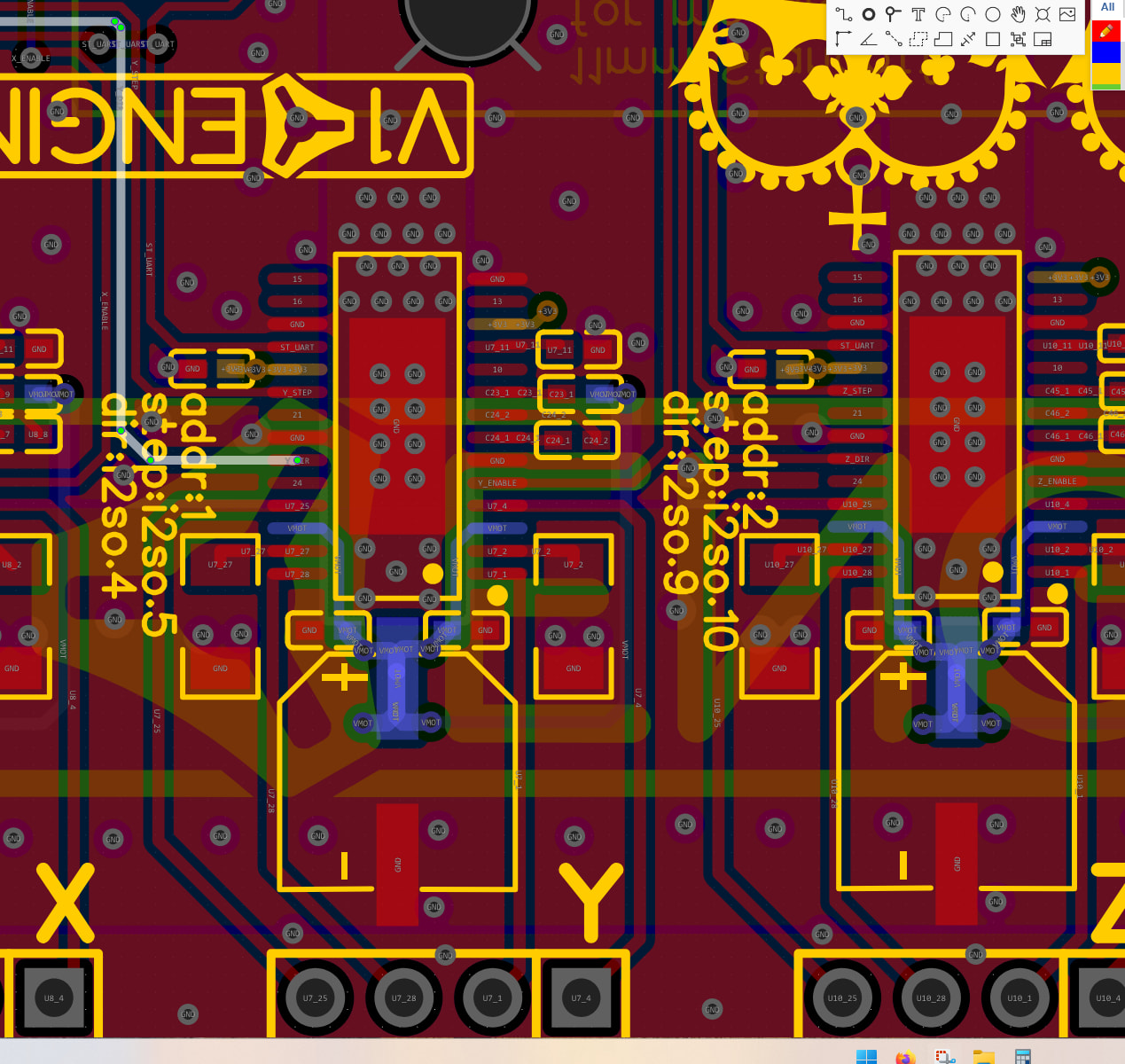
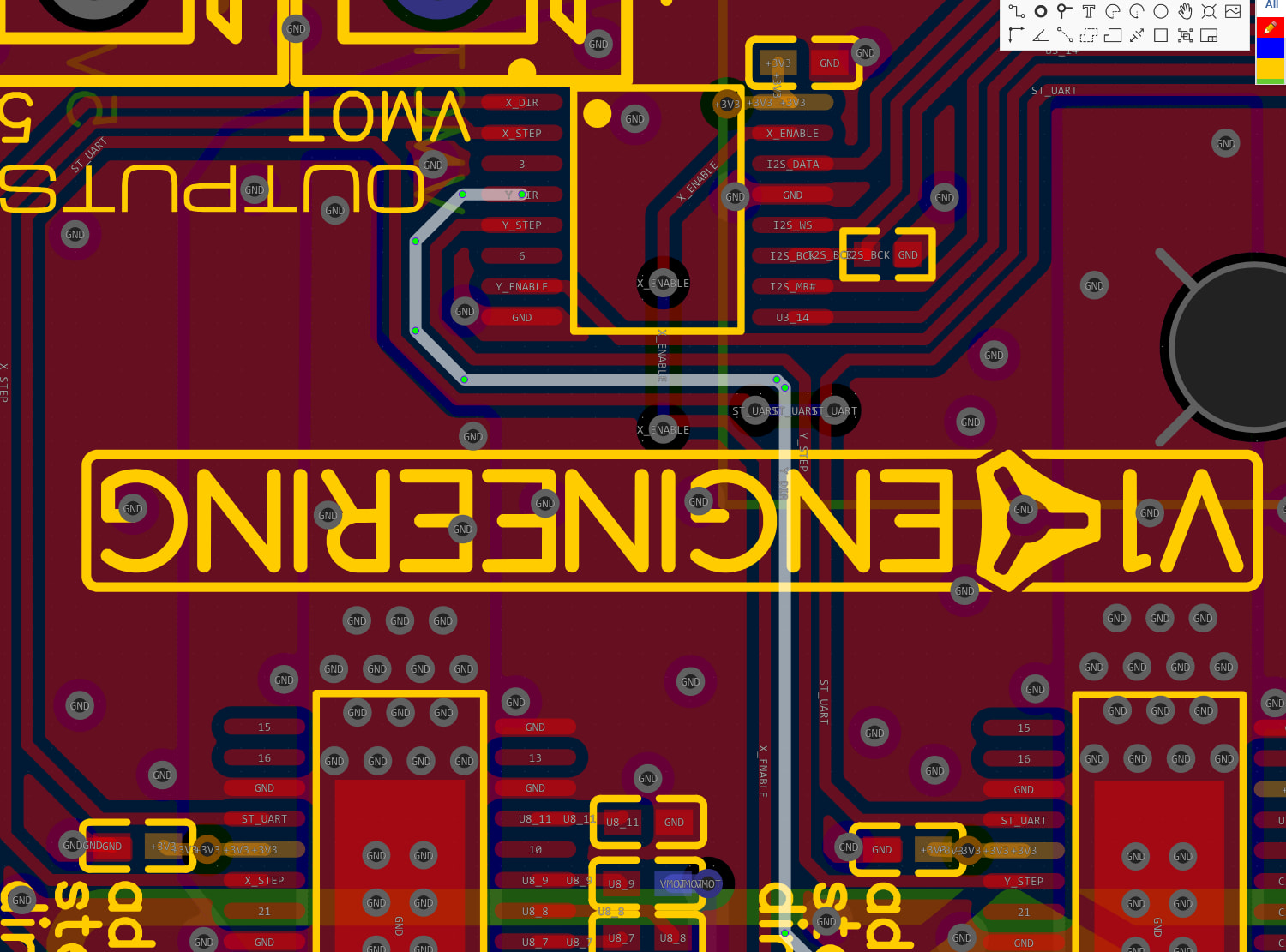
This is the pin that tells it to change directions. If there is anything on it at the driver or the other chip it won’t switch. Maybe there is just something sitting on the pins.
If not, I highly suggest, re-flashing the board. Jackpot firmware.
From there we can do an exchange or just swap that driver to the “C” port, that is why we have a spare. That gets you going the fastest, and if you ever find a use for a 6th stepper we can revisit.
I reflash it using the website, however now everything seems worst, now none of the motors move.
You need to load the files from the jackpot firmware instructions. in particular these files after they have been unzipped, https://github.com/V1EngineeringInc/FluidNC_Configs/releases/download/2025_November_14/JP3_LR.zip
Or I have a new way to do this, Jason and Jeffe just taught me.
-redacted- If you are running windows, you can unzip this, and run v2.bat. It might give you a warning, run it anyway. This will erase, flash, and load all the files in one shot.
1 Like
I used the v2.bit file, but I am still running into the same issue, the motor would not switch directions.
How would I go about using the c port, I assume it has to do with yaml file but have no idea how to modify it.
Y_C_Swap.zip (1.6 KB)
Unzip this file, then upload it to the flash section in the webui, you will see the same file already there, that is good this will overwrite it, and your Y stepper should now get plugged into the C port.
I think it is working now, I would go ahead and wire everything out and fully tested, I will keep you posted. Thank you.
2 Likes
Cool!