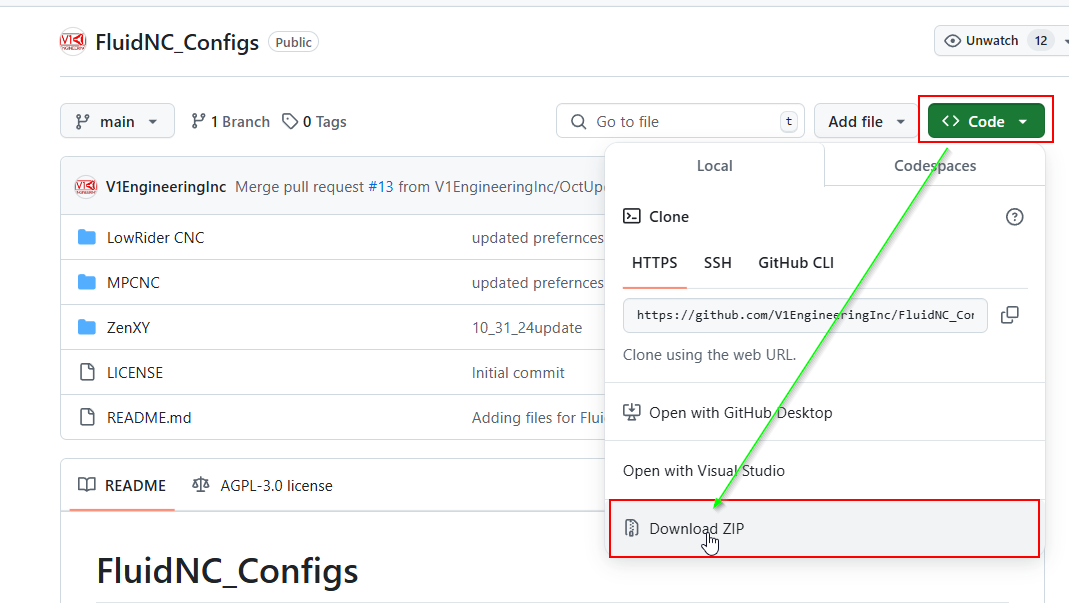
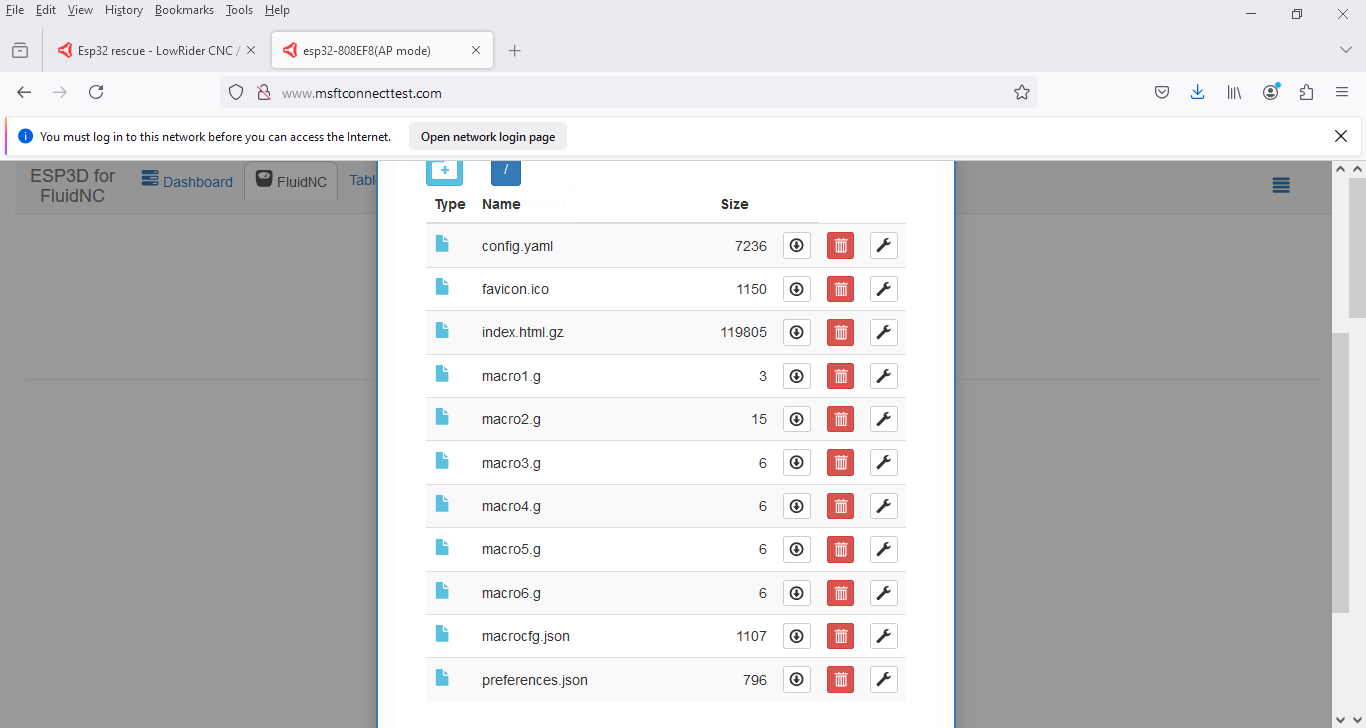
Based on this, it sounds like you may be misunderstanding something, as the file copy process should not be trying to execute it like gcode. ??
With 3.9.1? There have been some other versions out there.
Before you manually load the files, run the first three steps I mentioned, the last step will load a config screen that has a missing yaml error.
Unplug
Plug back in and run the fluidterm.bat, then try to upload.
I am not sure how you can fully erase load all the other files but not load the configs. You are unzipping the files first right?
1 Like
mac or PC?
Something’s amiss.
Can you post screenshots (or better, terminal text copies) of what you’re seeing?
PC. Laptop and desktop. Both are running windows 10
This is what I get when I run fluidterm. And when I run the web installer it just sits there and spins for hours. I don’t know how to do a terminal test copy. The files are unzipped. I did that after downloading them.
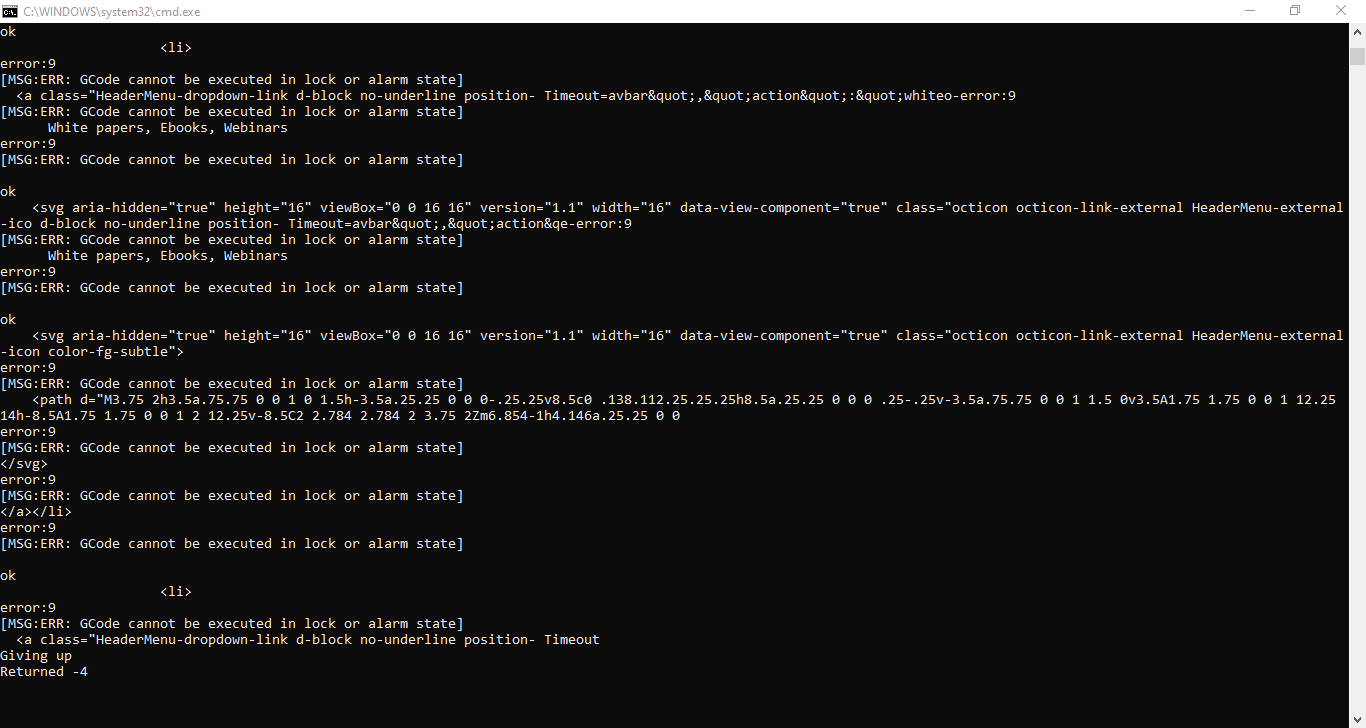
Can we see the first errors please.
Are you hitting the boot button when the dots and dashes come up? You should be. Some is just a press some take a hold until it gets to the next step, this will need to be done twice.
I didn’t know I needed to hit the boot button. I have this off the jackpot board. That shouldn’t make a difference should it? Here’s two different views of the codes.
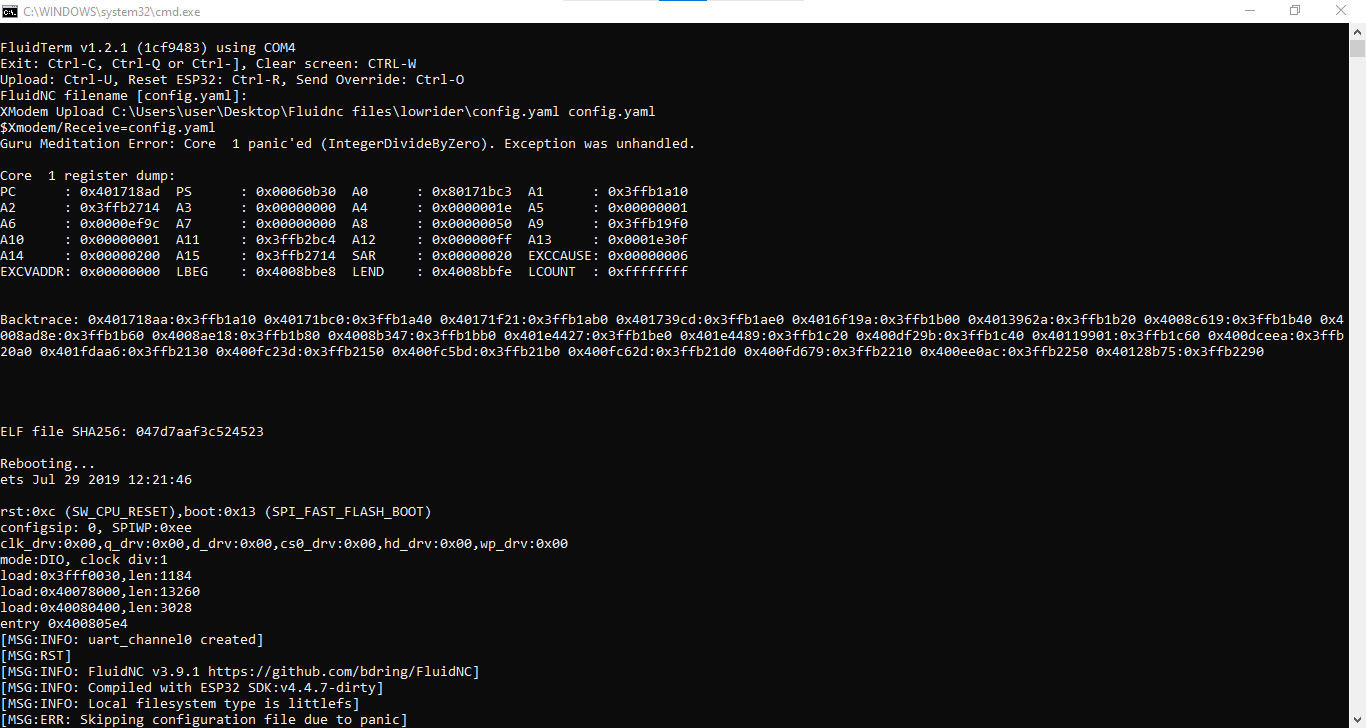
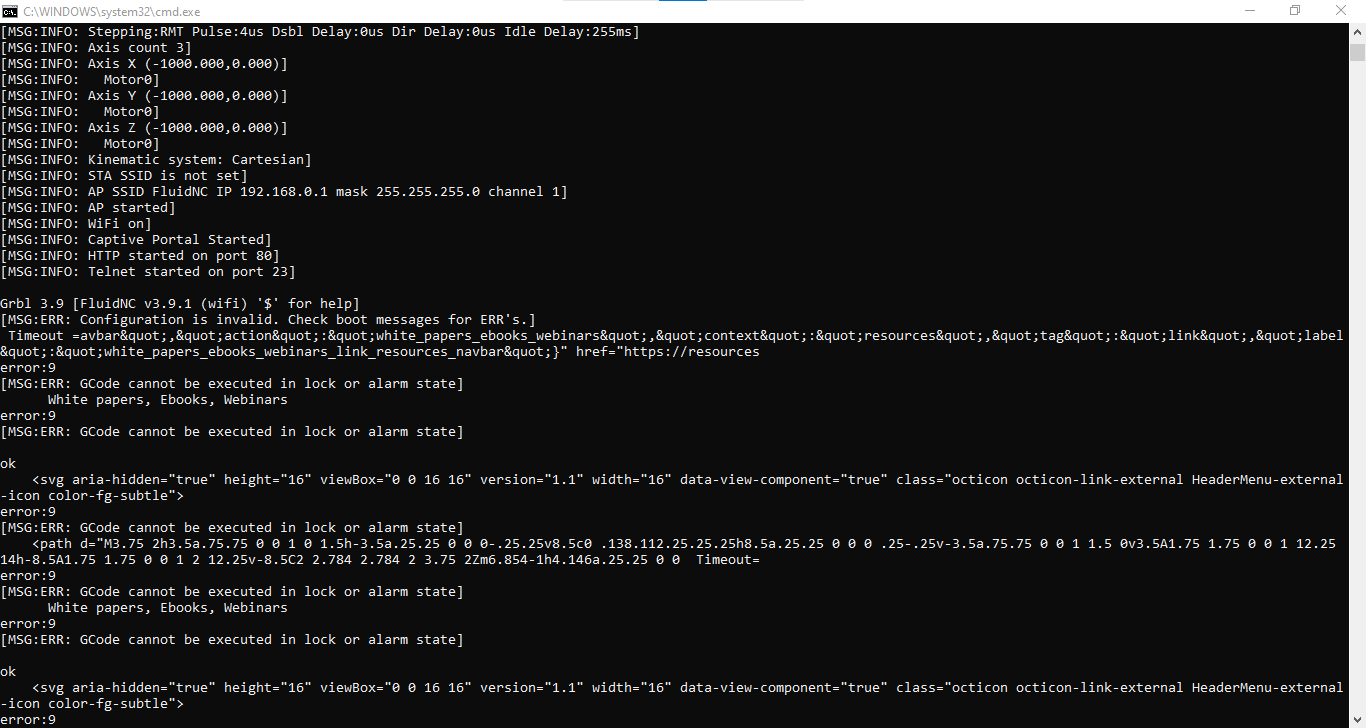
This looks like you have some files in there with some very bad data…
Looks like your config file is full of HTML.
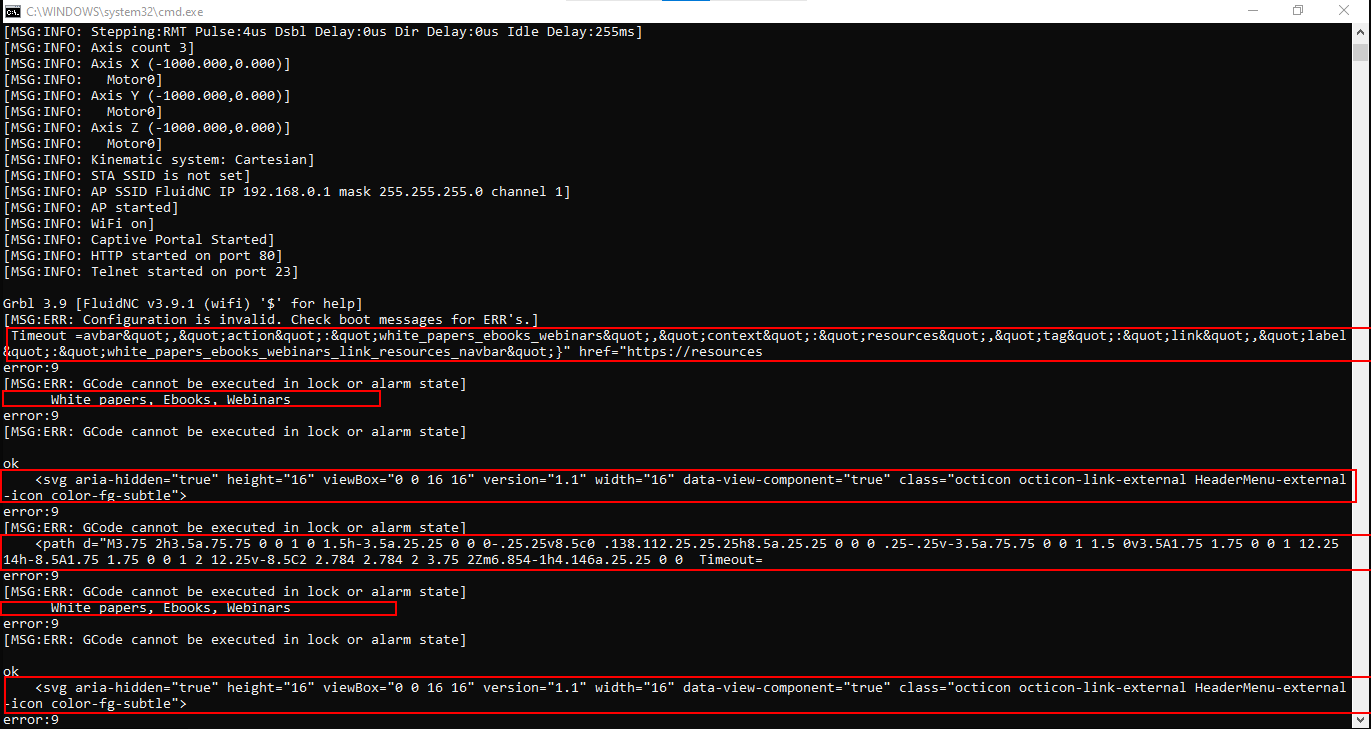
Not sure why it’s then trying to think it’s executing Gcode, but something looks very wrong
or maybe your config file is getting it to try to run something on startup? and that thing is pointing to HTML?
Do you have anything on there other than just the standard config files from Ryan’s github?
1 Like
Okay so it looks like all three flashing steps are working fine, you have an esp that does not need a boot button press.
I agree with Mike it seems like your config.yaml is real goofy. Do the little macro files upload fine?
Maybe you are loading too many files, these are the only ones you need, make sure to unziup this.
files.zip (4.6 KB)
I will go back to the github page and redownload the files and try again. I’m using what I downloaded last time. When I log into fluidnc and try and load the file this is what I get.
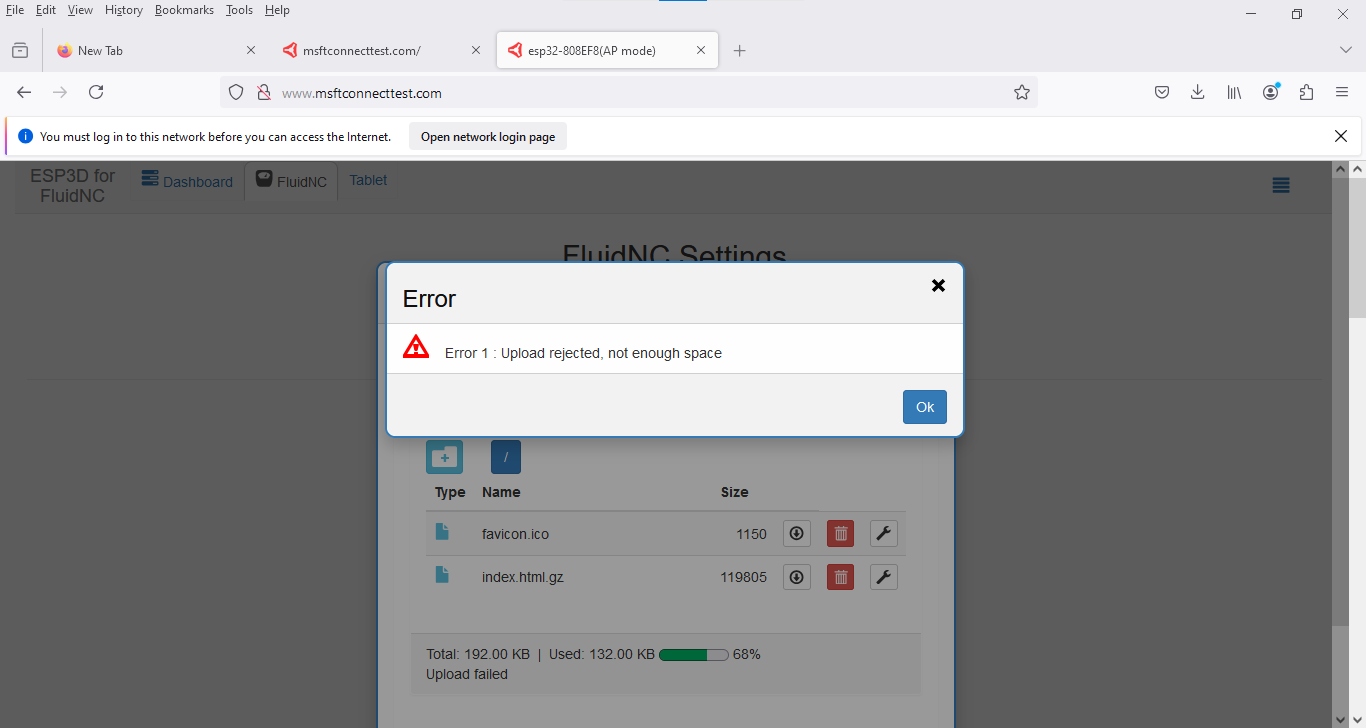
Which file did you try to load?
config.yaml
you have 60KB free.
How big is the config.yaml?
190kb
2 Likes
it should be like 8KB.
Use the one Ryan just sent you in the zip file
2 Likes
I just unzipped the files that Ryan sent me. Give me a little time and I will see If I can get any of these to work. I don’t know what happened with the other ones I downloaded from github. I’ll let you know what happens.
1 Like
Just guessing, but it looks like you must have actually saved the github web page itself rather than downloading the actual config file
2 Likes