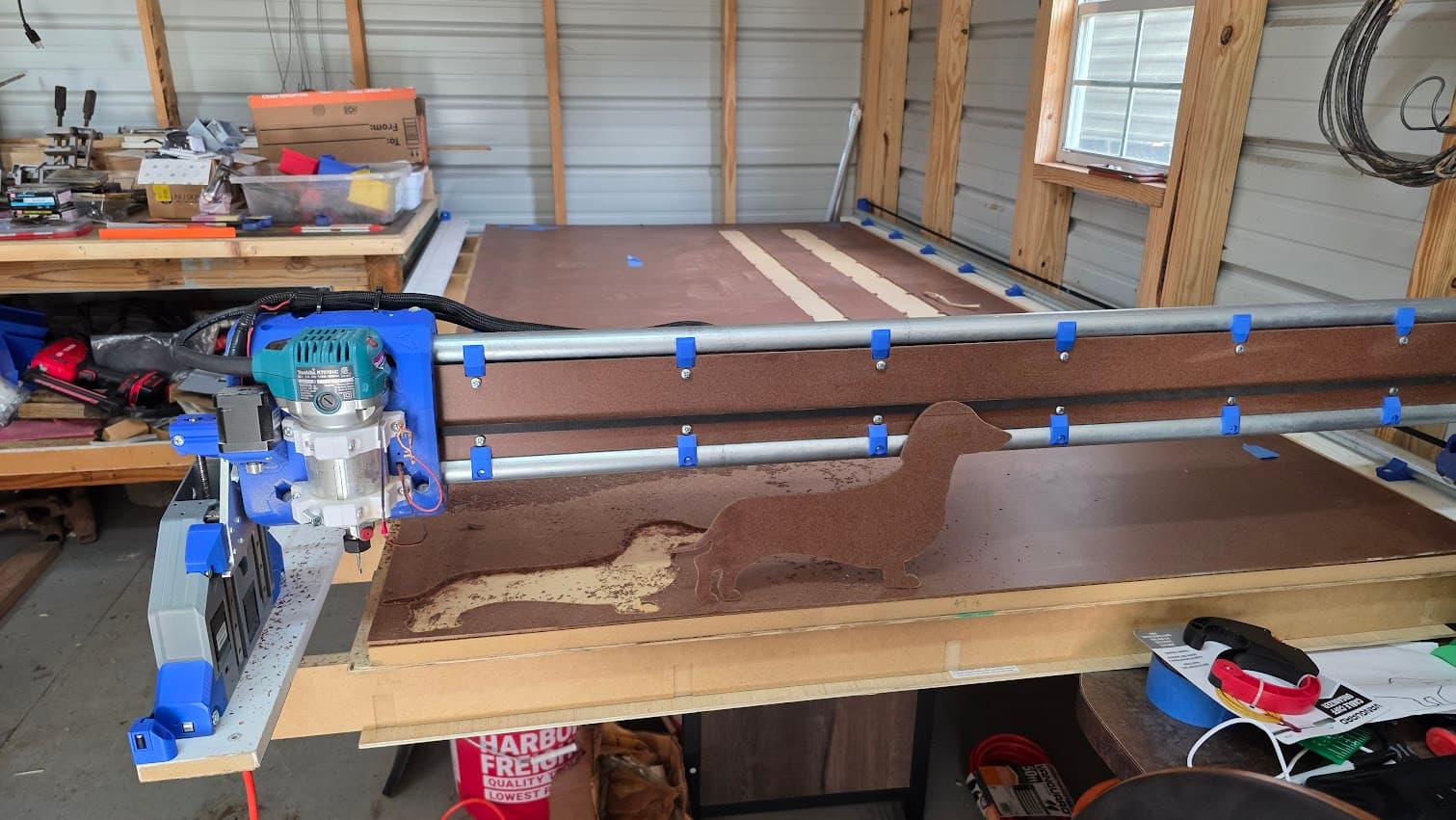
Gcode created in Vectric software.
Using the PP posted here
https://forum.v1e.com/t/vectric-post-processor-for-lr4-grbl-jackpot
The relevant line in the PP
"M0 (MSG Load [TOOLNAME] and attach probe)"
Here is the Error and $SS output
ok$SD/Run=/CNC/base Profile 1.1.gcode


[MSG:INFO: MSG,Is machine at desired X0 Y0 position?]

<Hold:0|MPos:3.000,403.000,3.000|FS:0,0|SD:1.07,/sd/CNC/base Profile 1.1.gcode>

<Hold:0|MPos:3.000,403.000,3.000|FS:0,0|SD:1.07,/sd/CNC/base Profile 1.1.gcode>

[MSG:ERR: Bad GCode: M0 (MSG Load End Mill (1/8") and attach probe)]

[MSG:ERR: 2 (Bad GCode number format) in /sd/CNC/base Profile 1.1.gcode at line 20]

[MSG:INFO: ALARM: GCode Error]

ALARM:17

<Alarm|MPos:4.440,404.440,3.000|FS:0,0>

<Alarm|MPos:4.440,404.440,3.000|FS:0,0>

<Alarm|MPos:4.440,404.440,3.000|FS:0,0>

<Alarm|MPos:4.440,404.440,3.000|FS:0,0>

<Alarm|MPos:4.440,404.440,3.000|FS:0,0>

<Alarm|MPos:4.440,404.440,3.000|FS:0,0|WCO:3.000,403.000,-47.000>

<Alarm|MPos:4.440,404.440,3.000|FS:0,0|Ov:100,100,100>

<Alarm|MPos:4.440,404.440,3.000|FS:0,0>

<Alarm|MPos:4.440,404.440,3.000|FS:0,0>

$SS

<Alarm|MPos:4.440,404.440,3.000|FS:0,0>

<Alarm|MPos:4.440,404.440,3.000|FS:0,0>

<Alarm|MPos:4.440,404.440,3.000|FS:0,0>

<Alarm|MPos:4.440,404.440,3.000|FS:0,0>

<Alarm|MPos:4.440,404.440,3.000|FS:0,0>

<Alarm|MPos:4.440,404.440,3.000|FS:0,0>

<Alarm|MPos:4.440,404.440,3.000|FS:0,0|WCO:3.000,403.000,-47.000>

<Alarm|MPos:4.440,404.440,3.000|FS:0,0|Ov:100,100,100>

<Alarm|MPos:4.440,404.440,3.000|FS:0,0>

<Alarm|MPos:4.440,404.440,3.000|FS:0,0>

<Alarm|MPos:4.440,404.440,3.000|FS:0,0>

<Alarm|MPos:4.440,404.440,3.000|FS:0,0>

<Alarm|MPos:4.440,404.440,3.000|FS:0,0>

<Alarm|MPos:4.440,404.440,3.000|FS:0,0>

<Alarm|MPos:4.440,404.440,3.000|FS:0,0>

<Alarm|MPos:4.440,404.440,3.000|FS:0,0>

<Alarm|MPos:4.440,404.440,3.000|FS:0,0|WCO:3.000,403.000,-47.000>

<Alarm|MPos:4.440,404.440,3.000|FS:0,0|Ov:100,100,100>

<Alarm|MPos:4.440,404.440,3.000|FS:0,0>

#SOFTRESET#

Grbl 3.9 [FluidNC v3.9.9 (wifi) '$' for help]

[MSG:INFO: FluidNC v3.9.9 https://github.com/bdring/FluidNC]

[MSG:INFO: Compiled with ESP32 SDK:v4.4.7-dirty]

[MSG:INFO: Local filesystem type is littlefs]

[MSG:INFO: Configuration file:config.yaml]

[MSG:INFO: Machine LowRider]

[MSG:INFO: Board Jackpot TMC2209]

[MSG:INFO: UART1 Tx:gpio.0 Rx:gpio.4 RTS:NO_PIN Baud:115200]

[MSG:INFO: I2SO BCK:gpio.22 WS:gpio.17 DATA:gpio.21Min Pulse:2us]

[MSG:INFO: SPI SCK:gpio.18 MOSI:gpio.23 MISO:gpio.19]

[MSG:INFO: SD Card cs_pin:gpio.5 detect:NO_PIN freq:20000000]

[MSG:INFO: Stepping:I2S_STATIC Pulse:2us Dsbl Delay:0us Dir Delay:1us Idle Delay:255ms]

[MSG:INFO: User Digital Output: 0 on Pin:gpio.26]

[MSG:INFO: User Digital Output: 1 on Pin:gpio.27]

[MSG:INFO: Axis count 3]

[MSG:INFO: Axis X (3.000,1223.000)]

[MSG:INFO:   Motor0]

[MSG:INFO:     tmc_2209 UART1 Addr:0 CS:NO_PIN Step:I2SO.2 Dir:I2SO.1 Disable:I2SO.0 R:0.110]

[MSG:INFO:  Neg Limit gpio.25]

[MSG:INFO: Axis Y (3.000,2443.000)]

[MSG:INFO:   Motor0]

[MSG:INFO:     tmc_2209 UART1 Addr:1 CS:NO_PIN Step:I2SO.5 Dir:I2SO.4 Disable:I2SO.7 R:0.110]

[MSG:INFO:  Neg Limit gpio.33]

[MSG:INFO:   Motor1]

[MSG:INFO:     tmc_2209 UART1 Addr:3 CS:I2SO.14 Step:I2SO.13 Dir:I2SO.12 Disable:I2SO.15 R:0.110]

[MSG:INFO:  Neg Limit gpio.35]

[MSG:INFO: Axis Z (-297.000,3.000)]

[MSG:INFO:   Motor0]

[MSG:INFO:     tmc_2209 UART1 Addr:2 CS:NO_PIN Step:I2SO.10 Dir:I2SO.9 Disable:I2SO.8 R:0.110]

[MSG:INFO:  Pos Limit gpio.32]

[MSG:INFO:   Motor1]

[MSG:INFO:     tmc_2209 UART1 Addr:3 CS:I2SO.19 Step:I2SO.18 Dir:I2SO.17 Disable:I2SO.16 R:0.110]

[MSG:INFO:  Pos Limit gpio.34]

[MSG:INFO: X Axis driver test passed]

[MSG:INFO: Y Axis driver test passed]

[MSG:INFO: Y2 Axis driver test passed]

[MSG:INFO: Z Axis driver test passed]

[MSG:INFO: Z2 Axis driver test passed]

[MSG:INFO: Kinematic system: Cartesian]

[MSG:INFO: Connecting to STA SSID:endofthenet]

[MSG:INFO: Connecting.]

[MSG:INFO: Connecting..]

[MSG:INFO: Connecting...]

[MSG:INFO: Connecting....]

[MSG:INFO: Connected - IP is 192.168.7.108]

[MSG:INFO: WiFi on]

[MSG:INFO: Start mDNS with hostname:http://fluidnc.local/]

[MSG:INFO: HTTP started on port 80]

[MSG:INFO: Telnet started on port 23]

[MSG:INFO: Flood coolant gpio.2]

[MSG:INFO: Mist coolant gpio.16]

[MSG:INFO: Probe gpio.36:low]
I figured out that the error was caused by the nested parentheses around the tool size. If I manually remove only that nested parentheses it runs fine.
Whats really got me confused is that line has been in every gcode file that I have ran that was produced by vectric and it has worked prior to today with no issues.
The file looks correct if I load it into NC viewer and I don’t seen any errors on the output.
I did update FluidNC from what shipped on the JP1, 3.7 if I remember correctly, to 3.9.9
Any insight on what could cause this? Was it the update to a new version of FluidNC?
I don’t think it’s relevant, but I updated to WEBui v3, and successfully got Jason’s joyjog & holdmontior panels working.
New problem code on the left, code used to successfully cut table rails on the right.
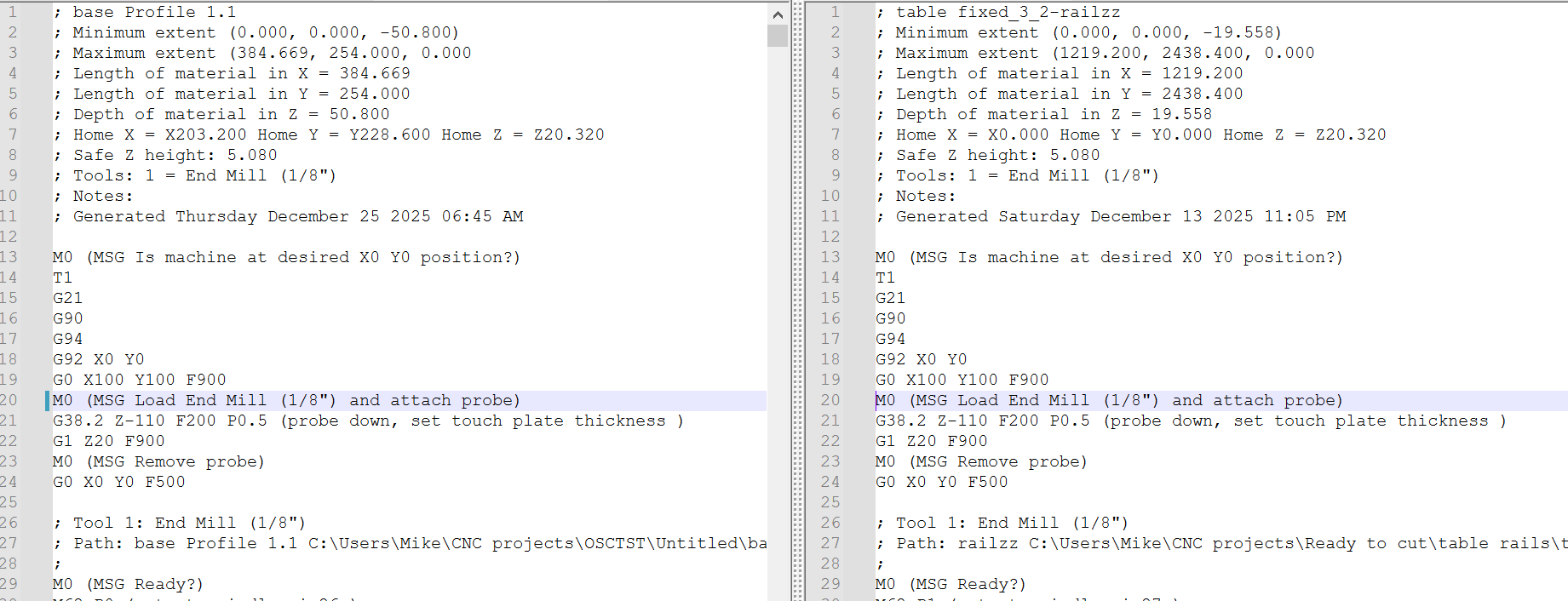

Edit to add: I just went back and read through my build post and I updated to FluidNC v3.9.9 before I cut the table rails, so it looks like that is not the cause…did I bump the wrong line in the config or something?