What slicer support settings, or custom designed support geometry do you use for low floating features (e.g. 1.2mm above bed)?
Ideally I’d design and print in a way that avoids Supports being needed. I respect how all of Ryan’s parts manage this.
But, what to do though if Supports are needed for reasons, and you want to minimize post print cleanup time, while maximizing print reliability/quality?
Have been using Slicer’s regular organic tree support, but that doesn’t work well for low floating features, so, especially for shared models, am leaning towards including intentionally designed features to mitigate risk of someone’s slicer generating bad support structure.
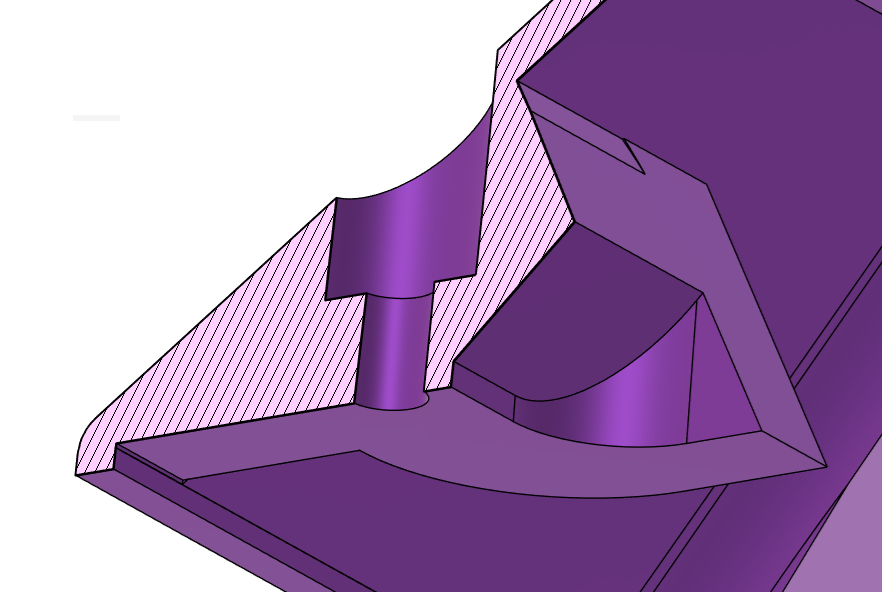
For example, and what sparked this rathole, I recently made a cover plate with bed adhered perimeters, but with boss and other features floating 1.2mm above the printer bed. Post print cleanup seemed to take longer than it should have, it didn’t need to be pretty, just needed enough clearance for mating parts. So, one edit was to increase tolerance so sloppy clean up of support structure didn’t overly interfere with final assembly.
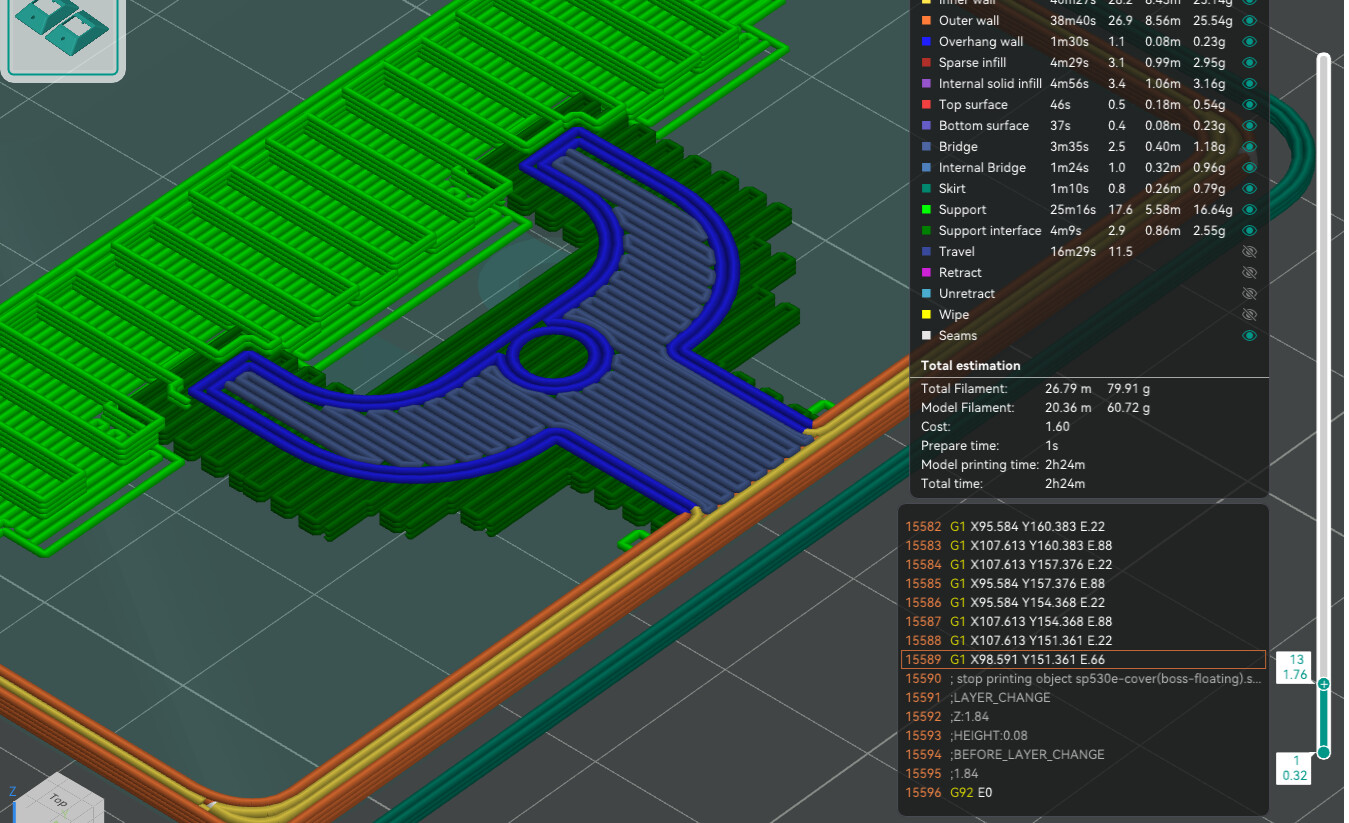
Default grid based support in Orca 2.3.1 looks ok, but narrow width for rib neck (top layer) would be nice…
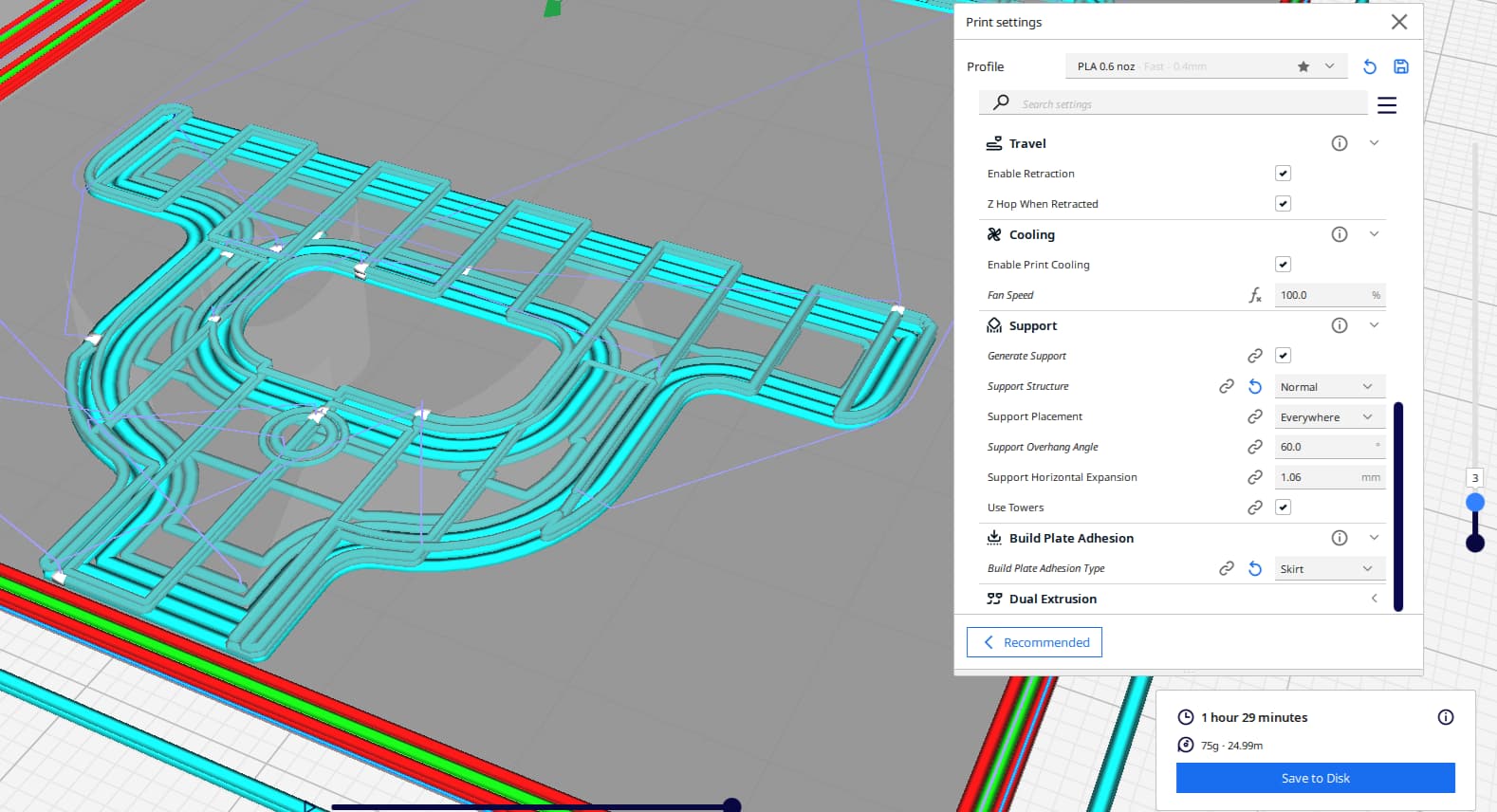
Cura 5.11 (fwiw is notably better than 5.9 but still) creates an elaborate lattice with nice initial layer brim, but, the overall lattice doesn’t support inner walls as well as OrcaSlicer’s strategy…

Recently stumbled onto neat Without a Trace: 3D Printed Supports That Remove Like Magic tips for designing intentional support of overhanging with sprues (?) to balance print time support, material, time and finish quality. But, didn’t stumble on to similar tips for pure horizontal overhangs. Obviously, I’ll find something as soon as this post is sent…
 too late… And, I agree… am currently installing (ugly inside, but) good enough to use 2nd test part printed yesterday (Cura). Cleanup took long enough that I started getting curious about better options. Trying Orca for next print/design.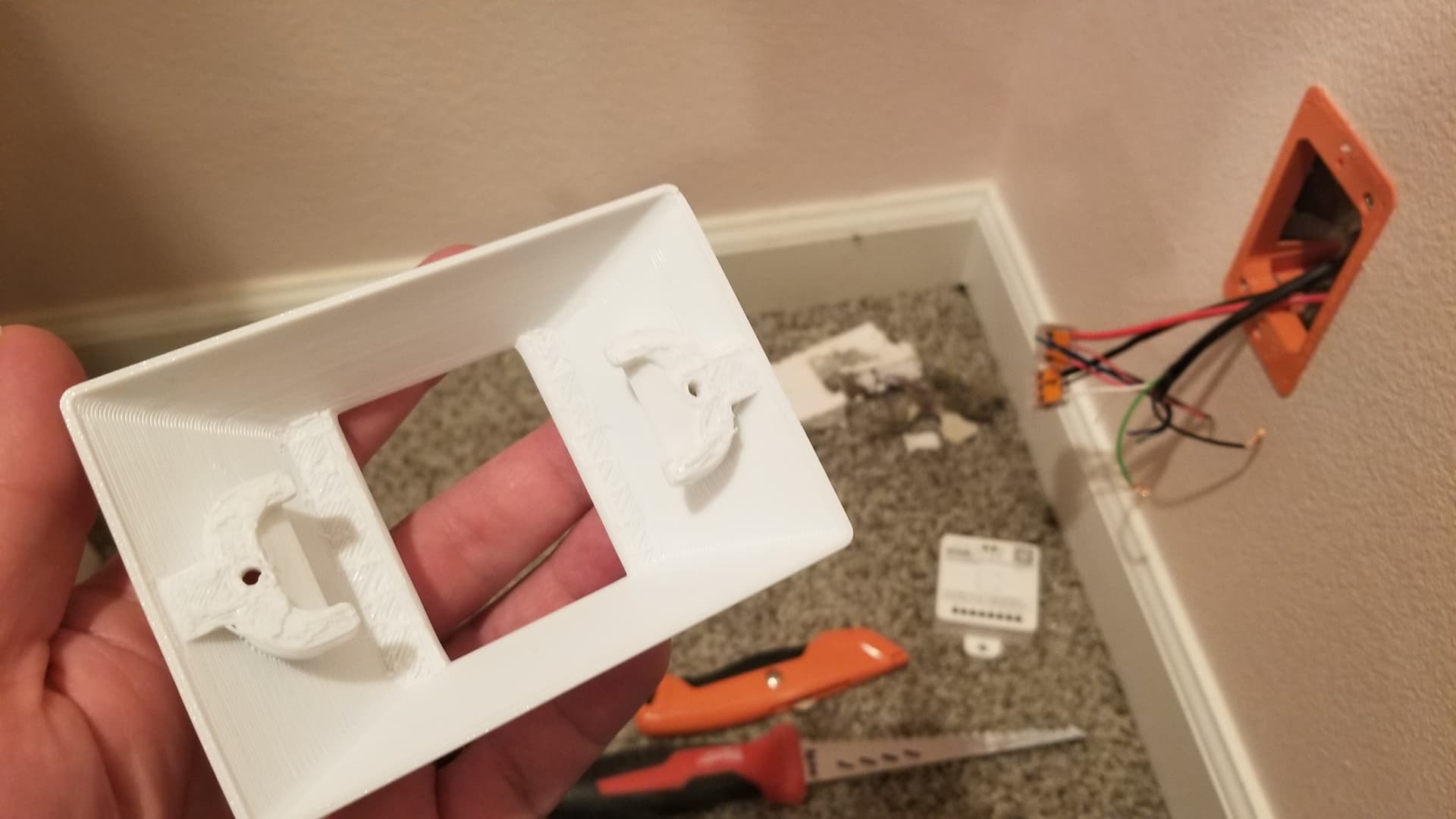

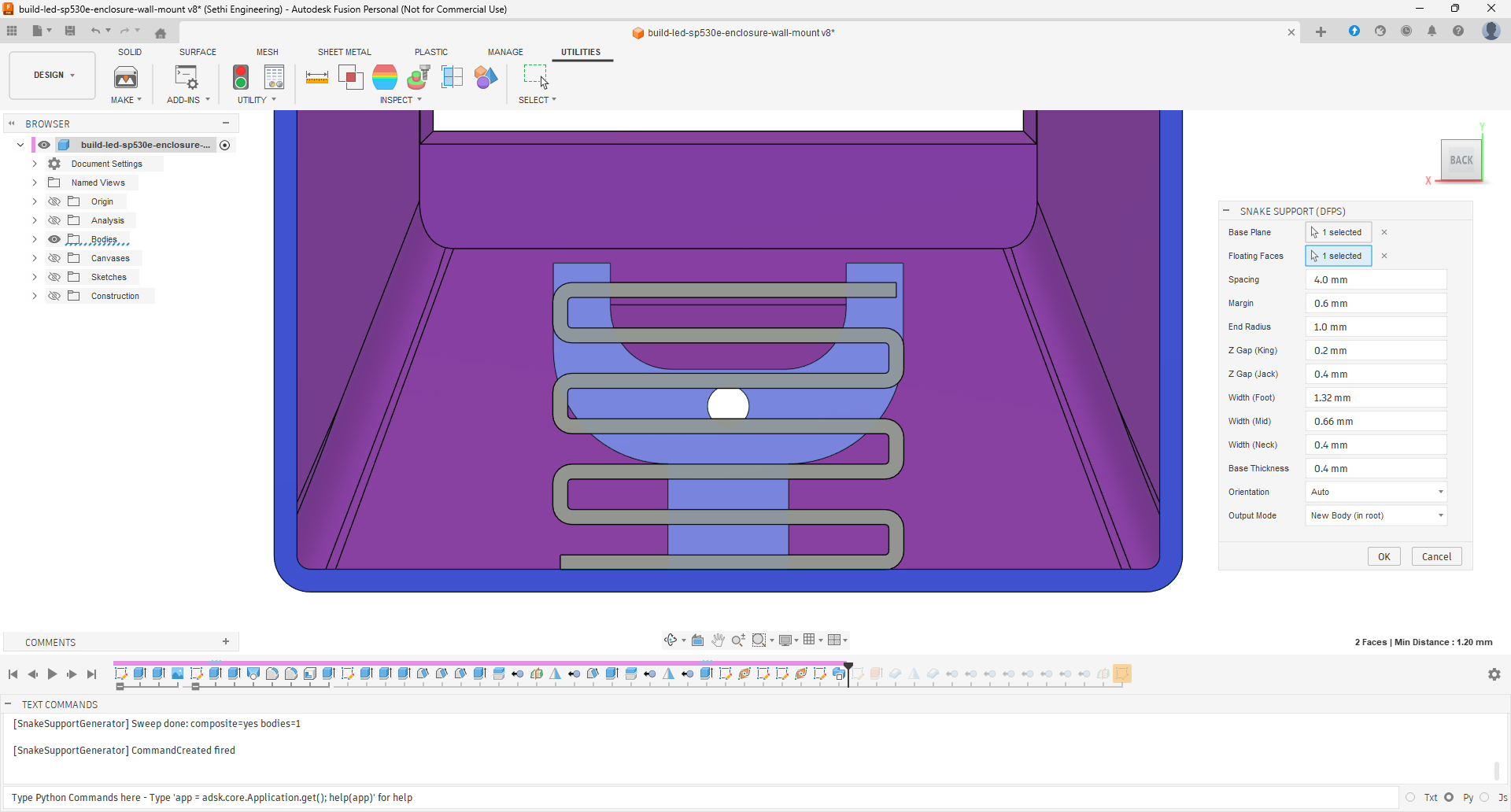
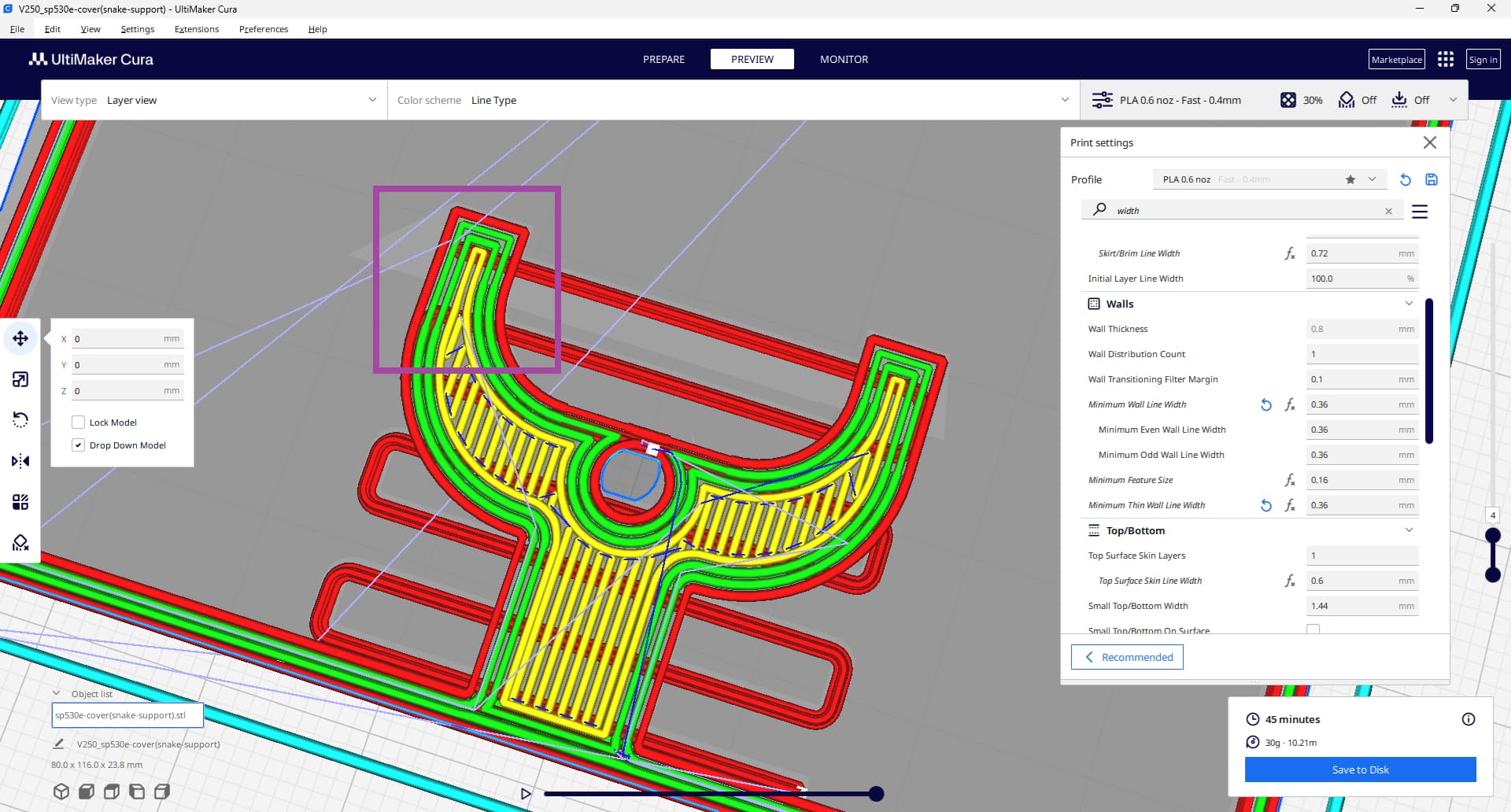
 That said, I’ll gladly stop if this has been done already by someone?