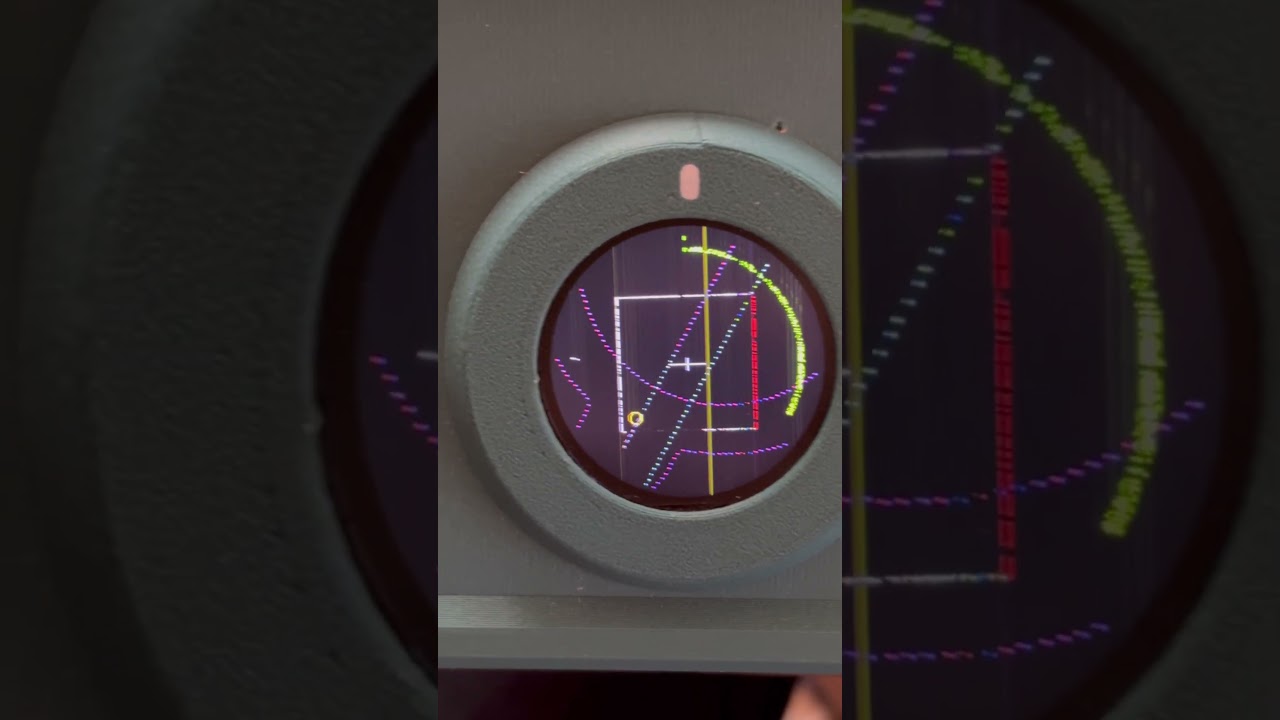
Got path preview fully working on real gcode as well! Different colors for different moves.
Cutting paths are dynamic as well: they are color coded purple/green based on the current index. They get green when they are cut.
I’ve added caching for larger paths, and dynamically reload that cache based on the distance traveled, so in theory we shouldn’t run into slowdowns on larger cam files.
I also redid the sampling engine, so it uses real world coordinates to determine the path dots. It currently is set to dot every mm. But that is configurable in the header files, maybe later in the UI itself.
I pushed the changes to the fork.
You need to uncomment my fixes for my chicken head movement, for some reason mine are totally inverted, but homing works as intended..
Wow, amazing! Thanks for the in depth explanation. The stippling makes a lot of sense, drawing individual points instead of the full lines. I’m stoked that works so well.
Very cool. I like that submenu a lot. My current menu logic is admittedly very clunky. I want to refactor the whole thing at some point. If you have a sec in the near future, maybe we can chat and brainstorm this.
I actually just uploaded a modified version of that design (with 3D contours) a couple days ago. It seems like you found it!
I’m curious why you decided to go this route. Does this offer better optimization than basing the sampling off of pixels?
Hmm that’s strange. I’ll look more into that when I go through the fork. I initially thought it might be a mishap with stepper wiring, but if homing is working correctly then that couldn’t be it.
I just tried it on my device and I gotta say again, nice job! It looks great.
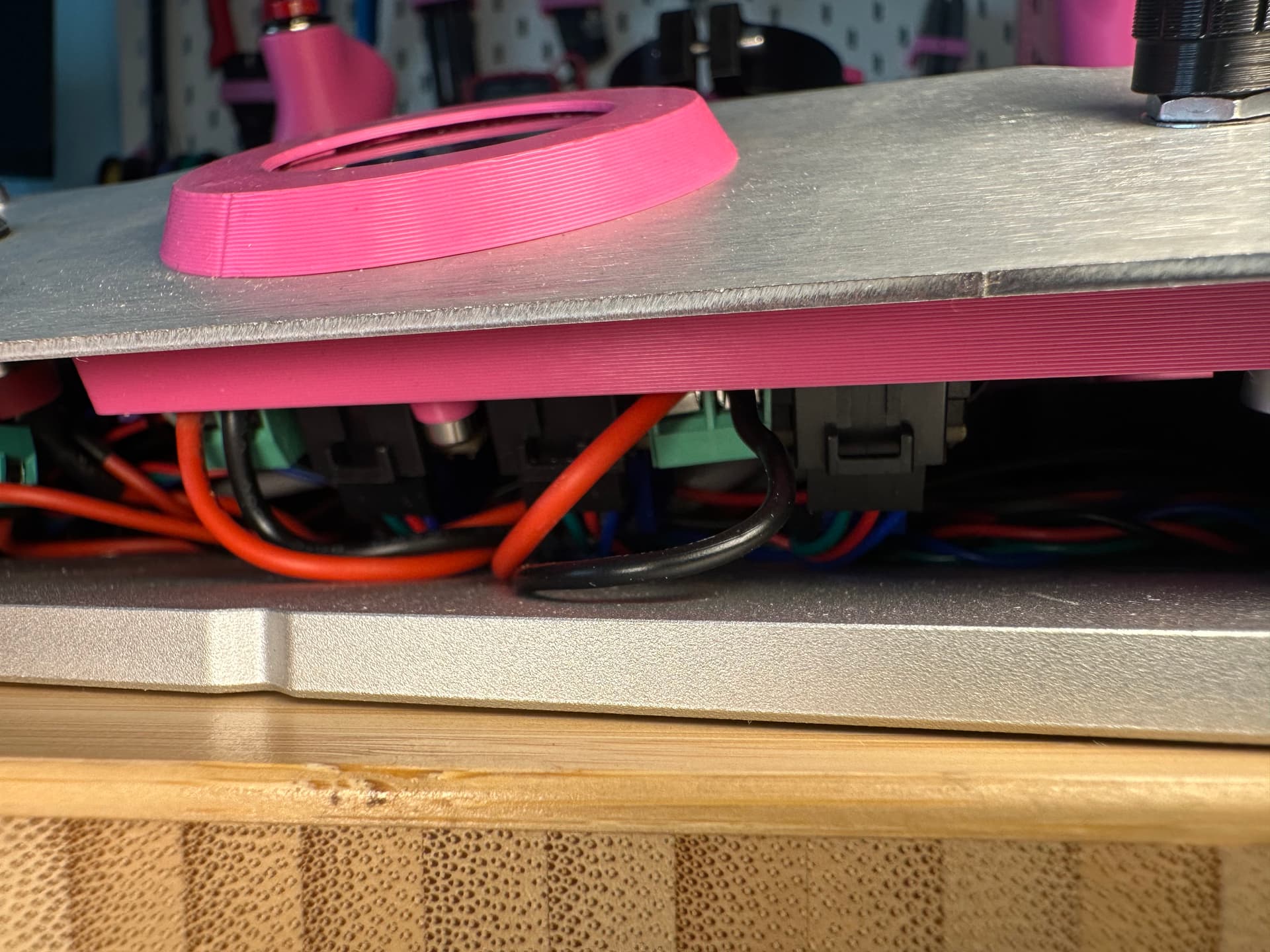
I did have to uncomment those lines in order to get it working correctly. It makes me think that your steppers are wired incorrectly. If it’s not too difficult, could you send a picture of your stepper connections into the main board? You can just get a picture from the gap in the front like this:
I don’t do a ton of embedded coding, but when you’re trying to optimize like this, profiling the code is the best place to start. Having actual numbers for the ms different parts take will surprise you and show you where to really focus your efforts. In my experience, the unexpected time killers are the biggest places for gains. The places you think will be slow (even if you’re very clever) are already close to optimal.
The neatest way I’ve seen to profile embedded code is to use a couple of extra output pins and an oscilloscope. You toggle a pin on at the beginning of a function and off at the end. Writing to the output is usually very fast, so it doesn’t harm the results. You then hook the output to an oscilloscope and measure the time it is on. Ideally, you can get 2 or three things measured at once and see where the code is spending its time. Then drill down further with 2-3 different measurements. I would probably reserve this for timing very critical things, like interrupts or motion control.
You can do simpler methods, like measuring using the internal clock and filling a table with the results, then printing the results to the serial port much later. Saving min, max, total count and total time will give you a lot of info about the time spent in a particular part of the code. There are ways to get approximations of stddev without having to store every sample time. But honestly, avg time and total time are the most helpful, followed by max.
It will be a little tricky to get a good representation of “normal” circumstances. Profiling the code when it isn’t running gcode won’t exercise most of the code. Different gcode files may be more annoying to run or exercise different functions. That’s what makes software development challenging.
Ah shoot man, I’m sorry I haven’t gotten back at your comments. I’ve been head first in renovating our bathroom for the past month so have gotten very little time in between. Haven’t even started routing on real wood using the compass and outside it’s starting to snow in the Netherlands . Thought up some sweet stuff in the mean time though and definitely am in for a chat in the near future! Will DM you some photos of my main board in the coming days
Sorry for digging up a bit on an old thread, but do you have the 3D files for that nice printed faceplate with the bezel and separator with logo? I poked around a bit in your fork but I don’t think you put those files in there… I would love to replace my current print which is just a reprint of the flat metal part, it’s a bit floppy….
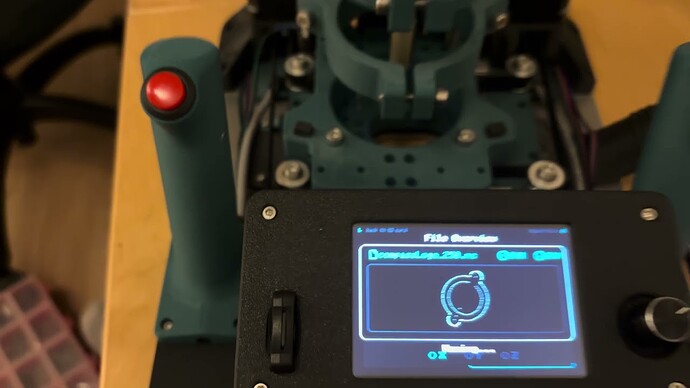
So a long lasting update, sorry, been busy with a lot of stuff. But I build a new display setup and today I did a giant overhaul for its UI. Added a lot of nice to haves as well!
Hey nice. Do you have the code on GitHub? wold love to see how you have done it. Because i am about to make my UI now as well. Does it still run on a Teensy?

 . Thought up some sweet stuff in the mean time though and definitely am in for a chat in the near future! Will DM you some photos of my main board in the coming days