I am just trying to cut out 100 mm square from 1/4’ Masonite. I create the square in Carbide Create Pro, save it as an SVG and Open it in Estcam. No matter what changes I make to all the setup files, I still create a much larger square, roughly 380mm. Please help.
I created the gcode in Carbide and its work fine so I think Estlcam must think the model is in inches.
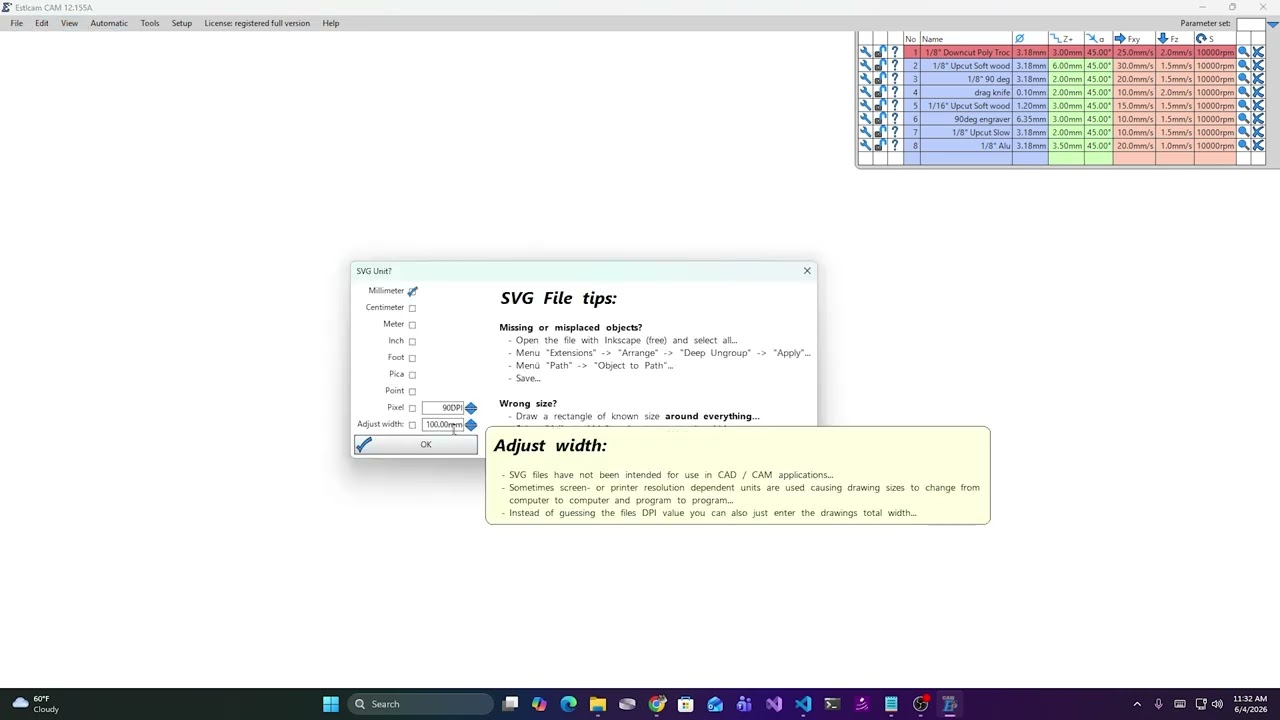
You can use the ruler in Estlcam to measure it (middle button I think). You are correct that it probably thinks it is in Imperial. You tell it what it is when you import it. Also, if it works in Carbide, why do you need to use Estlcam?
@Tbachtell, I probably should have checked and asked more questions, but I’m guessing you’re using FluidNC / Jackpot controller.
Noticed you’ve created a carving and cut your own struts already. So, I’m assuming your machine was built using a kit from the V1E shop (using the pulley hardware in the kit), and, your machine’s steps/mm settings for X and Y are good, and haven’t changed recently. I’m assuming you’re just having trouble with Carbide created SVG images/diagrams?
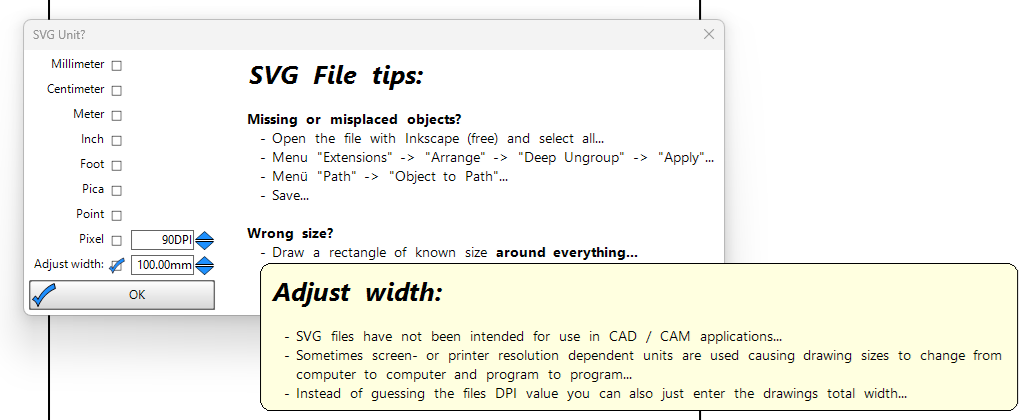
Try checking “Adjust width” with 100mm set (or what ever your desired width is) when importing the SVG. Then (using middle mouse button) measure the dimensions before generating gcode.
SVGs can be wonky to get the right size because different apps can use different units. It appears that Carbide Create is exporting with pixels assuming 96 DPI. 100mm at 96 DPI is 378 pixels.