I have a new Northwoods custom LR4 build. It’s mostly all working well… successfully cut the crown following the directions in the documentation (DXF → Estlcam → Gcode onto SD… then SD → FluidNC → and run on machine…) I figured out the z-probe, etc, figured out that ChatGPT google search is about 85% wrong anything to do with this machine, etc… But I can home and drive the machine, etc, do belt calibrations and really want to get to work on a backlog of projects.
I initially played with direct USB connection because I put a little Windows PC box on the gantry and am not a fan of driving an industrial robot/powertool without wired connects. Tried a host of programs and liked UGS the best so far for USB direct connect. But, I went back to FluidNC because the V1 documentation is based around that, and I can appreciate that the preloaded FluidNC is configured specifically for the Jackpot/LR4 including its gcode quirks, and stripped down to not have options that aren’t relevant for this machine.
My issue is that FluidNC → Windows box WFI keeps dropping the wifi connection. I have the gantry PC set-up to only autoconnect to FluidNC, but it’s pretty annoying as it can barely get through an axis calibration before dropping and needing some kind of reset or unplug/plug. I can’t say 100% that it isn’t this cheap (but new) Windows box as it was a little spotty with internet wifi (but shop signal is very iffy), but it’s 10” from the jackpot and shows a string FluidNC signal.
Is there any hack to run FluidNC via direct USB? Is that what the telnet option does, or is that just a dumb/direct terminal option within FluidNC? Would a dedicated Android tablet be more reliable than a PC box (it’s dedicated to this machine so doesn’t have a lot of extra software besides regular Windows bloat) in anyone’s experience?
If not, what direct USB connect software works most seamlessly with the LR4 and is there an existing package with an existing config file specific for the LR4?
I ultimately want to design in Fusion360 as I’m versed in that and 3D printing (but new to CNC). I can would prefer to upload GCode direct via USB and not mess with the SD card, but Jonathan from NWC commented that I would have problems if the USB came loose during a long cut, which is valid… I can live with using the SD card for big jobs but I really need a reliable way to drive the unit.
In theory I’m already driving this robot wirelessly already since the keyboard connects to the box via wireless and so does the monitor but basically wires and buttons are more tactile to me and my response times are faster so spinning router + expensive materials make me want more control… Wifi issues tend to be something in the software or handshakes and not always something I can quickly diagnose while a pot of expensive epoxy or urethane is cooking off, etc, vacuum pump running, steambox going, hands gloved and covered in epoxy, etc. If I can get it working totally reliably then great.
I will check but I think my system came with a version of FluidNC pre-4.0. Thank you.
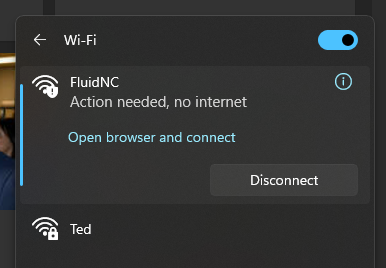
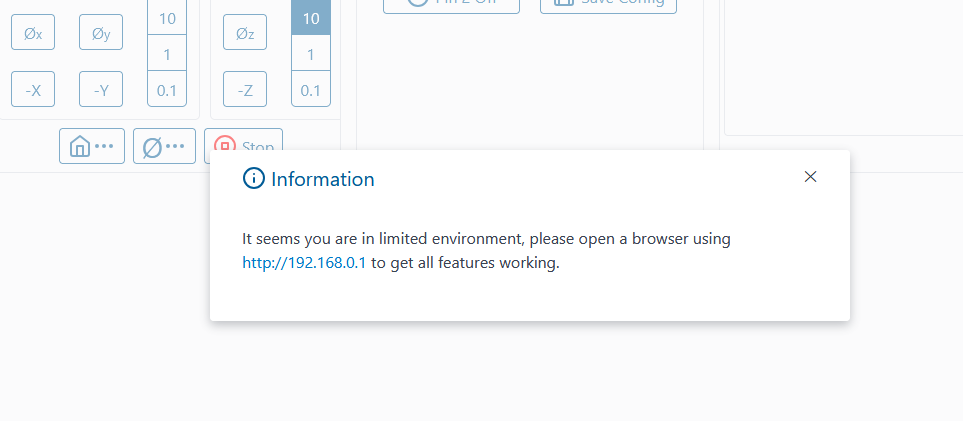
Thanks. My controller box is pre-loaded with Windows 11 Pro. I get the warning about no internet but no option for ‘use this network as is’, but I can X out the warning. My system wants to send me to msftconnecttest.com, and I get various loading messages and then the FluidNC screen. I am now navigating directly to 192.168.0.1 for the same screen to see if that gets me better stability.. I’m using firefox…
BUT the issue now seems to be a problem loading the config. I get a warning from FluidNC right away, ‘Config File Error. Fix it or FluidNC will not work…. [MSG:ERR: Showing startup log from previous panic]…’
Once connected, if I go to FluidNC Settings → config items lists ‘/board’ - none, ‘/name’ - Default (Test Drive) and the values from my config.yaml yesterday are missing. I also tried to just reupload my saved config.yaml file to the system and it looked successful but on power on/off it doesn’t seem to be loading and the SD card in the jackpot is also showing up blank (I just checked it and it’s actually still got the crown.gcode file on it). I also suspect the jackpot never properly saved my last configuration change as I did a y belt calibration and changed Y_steps_per_mm to 49.856 and when I dig with Notepad into the config.yaml file I saved off the jackpot after configuring, that value is still showing 50.
I have FluidNC 3.9.5
In the FluidNC command terminal I can see the jackpot talking to FluidNC alright, ie ‘$SS’ spits back a lot of diagnostic info.
EDIT …. Now it is working? Just powered on/off, disconnected the USB and it seems to be talking okay, no warning, and if I look at the config file via FluidNC it reflects what’s in config.yaml
If you have a USB plugged in and not 24v, or before 24v the board loads up without power to the drivers and that messes things up. If you are going to run it from a USB you will have to disconnect the USB each time before you apply 24v. Or get one of those power blocking things for the USB so it only sends data and no 5v power.
Oh geez. Thanks. The last time I was messing with Github and soldering up my own cables and breakouts Micro-USB was ‘the newest’, that’s how long it’s been. I probably have some old breakouts so I can make a cable that doesn’t send power for this.
You can use the wifi connection like if you were using a usb cable. I had this setup working for my laser (using a v1 jackpot) but never tried that with ant of my cnc’s they work really well using the standard cad/cam (vectrix) to gcode-usb to a dedicated tablet for each machine
Thanks for all this help, everyone. Last night I spent a few hours manually driving the machine using UGS (FluidNC over wifi was still just too spotty for this) running on the gantry Windows box → USB into the machine, and a 3/4” wood bit in the router to level the pine ribs on my table. I’ll put a 3/8” thick 4’ x 8’ particle board on it and snug it down with some nylon machine screws for my build surface then 1/4” MDF spoilboard on top of that and get to work with Fusion360. I’m very happy with the accuracy of the machine–running for a couple hours and scrubbing all over a 4’ x 8’ surface, nothing on the Z wandered more than maybe 0.2 mm at the most, and even that was rare.
After doing that, more research, etc…. I realize I just want a simple pendant with a few bottons that’s wired into the controller and that would sort me out for most use cases, and then if I need to reconfigure or dig into settings I can log in long enough with FluidNC to do that. I’ll move the Windows box off the gantry and mount it on the wall next to my monitor and it can run Fusion360 in a utility sense and make SD cards. I can 100% see why part of the attraction of the platform is ‘just run it off your phone!’ for new users, and why in the docs it discourages that (initially at least) from a troubleshooting perspective.
Your connection issues have to be something simple. The connection should be much stronger than any other wifi as it is a direct connection to the jackpot 3’ away. Of the hundreds and hundreds of jackpots that have sold only a few people are having connection issues…and once we figure out what the difference is we will have a simple fix.
95% of the time it is as simple as “use this connection anyway”. If you have not seen that box, or something similar that is the answer. Pendants are okay, fluid touch is better and still wireless, but I can assure you the phone is simple. most of the time you are only using a few buttons before hitting “go”, then you do not need to be connected. Other controls almost seem like a waste when you look at it that way. After the initial setup and calibration I am only connected for 1-2 minutes total per job.
For his, unless he has opened the control board box and changed something, there should be zero wires running across the top of the chip. This is something I make sure doesn’t happen when I wire them.
Thanks. I mean, I believe you, but I don’t see that “use this connection anyway” and I did some googling but it does not appear to be an option with Windows 11 Pro–I just get a warning that I can X to ignore but if I go back to check anything on the Windows networking or wifi settings the warning is always back. Currently my only other windows machine is on Windows 10 Pro; I do upgrade until I have to. I also saw Firefox has a ‘captive portal’ type option and last night I used that on the LR4. I think it was slightly better for connectivity but it did eventually drop. I’m not a fan of Windows, and even less a fan of troubleshooting networking quirks and any of its bloatware/idiot proofing features, but it came preloaded on the ROM of this little machine, and form factor and specs of the machine were pretty good for something that should run Fusion360 and survive in a wood shop: Amazon.com
If you want any diagnostics off my machine I’d be happy to provide those for the cause, not that you don’t already have enough to do…
I do get that for most use cases you’d be only connected for a couple minutes per job but I liked that when using UGS the machine could be jogging but I could stop it in real time, stuff like that. If I’m relying on WIFI and the connection drops I don’t seem to have any option but to kill power. My use case may also be more of an edge case as some of the custom marine lay-ups I work with are really pricey so machining mistakes are really pricey both time and money. I’m also pretty used to doing precision woodwork and joinery with hand tools–trim router, jigsaw, straight edges and skillsaws, so just to have a 4’ x 8’ push button router sled on my shop would be really nice.
For a pendant, I should go this route per the Jackpot Controller docs: “You can add a hardwired always connected pendant for the basics, moving, starting a file, resuming. This would be a “FluidNC CYD pendant” or M5 Pendant” ?
That is one idiot thing I did not yet do I will send you CU of how I have the system set-up. I have a macbook in the shop right now for all this troubleshooting so when I get to it I’ll try to connect to FluidNC using it and see if it holds better. Maybe it’s the windows box. To be sure, FluidNC stays connected for at least a couple minutes at a time.
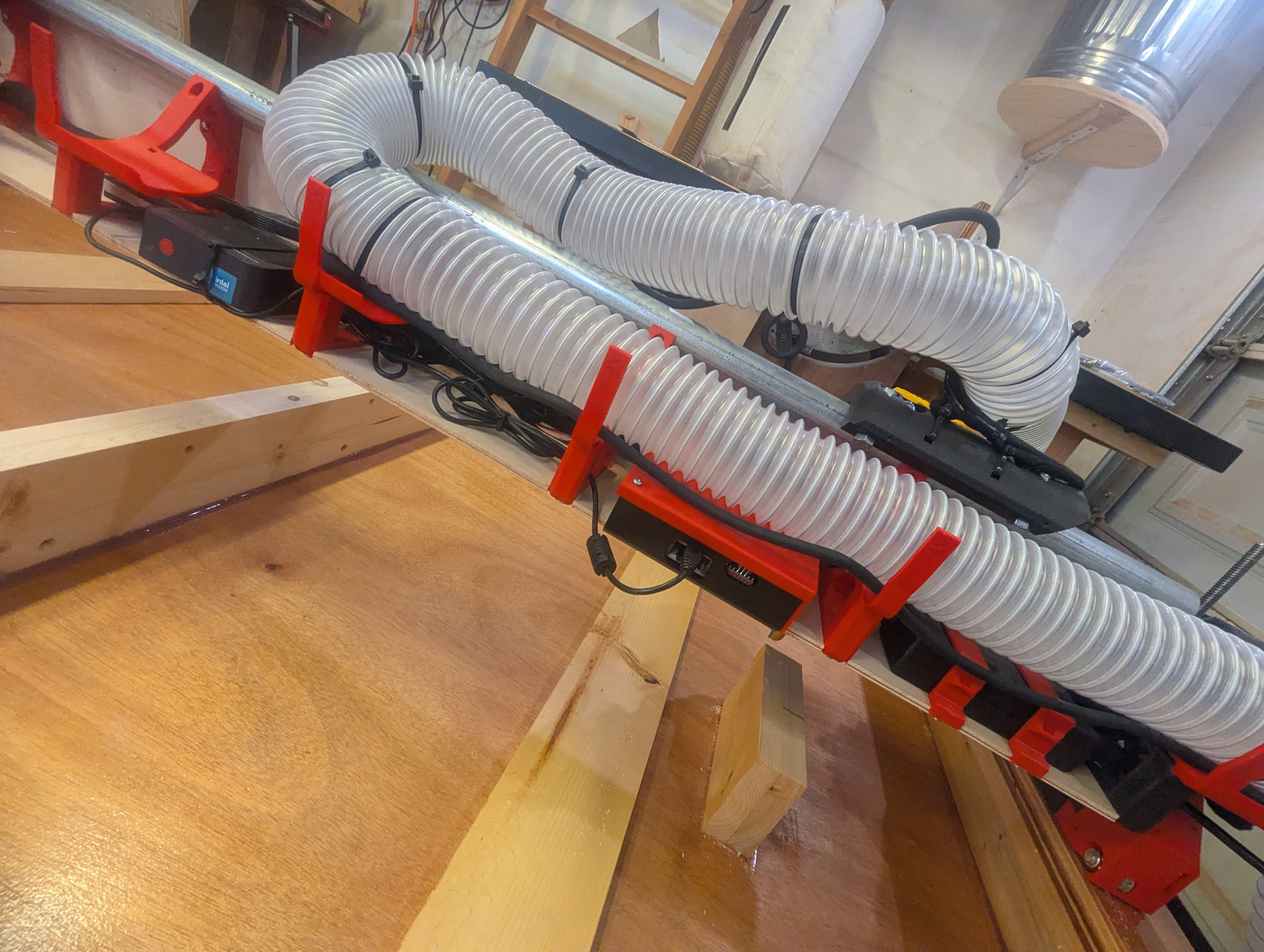
That’s the windows box there on the left. It’s got an HDMI monitor transmitter on it, and a wireless USB keyboard dongle in it. Currently it’s connected via USB to the back of the LR4 (I’m assuming based on the arrangement of the pins in the back that’s the Jackpot 1?). Running over the Jackpot is the power cable for the router and the PC. That router actually doesn’t use grounded power plug but I can add ground wires, and I haven’t grounded the dust hose. If you think that’s necessary for any reason I could do that. Since I haven’t been opening up the Jackpot and touching wires I didn’t think it was necessary. Thanks.
So this is the issue. The jackpot is not having a connection issue your device is purposely disconnecting you. Let’s figure this out before you spend any money or edit the firmware for a pendant of any kind.
What sort of device are you trying to connect with and what browser?

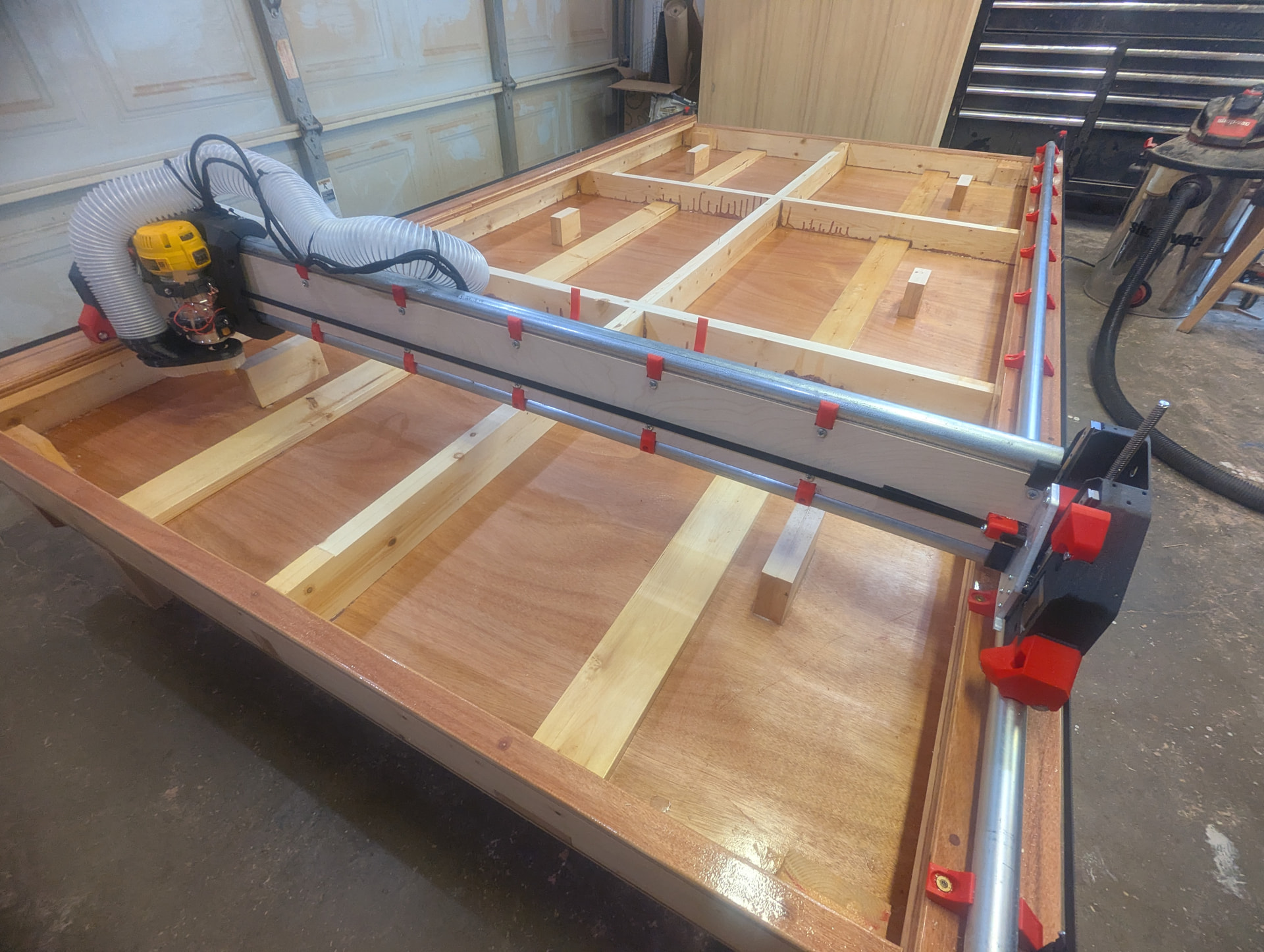
 I will send you CU of how I have the system set-up. I have a macbook in the shop right now for all this troubleshooting so when I get to it I’ll try to connect to FluidNC using it and see if it holds better. Maybe it’s the windows box. To be sure, FluidNC stays connected for at least a couple minutes at a time.