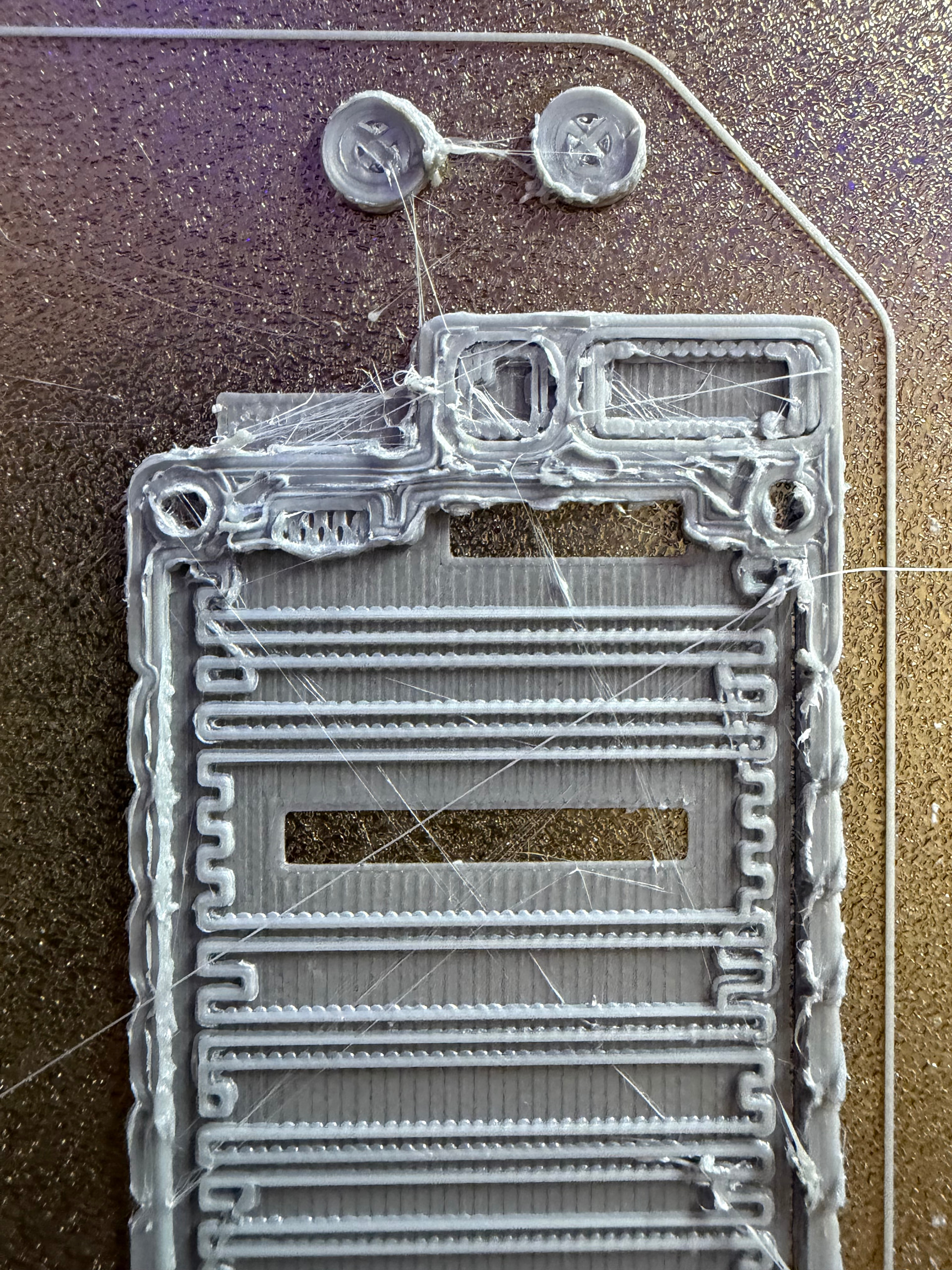
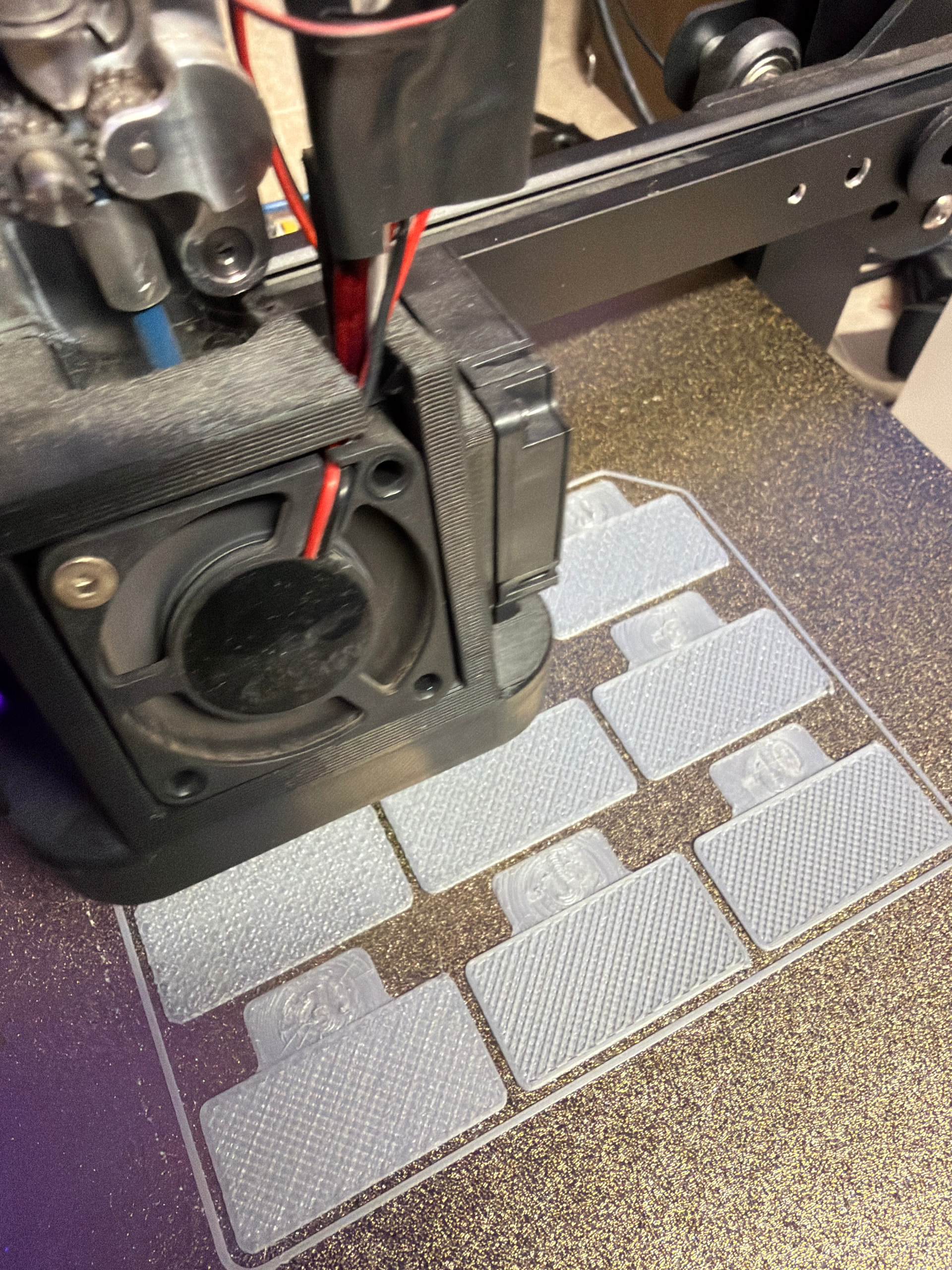
Folks, any ideas why my printers are so bad? I cannot get anything to print well. I have tried everything!
I just cannot get good prints anymore!!! I set my e steps, oh btw
Klipper, microswiss dd, I have ran and reran z calibration.
I have checked everything, I just cannot get this thing stable. You can see it prints great, but then at the top it went haywire again.
has a new nozzle, I went back to .4. I have tried Orcaslicer, prusaslicer both. Prusa gives me better prints right now.
i have tried 3 different filaments. This last one is my Esun pla+ that has always printed awesome!
I really am at my wits end. I hope this is something simple. I also checked for ohhh, bummer, my memory. over extrusion, cannot think of it. I am running at .95 right now.
If anyone can help me it would be greatly appreciated, oh and this is happening on 2 printers. This is the better of the 2. I have done something, When I went to Prusa I even had to create a default profile.
Check filament quality. If it is full of water? If so then dry it in a bake cycle
Check for basic extruder calibration, clean the gear, check bowden for wear. Make sure 100 mm extrusion measures 100 mm.
Check nozzle securement. Ive had nozzles come loose and do weird stuff. Heat it and tighten it. Verify fans are functioning at speed for the required temperatures and when the heater is on the correct parts are cold. No dust bunnies on the hot end cooling fins.
First layer is critical. Get the z offset right for a squished but not smashed first layer. You want no gaps, but also no ridges.
When things go south for me and it isnt the first layer of the print bed, it is often a mechanical issue. Loose wheel bolts, loose z struts, y bed movement / wheel wobble. The poly wheels have a finite life and while economically friendly, they are the tell tale /leading indicator of system use. They groove over time and can pit or lose chunks if mistreated or spoken to harshly.
My print experience is limited to some others here, so i hope they will sdd to or correct so we both can learn from this.
Ive interacted with several enders lately and the x gantries on the non-drive side get wobbly and dont lay level. The wheels are loose. The gantry rocks, the y bed has some slop in movement so it can twist a little or even tilt. The belts were loose. Tighten things up. Adjust that eccentric wheel, check calibration, replace wheels if movement isnt smooth (Amazon for ~$10) and then relevel bed and calibrate for skew if you need dimensional accuracy and put it back in service. Good luck!
It looks like over extrusion but with the stringing and blobbing also could be wet filament, nozzle temp too high, too low retraction length and/or speed, and maybe part cooling fan settings. It sounds like it was working fine before? Did you lose your printer profile in your slicer?
Teaching Tech on youtube had a great tutorial/flow chart thing for dialing in all the various settings (in the proper order), that’s what I followed to get my Ender 3 print settings perfected.
I absolutely hate chasing problems like this myself so I empathize with you!! Hope you find the solution without too much hassle…
That’s got to be significant. Has it come on for both of them together, or did one go and then the other? If it’s common to two printers and has started on both at approximately the same time, it’s quite unlikely to be a mechanical issue. It should be either software or environment.
If you were to re-run this print (or print it on the other printer), would it fail in the same place or randomly?
It looks as though the first layer goes down fine, but the second layer is bad everywhere that there’s more than one line extruded adjacent to the next. The more lines you’ve got adjacent, the more the nozzle is ploughing through filament instead of passing over it. That does sound like overextrusion.
Is the Z axis moving correctly? If it’s extruding enough to build a layer of height A, but only moving up by distance B, then the nozzle will start to crash into the filament. You might be getting away with it on the first layer due to the z offset but then running out of margin as you stack up layers.
If you left it running for another layer after this, would the bits that are still OK in the picture above be OK, or would they collide too?
I was just looking at the original picture along with this comment:
…and I started to wonder if you didn’t have the slicer set for 0.6 nozzle when you actually had 0.4 in the printer. That would explain all of it, if it was the case.
So right now, no. I have a meshtastic project running right now. We will see how it comes out.
I know orca had fw retract on. I know that Prusa did not. But that would not do this. I still have to check my other printer yet as well.
I do know that everything was set to .4 as I had went to .6 a while ago, but went back. I double checked before posting. I probably should not have done a shotgun approach. I really hope it is good again. I doubt that 60 mins in the dryer could have done it, not long enough.
so after the successful cal test of the the flow rate, I put to .9. Retract at .2 and my parts came out swell. A lil stringy yet, but good.
Now I know how the people at work feel when I just show up and they say that all their computer problems go away. I just had to get frustrated enough to post here and then bang, my problems are gone. Sorry and thank you!
Ahh, the famous “tech support aura.” I attribute it, at least in part, to folks who are usually on auto-pilot actually paying attention to what they’re doing when demonstrating the “error” for the support tech.