Yes, measure the top of the leadscrew from the YZ plate. At the top and at the bottom (that number should be the exact same or very close to it. Does it move in or out. You might need to sand down your leadscrew stubs or shim them a bit.
Thank you for all that info that helped a lot.
This is with my non digital calipers as those have walked off for the moment
X min side top-17 bottom-17
X max side top-16 bottom-17
I’m assuming 1mm (which is probably 0.7 if I had my digital) isn’t enough especially as this is from the side I experience less issues with
Edit: I tried updating to a new firmware but got the same issue where the max current increases with the set current.
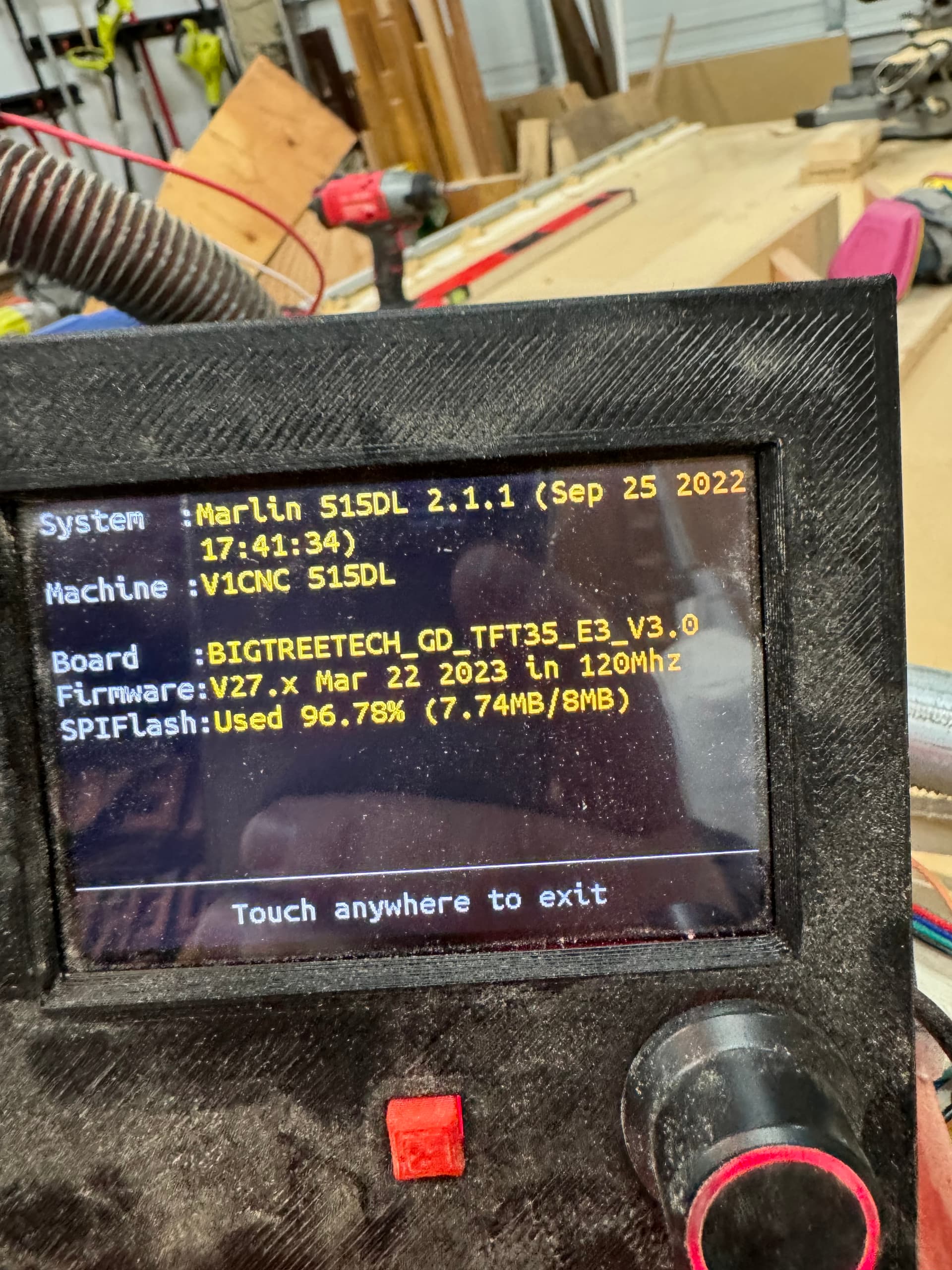

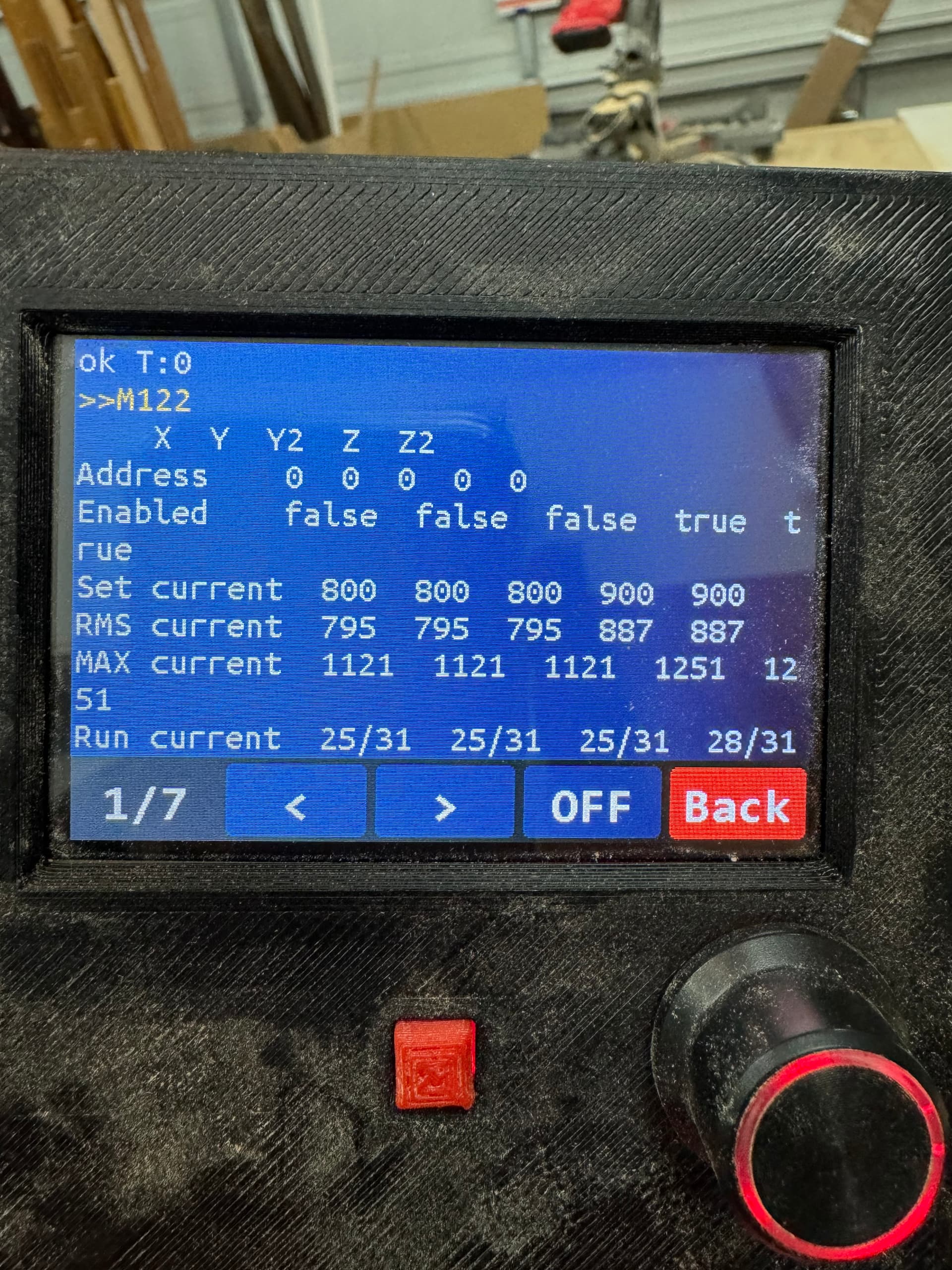
Sorry, I thought you were talking about something else. That is like a peak reading, the tmc change if needed we are only worried about RMS.
Do you still have an issue with your Z axis? When you move 10mm Z on the screen, does your Z axis move 10mm? ( you are using other Z screws)
1 Like
I’ll need to actually check. Up to this point it hasn’t over cut or undercut the thickness of material at all.
Thankfully I have some extra shop time for another project, I should be able to check here within a hour or so.
Okay max distance was 103 mm
Issued 10 mm move from tft screen
New measurement was 93mm
Also did a additional 20mm move and got 73mm
I am not sure. Again it was only intermittent, but most frequently happened when issued g28 z
I think solid grease and upping the current would be sufficient. I’ll set it to 850 and try and do some testing.
Sounds like your Z home move is set too fast.
This is not right. It should either be perfect or a fixed percentage incorrect. 50% would be,100=50, 50=25 etc. It should never be 3mm off on a 100mm move or 3mm off a 100mm move.
Sorry should have worded it better
103mm is the distance from rail to spoilboard at zmax
It moved to 93 with a 10mm move so it moved 10mm then I went a additional 20mm down and measured 73 so it went a additional 20mm
Where do I set this value?
Okay so that is good, That means your homing rate should be fine.
Watch it closely and see when it messes up. This seems like conflicting info here. All of it is good but something has to be wrong.
1 Like
Okay. Let me put all the info here so people don’t have to scroll as far
ISSUE: Z motor occasionally skips steps. It’s mostly noticeable when g28 Z is issued by Estlcam (after looking back at some of the failed projects it’s almost always when g28 Z is issued for tool changes or end of job), if it’s really bad it can be solved with lubricant (will be trying grease vs drylube soon)
Tried solutions and occurring issues (unsolved issues will have a asterix at the start
Confirmed step accuracy
*Tried upping stepper current but steppers never got hot, stopped at 1200 milliamps
Updated firmware to latest version
Confirmed the lead screw doesn’t bind (minus when completely bottomed out)
Things left to try
Add grease vs dry lube
pay more attention to when the issue happens to get more data
up current again and move machine around for testing
What exactly does this mean? Are you controlling the board with estlcam or are you exporting gcode and controlling with your screen?
This is also suspect. How are you turning up your drivers, does it stick after a reboot?
The steppers need to be in motion to heat up, when not moving the current turns down by itself.
1 Like
Exporting and used on tft or octoprint had issues with both, usually after the finish of a job or during a tool change.
M906 X# Y# Z#
How long should I use them for to test?
Use the onscreen menu and remember to save it to eeprom. 1200 should not work it should get smoking hot on your drivers and steppers.
What steppers do you have mine or something else?
At least 20 minutes of constant motion.
4pcs Nema 17 Stepper Motor Bipolar 2A 59Ncm (84oz.in) 48mm Length for 3D Printer/CNC Machine/Robotics Amazon.com
And for drivers I have TMC2209 v1.3
I would say try 1000, and see if they warm up some. They are a different rating then mine. You will probably be juggling driver temps. Keep turning them up until your steppers get enough power but anything over 1000 and you will need a fan on your drivers.
Seems like you might have bought slightly overrated steppers. They need more current to get the same torque as the ones offered in the kit.
I probably need a new power supply as well then
Current: 12v 5A
Could be a good excuse to go to 24v, will have to compare prices though.
 I think I knew that when I got them. Everything was out of stock when I was ordering, tried to get comparable/better if I could. Never would have thought about the power demand being higher. Kinda a no brainer when you think about it, but clearly I hadn’t.
That is plenty4-5x what is needed.
it only helps with higher speeds.
We already only use 80% or so of the steppers we have, so in this case slightly smaller would have been better.
1 Like