I’m trying to make simulated mdf doors, I’m stuck at trying to make the inner square straight instead of rounded.
I’m using estlcam and lowrider v4. I have a 30 degree v bit with 1/4” shaft (6.35mm)
I’m using for engraving and carving.
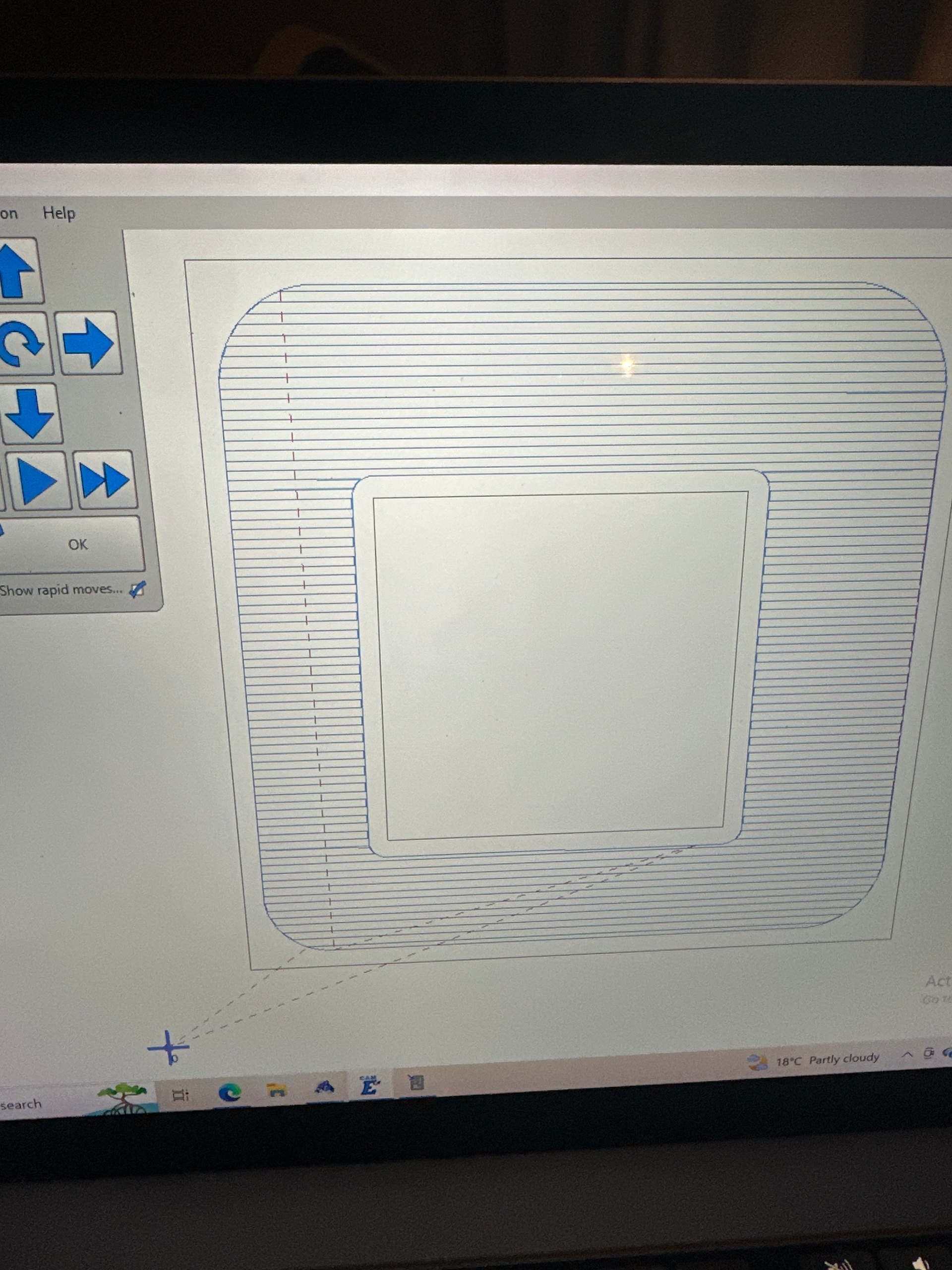
I can use engrave tool path but it doesn’t finish the corners like a carve tool should. And when I use the carve tool it acts weird and cuts lines, but it does do the corners with the last pass (where it pulls up in the corner to make it look like a straight line)
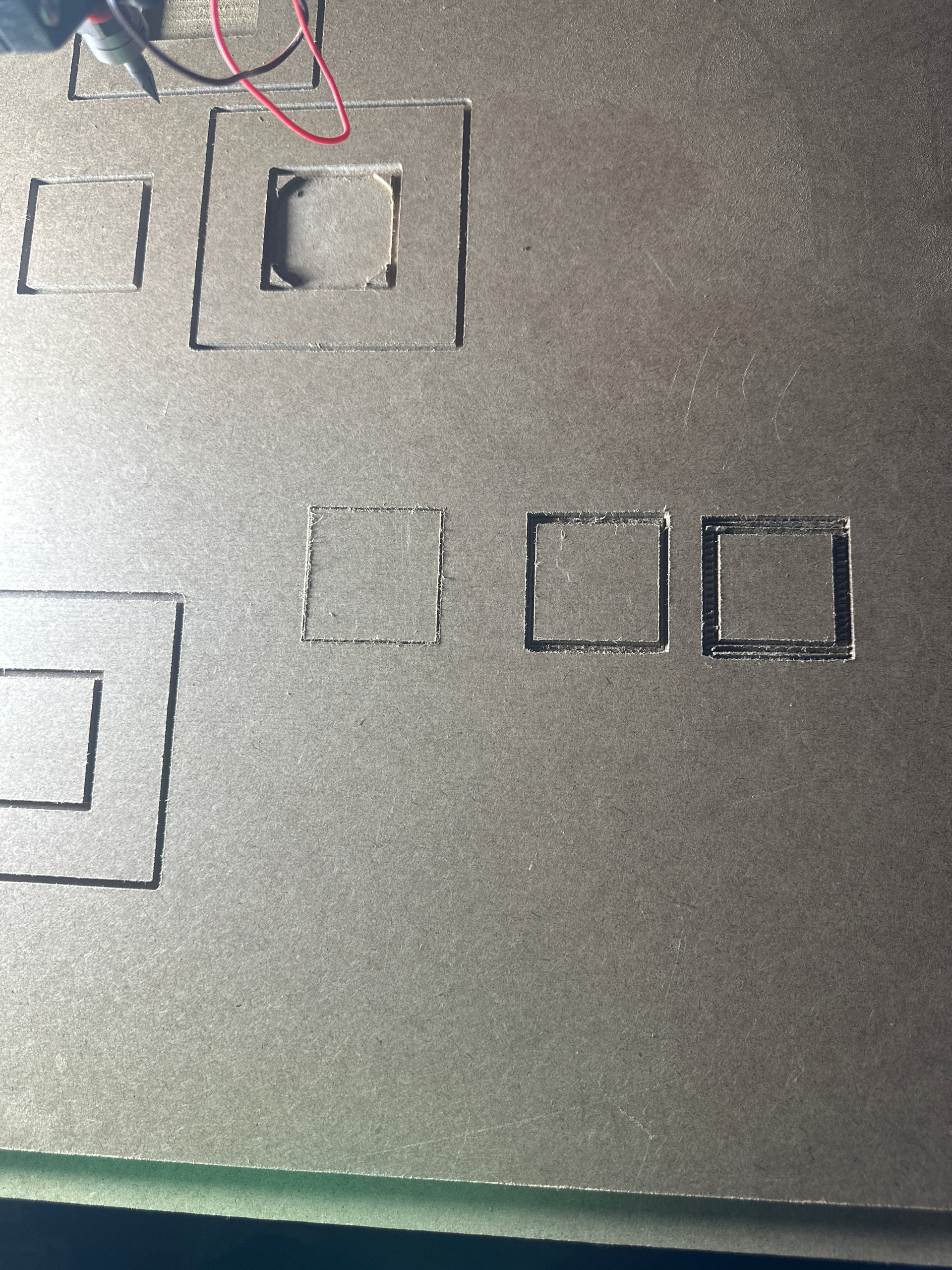
you can see in the picture how the carve tool path made lines
The three squares were tests for the max carve width setting. Left to right is 1mm, 3mm, and 6mm.
My goal is to make a pocket for the inner square and then come in with the 30degree v carve bit to square up the corners. If you could help me out that would be great.
That would be a Carve pocket. Set a perimeter Carve path and add a pocketing tool (in path properties) to cut the flat. Carve width needs to be at least as big as the square.
For an island carve pocket: select v-bit > Carve > right-click on inside square and left-click on outside square > add flat pocketing tool to path properties > set Depth.
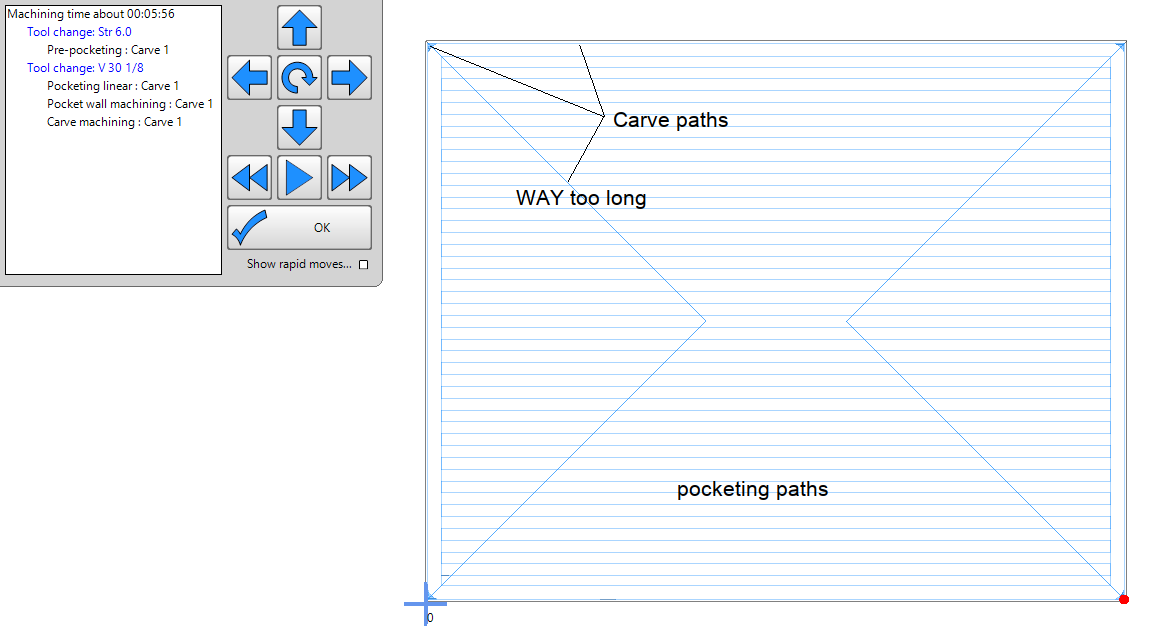
For a carve pocket: select v-bit > Carve > left-click on inside square > add flat pocketing tool to path properties > set Depth. V12 pretty much fails (v11 is fine) because what are supposed to be short little ramped corner cuts are way too long. While they don’t cut deeper than the pocket, they could leave a subtle indentation.